
GICT knowledge base
How to Configure CSF to Allow Outbound SMTP?
Published
How to Configure CSF to Allow Outbound SMTP?
When we enabled CSF on the server, most of the WordPress users are having issues with sending emails. After disabling the CSF, the sender will be able to send the emails. To fix this issue, you would need to allow the SMTP on server firewall. For more information about how to do this, please follow the below steps.
1) Login to WHM.
2) Navigate to the “Plugins” section.
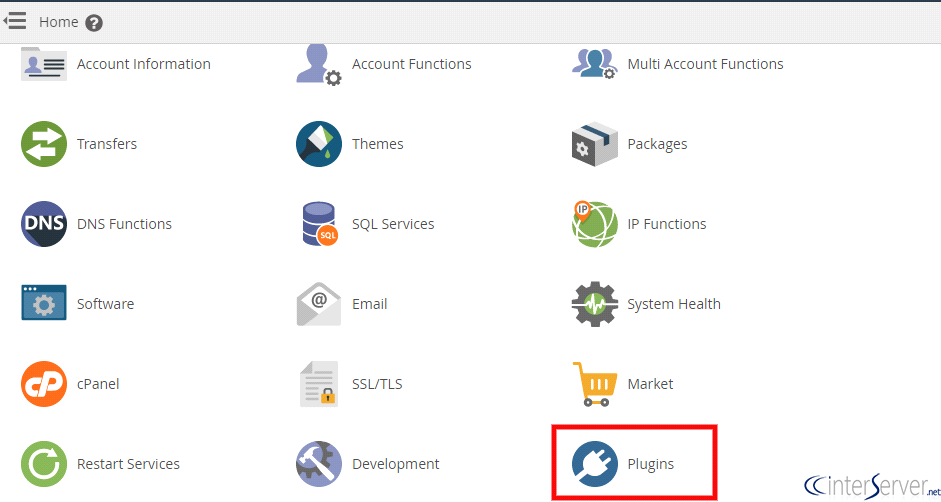
3) Click on “ConfigServer Security & Firewall” to allow the outgoing SMTP on the cPanel server. CSF is a firewall to Login/Intrusion Detection for applications like SSH, SMTP, IMAP, Pop3 etc. It also checks for login authentication failures on mail servers.

4) Open “Firewall Configuration” to edit the configuration file for the csf firewall and lfd.
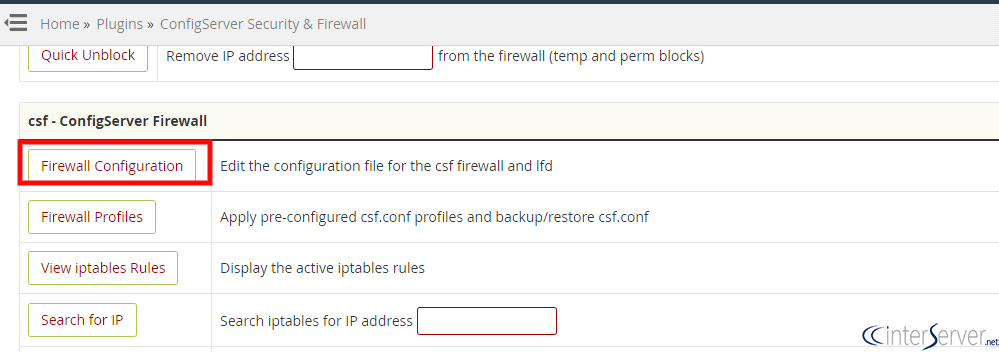
5) Search for SMTP_BLCOK in CSF configuration file and make sure that it is disabled there. If you enable SMTP_BLOCK it will block outgoing SMTP except for root, exim, and mailman (forces scripts/users to use the exim/Sendmail binary instead of sockets access). This replaces the protection as WHM > Tweak Settings > SMTP Tweaks.
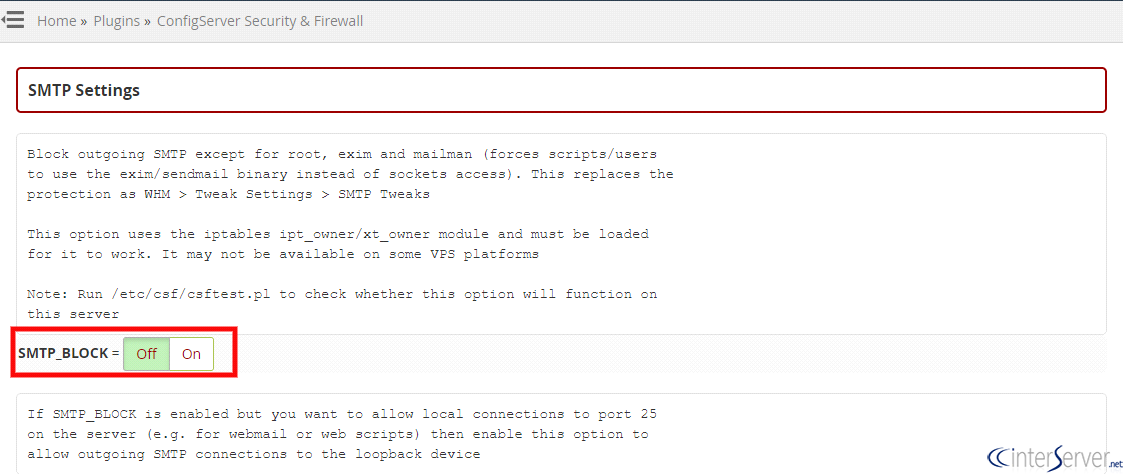
After disabling the SMTP_BLOCK, please restart the Csf to reflect the changes.
You can also do the same steps via command Line.
1) Login to the server via SSH as a root user.
# ssh root@<server ip>
2) Open ConfigServer Security & Firewall configuration file by using the below command.
# vi /etc/csf/csf.conf
Search for SMTP_BLCOK and set it to 0
SMTP_BLOCK = “0”
Then restart the CSF using the command
# csf -r
If you need any further assistance please contact our support department.
Related guides
How to Find Services That Need a Restart After Updates with needrestart
Find services using outdated libraries with needrestart on Ubuntu. Read restart reports, review automatic restart policy and plan maintenance safely.
Firewall and SecurityHow to Connect Two Servers Privately with WireGuard
Connect two servers with WireGuard and keep PostgreSQL on the tunnel. Verify peer traffic, private database access and denied public connections.
Firewall and SecurityGICTServer HIPAA Hosting: BAA and Shared Responsibilities
Review GICTServer HIPAA hosting responsibilities and download the BAA and provisioning checklist. Request service-specific coverage through a support ticket.
Firewall and SecurityHow to Sign and Verify Files with Minisign
Sign release files with Minisign, share an authenticated public key, verify downloads, and stop processing when signatures fail.