
GICT knowledge base
How to Add cPanel/WHM Server on WHMCS?
Published
How to Add cPanel/WHM Server on WHMCS?
We can easily connect the cPanel/WHM server to WHMCS by adding the server on WHMCS. Connecting cPanel/WHM server to WHMCS will allow them to communicate each other. Once the connection has established between WHM and WHMCS, it will be easy for them to communicate for easy login from WHMCS, automatic cPanel creation, synchronizing packages, among other options etc. In this documentation, we have discussed about how to connect WHMCS to your WHM.
1) Log into your WHMCS with your username and password.
2) Navigate to the “Setup” tab.
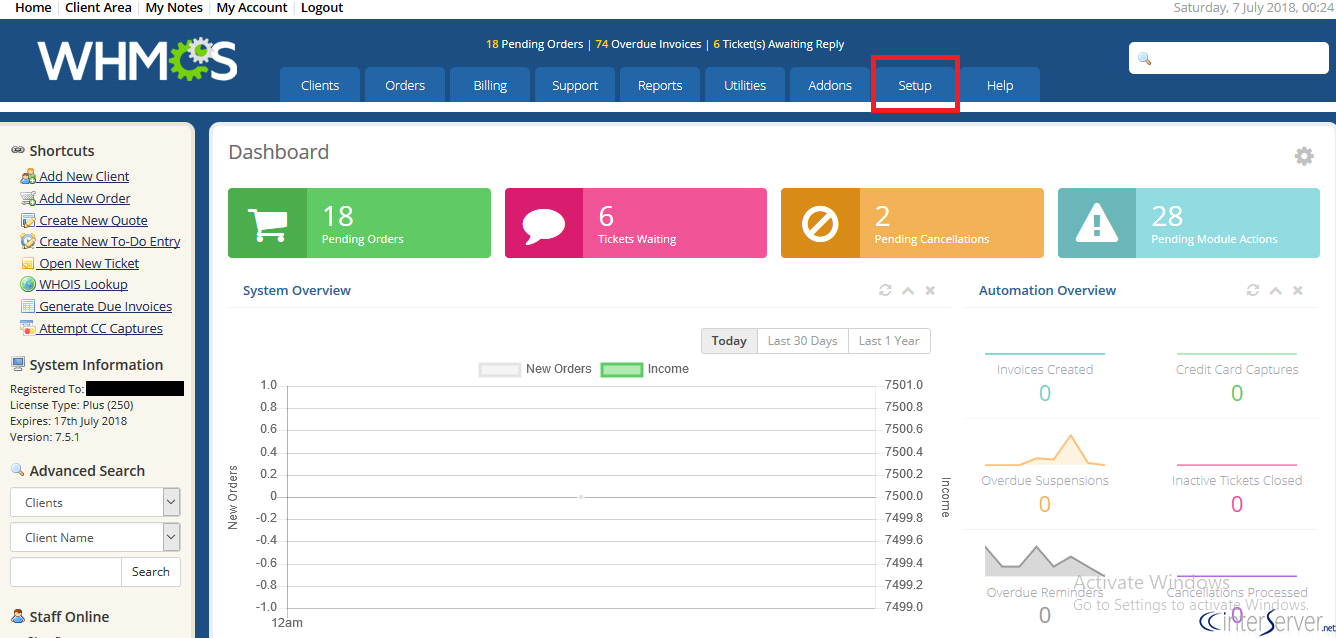
3) Under the drop-down list choose the option “Products/Services”.
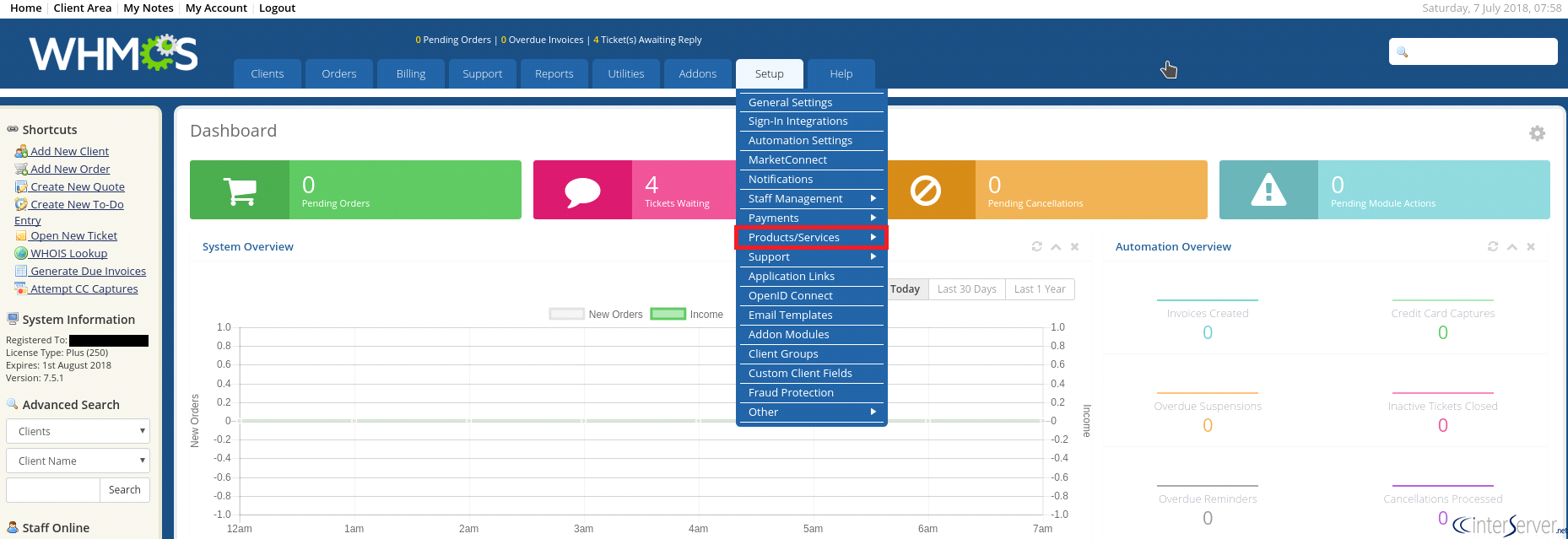
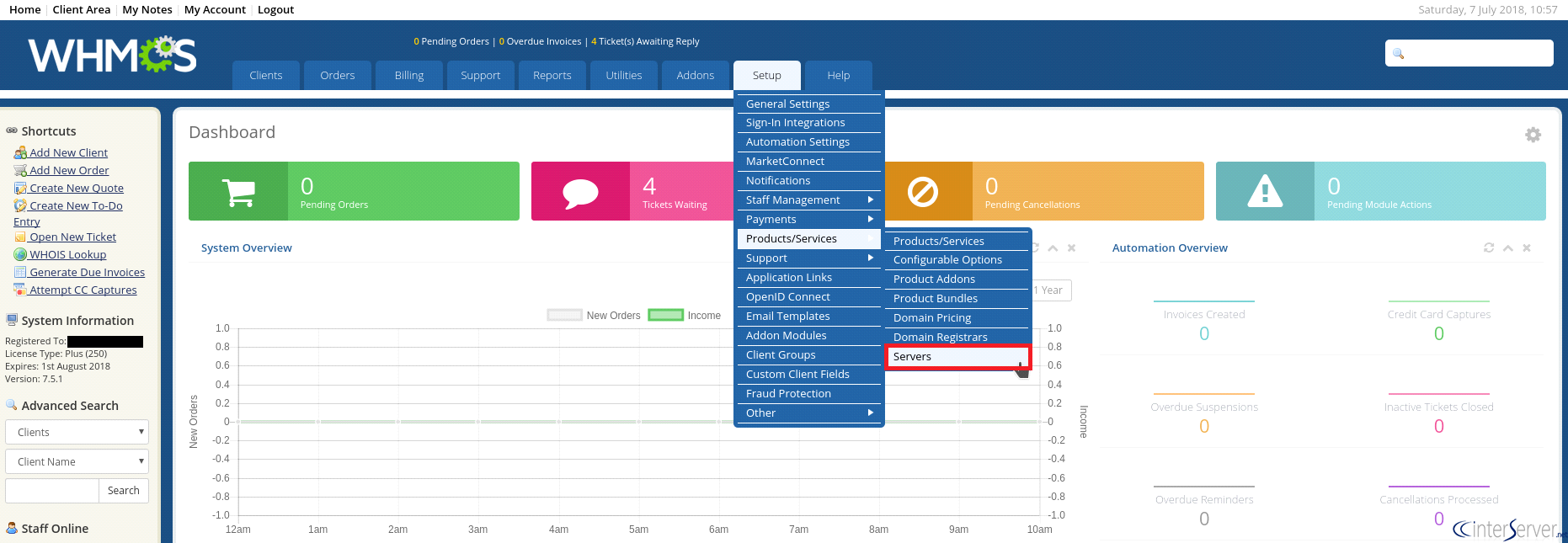
4) Products/Services option will also list some other sub-options. From there, click on “Servers” tab to proceed.
5) Now, click the “Add New Server” button to add a new server to the WHMCS.

6) Here, the previous page will navigate to the “Servers” page. Now, you would need to fill out all the necessary fields. The only required fields are Name, Hostname, IP Address, Type, and WHM username/password.
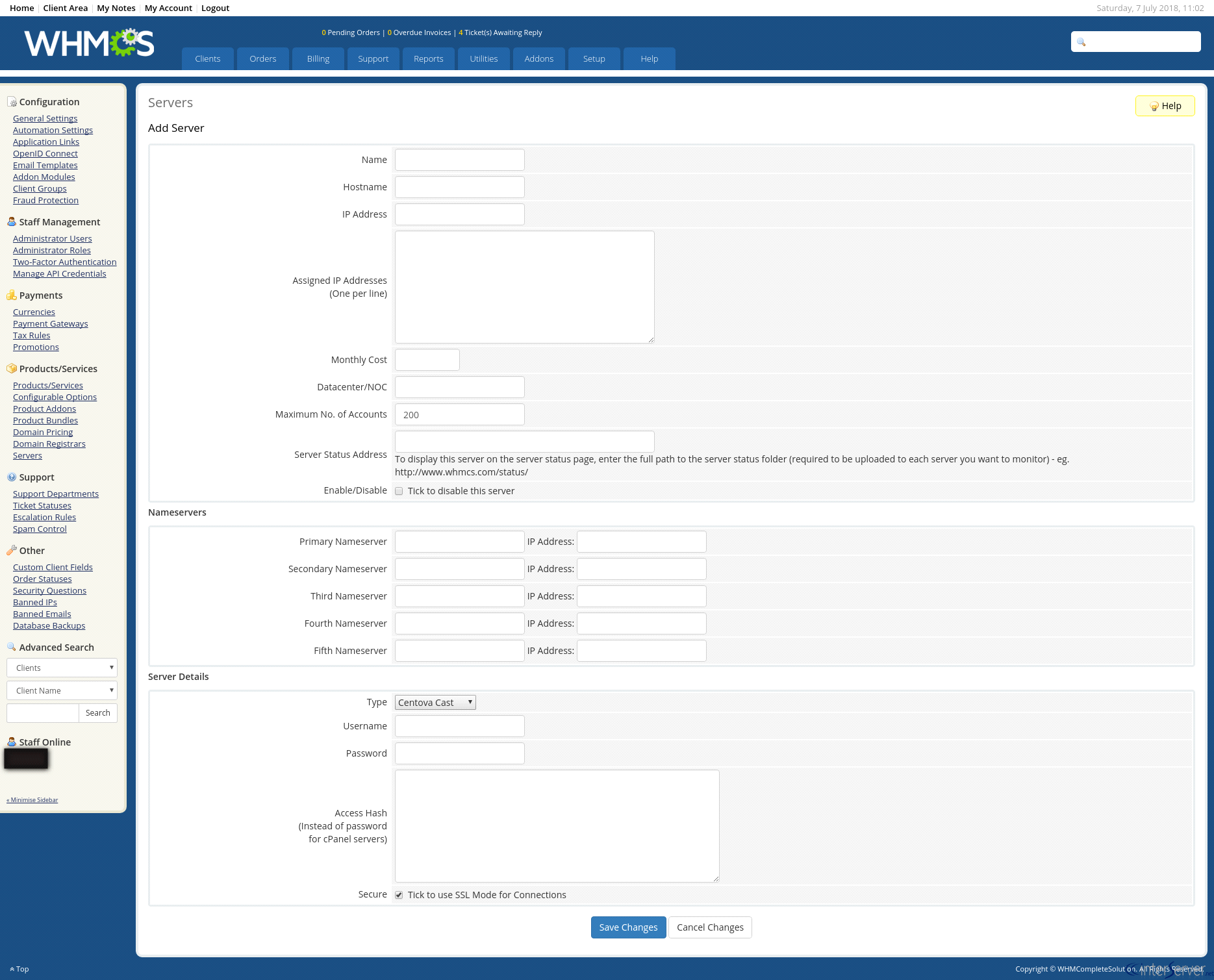
7) You can click the “Test Connection” button to verify your settings.
8) Now, click on “Save Changes” button to save all the changes.
If you need any further assistance please contact our support department.
Related guides
How to Install and Uninstall JetBackup for cPanel
How to Install JetBackup for cPanel. JetBackup is one of the leading backup solutions for cPanel & WHM that offers a user-friendly GUI. It provides
WHMSetup SendGrid on your cPanel VPS/Server
Setup SendGrid on your cPanel VPS/Server. SendGrid provides a cloud-based service for reliable transactional and marketing email.
WHMChange cPanel Nameserver Software to PowerDNS Carefully
Review WHM nameserver selection, resolver dependencies, cluster compatibility and DNSSEC requirements before a planned PowerDNS service change.
WHMTroubleshooting Jailed Shell on OpenVZ
cPanel/WHM providing Jailed shell environment for users, this feature giving high-level security for users when doing ssh access to their server.