
GICT knowledge base
File and Directory Restoration in WHM
Published
The is an already released feature in cPanel version 68. In this version, this option is named as File Restoration because it is only allowed to restore the files. The new release comes with the option to restore both files and directory. This operation can be performed either from WHM or cPanel. In this documentation, we are discussing about the file and directory restoration from WHM.
This features can be enabled only by configuring account backups in the WHM backup configuration interface.
WHM >> Home >> Backup >> Backup Configuration
This features will be allowed only to restore the files and directories from the local backup files. We can also restore the files and directories from the remote available backups, by moving the remote backup to the local backup location.
Restoring Files or Directory
1) Login to WHM interface.
2) You have to select the option “Backup” on the left-hand side menu and it will display all the options available.
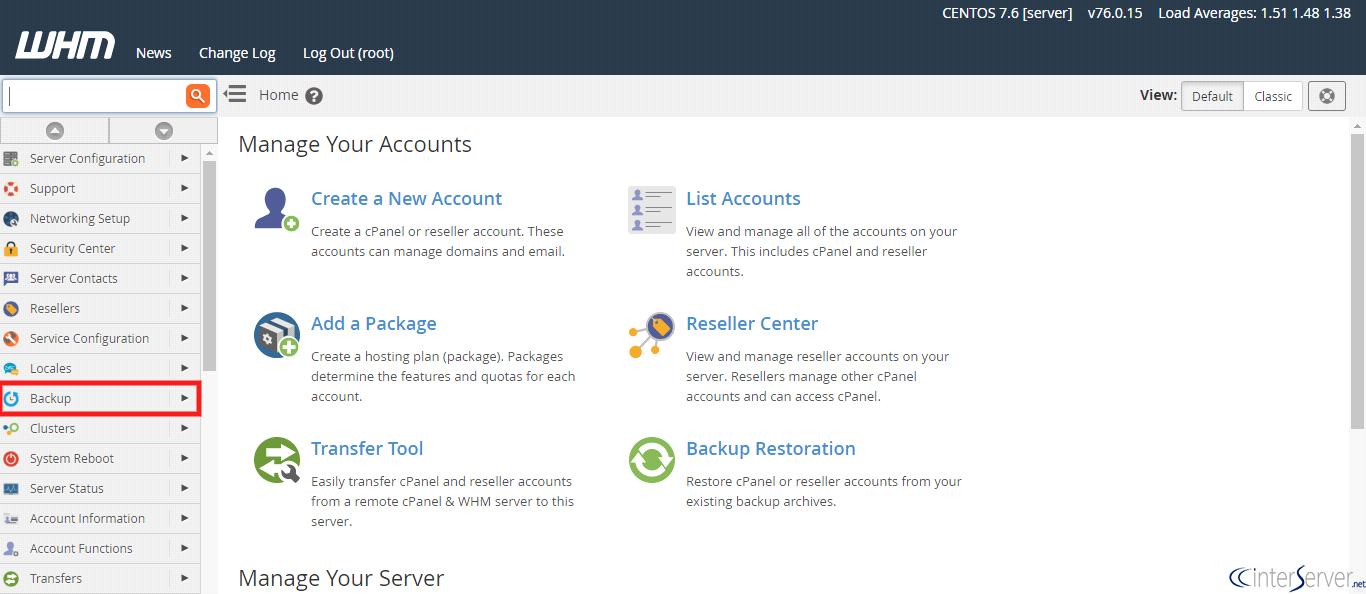
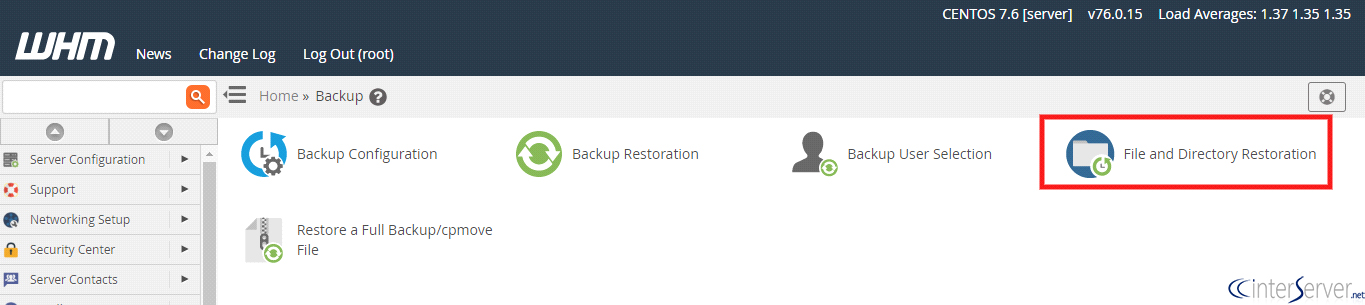
3) Then you have to click the option “File and Directory Restoration”.
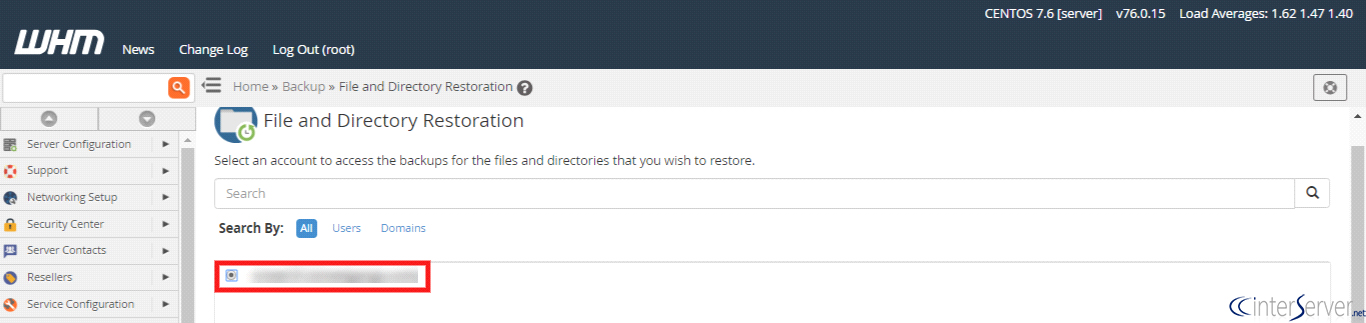
4) Then you will be loaded to the following page. Select the account which you wish to restore and click the button “View Backups”.
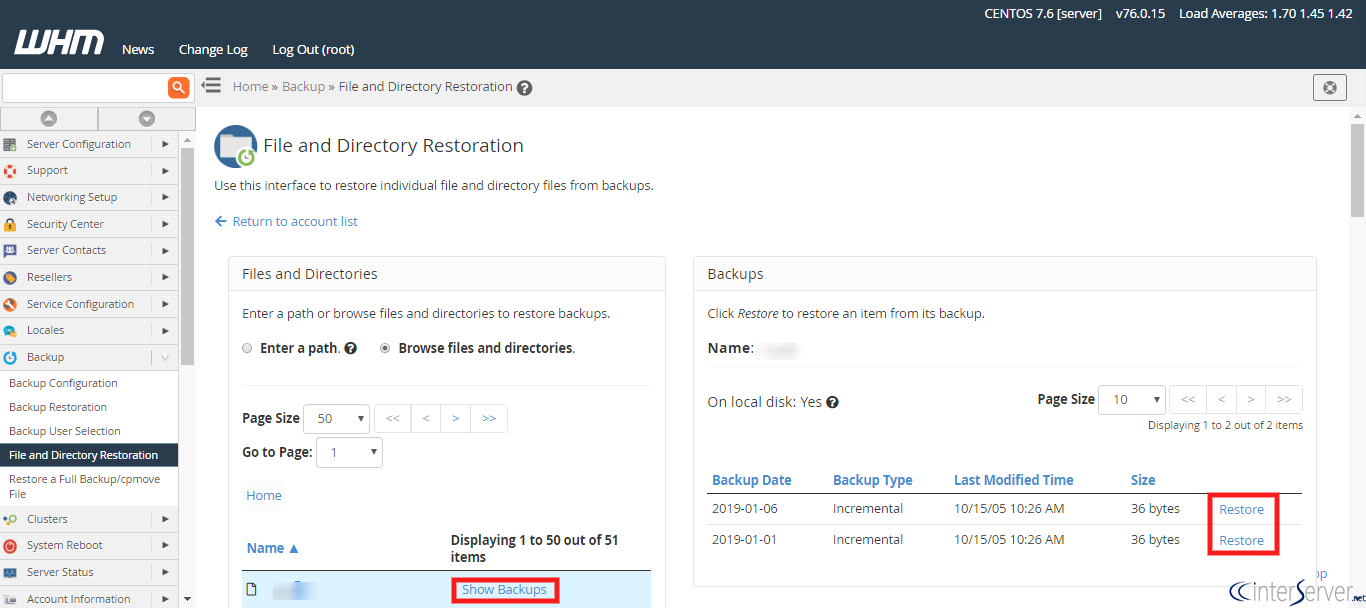
5) Then you will enter the below screen, select the option “Browse files and directories”. It will display all the files and folders. From that, click on the option “Show Backups” for the file or directory which you wish to restore and it will show the all available backups. Then select the backups which you wish to restore then click the option “Restore”.
If the files already exist, it will ask for confirmation to overwrite the existing file.
Finally, you will get the message that “Success: The system successfully restored the “filename” backup file from the date “date”.
If you need any further help, please do reach our support department.
Related guides
How to Install and Uninstall JetBackup for cPanel
How to Install JetBackup for cPanel. JetBackup is one of the leading backup solutions for cPanel & WHM that offers a user-friendly GUI. It provides
WHMSetup SendGrid on your cPanel VPS/Server
Setup SendGrid on your cPanel VPS/Server. SendGrid provides a cloud-based service for reliable transactional and marketing email.
WHMChange cPanel Nameserver Software to PowerDNS Carefully
Review WHM nameserver selection, resolver dependencies, cluster compatibility and DNSSEC requirements before a planned PowerDNS service change.
WHMTroubleshooting Jailed Shell on OpenVZ
cPanel/WHM providing Jailed shell environment for users, this feature giving high-level security for users when doing ssh access to their server.