
GICT knowledge base
Create Website with RVSiteBuilder in cPanel
Published
Site builder can help you create a website without any help from a technical person like a web developer. If you want to create a local business website for your business, you can surely use any of the website builders available in the market.
One such website builder is called RVSiteBuilder, This site builder will help you to create a site without any technical knowledge of web development. With site builders like this, you can just drag and drop the components you want on your site and they will be configured automatically.
We can develop or create a website using RVSiteBuilder via cPanel, that showcases our products or services. RVSiteBuilder is a program that allows you to create and publish a website in under a few minutes with few mouse clicks.
Create a website with RVSiteBuilder
Follow the below steps to create a website with RVSiteBuilder in cPanel.
1) Login to cPanel.
2) Scroll down to the “Software / Services” section and click on the “RVSiteBuilder” icon.
3) After clicking on the icon, RVSiteBuilder will launch. Click on the create button to create a new website.

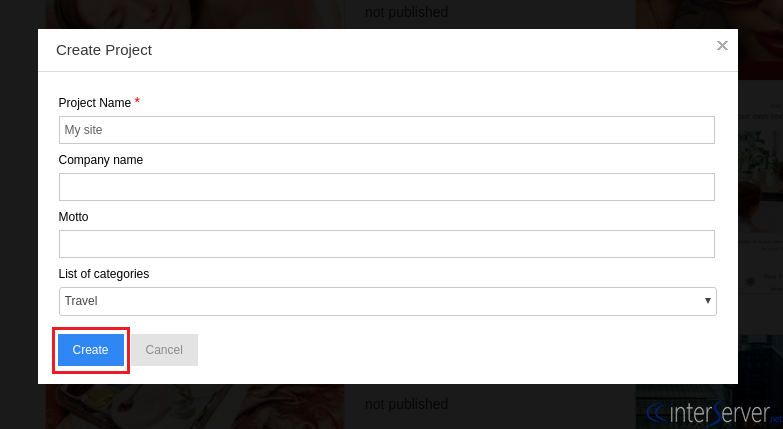
4) Then the site builder opens a window like below. Just enter the details of your website and select the category of your website. You can leave the fields blank which are not mandatory and then click on the “Create” button.
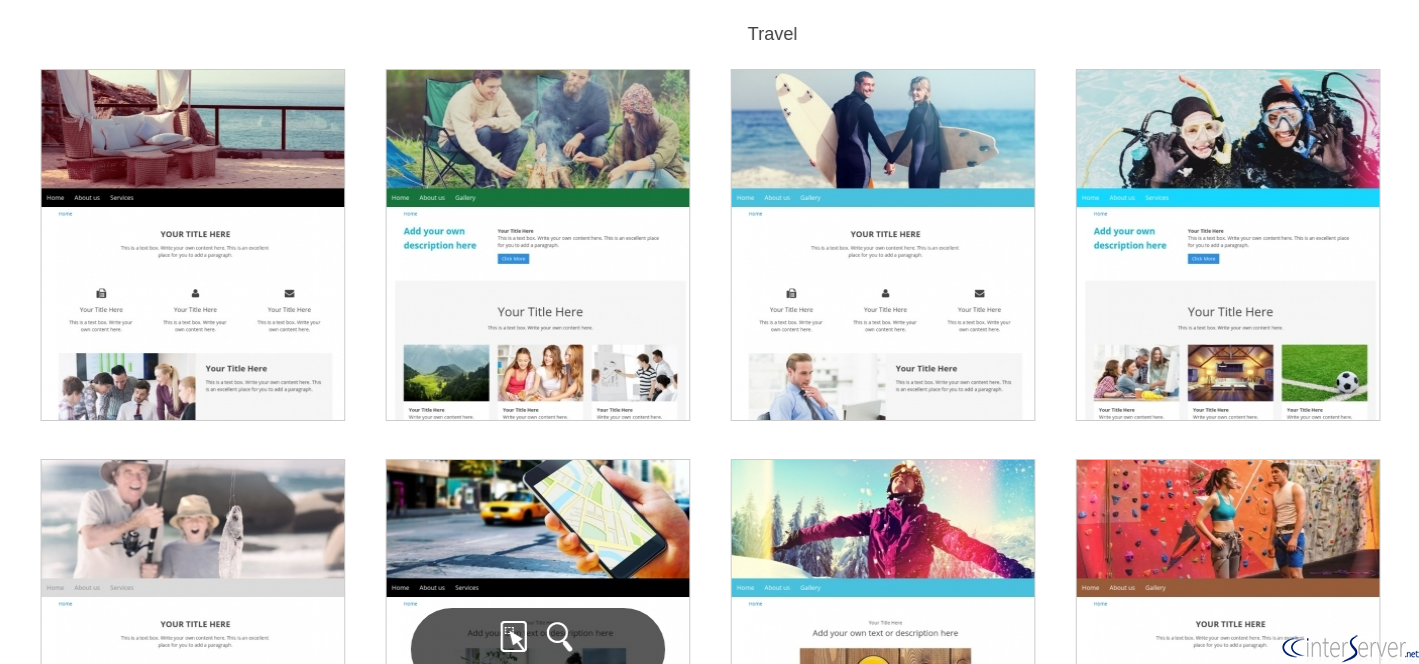
5) Next, choose the template style that you wish to use from the different templates available to you.
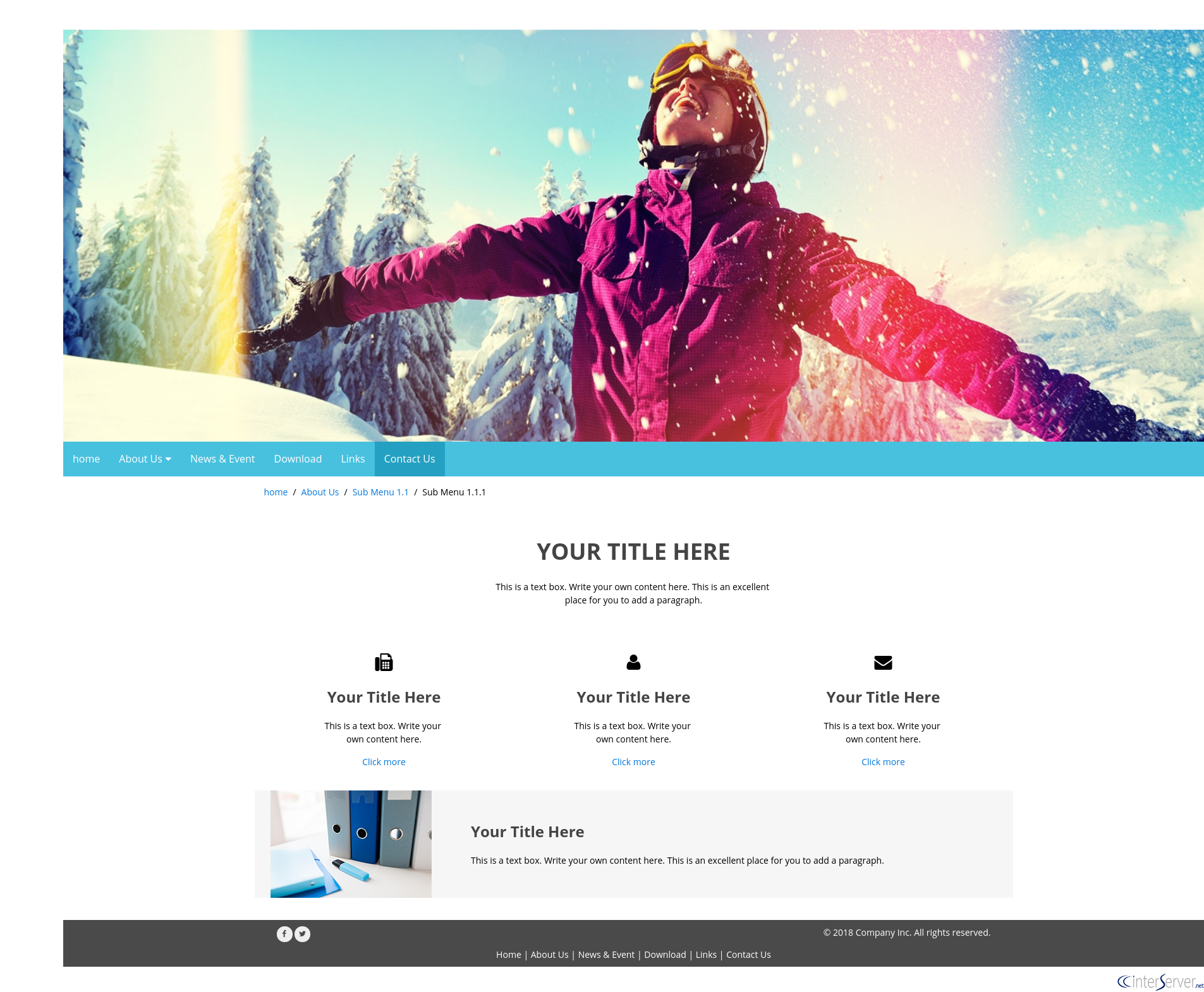
6) After selecting the template, you can further customize it through the option “Select Your Web Site Style”. This interface allows you to change website color, images, resolution, and font, etc. It also allows you to set your page structure. This includes adding sub-pages on your website.
7) On the next Pages, you can pick the web pages you want on your website and add content to the web pages you have selected.
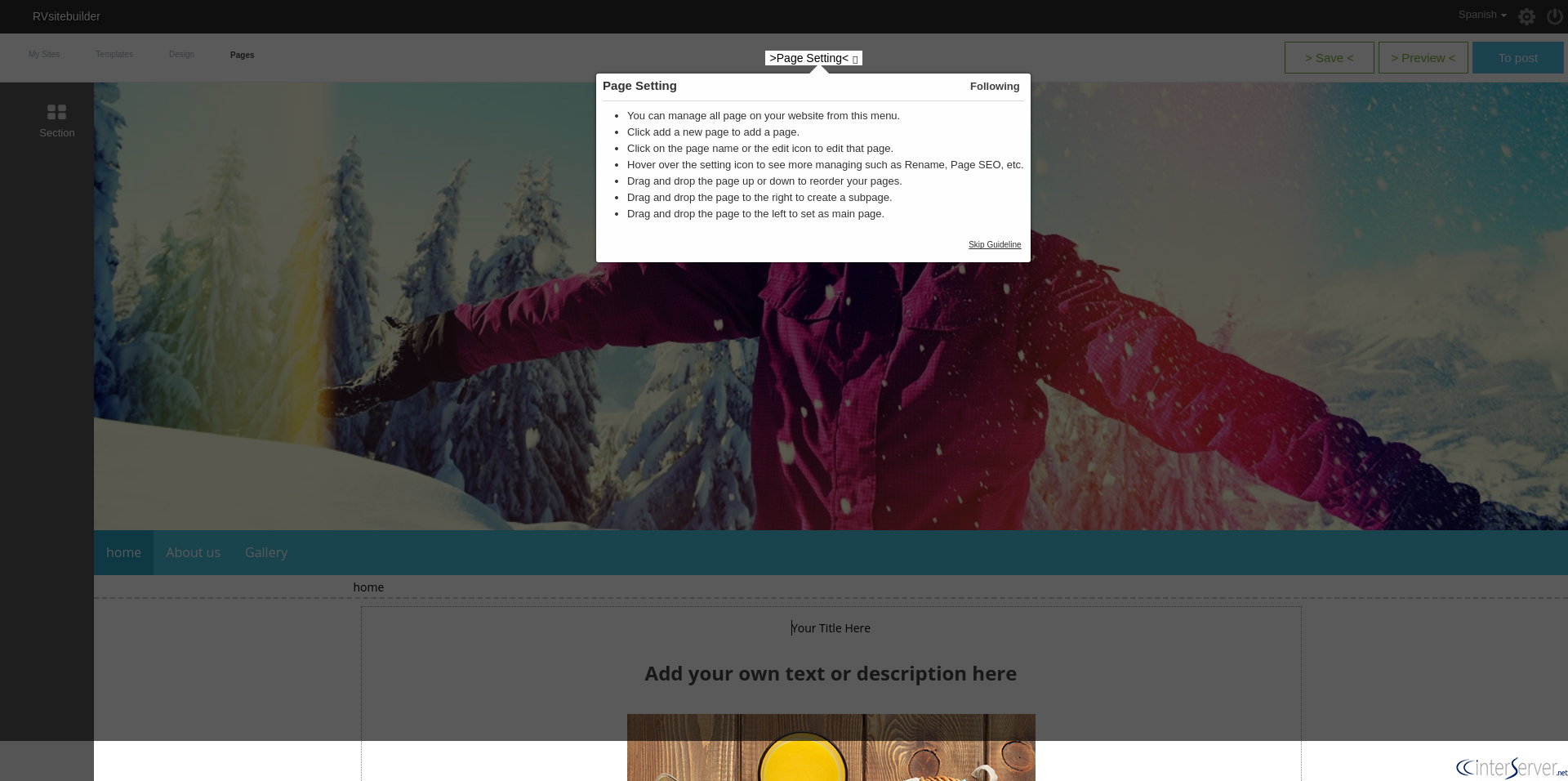
8) After completing all the editing, save the works by clicking on the “Save” button and use the “Preview” button to preview your website.
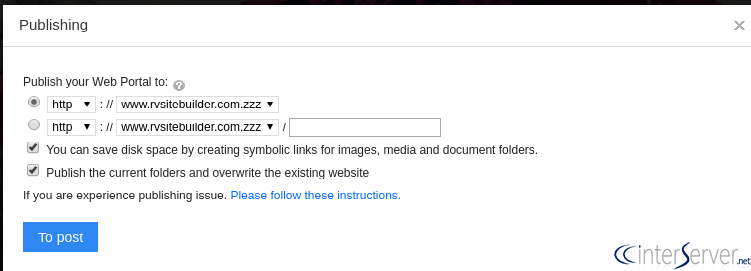
9) To publish the site, click on the “To Post” button by selecting the desired option.
If you need any further help, please do reach our support department. Or you can also use the comment section given below. We will respond with the solution/answer as soon as possible.
Related guides
Host Additional Domains on an Eligible GICTServer Account
Check your hosting limits, choose a separate site or alias and use cPanel or DirectAdmin with deliberate DNS, content and certificate verification.
cPanelHardening Your cPanel Server: Beyond the Basics After CVE-2026-41940
Security is a moving target. With the recent discovery of CVE-2026-41940, it has become clear that just having a firewall isn't enough anymore.
cPanelcPanel and Plesk notice: Awstats,. Webalizer and Analog stats are being removed
Important Update: cPanel and Plesk Phasing Out Legacy Statistics Tools If you regularly check your website traffic through your hosting control panel, we have an...
cPanelThe dangers of shared licenses (in other words unofficial/cracked licenses)
Why Cracked cPanel Licenses Aren’t Worth the Risk: A Guide for GICTServer Customers When you’re managing a server, every dollar counts.