
GICT knowledge base
CPU Steal Time: What Happens When Your VPS Neighbors Hog the Host
Published
Your server should be fast. The numbers on paper look fine — 4 vCPUs, 16GB RAM. But everything feels sluggish during business hours. CPU usage looks normal. Memory looks fine. Nothing in your logs explains the slowdown. The culprit might be CPU steal.
What CPU steal actually is
Your VPS runs on a physical host alongside other VPS instances. The hypervisor — KVM, Xen, or VMware — schedules time on the physical CPU for each virtual machine. When your VM is ready to run but the hypervisor cannot give it a physical CPU because other VMs are using it, your VM accumulates CPU steal time.
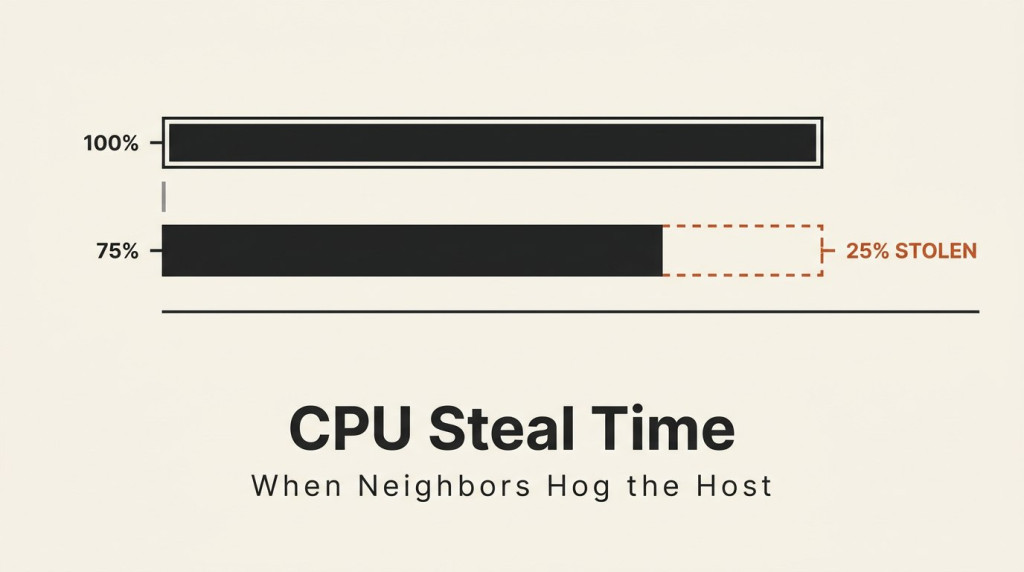
Steal is measured as a percentage. A 10% steal means that out of all the CPU time your VM was scheduled to receive, 10% of it was taken away by the hypervisor and given to other tenants. Your processes ran normally during the remaining 90%.
This is not a software problem on your server. It is the hypervisor enforcing fair access to shared physical resources. Your VM never even saw the stolen CPU time — the processes that should have run during that window simply did not get scheduled.
Reading steal in top and htop
In top, the %st column shows steal:
top -bn1 | head -5
%Cpu(s):  8.1 us,  2.3 sy,  0.0 ni, 12.4 st
The 12.4 st means 12.4% of CPU time was stolen. In htop, steal is shown as a separate color-coded bar in the CPU usage display, usually in a reddish or orange tone.
Check it on your VPS right now:
top -bn1 | grep stA value consistently above 5-10% is worth investigating. Short spikes are normal and harmless.
When to worry
Short bursts of steal do not matter. A few seconds of high steal during a backup or a compile job is normal. The practical threshold is sustained steal over periods of 5-10 minutes or more.
The impact depends on what your server does. A web server handling mostly I/O-bound requests (database queries, file reads, network responses) cares less about steal because the CPU is idle between requests. A CPU-intensive task like video encoding, a compile job, or a real-time data pipeline notices steal immediately — everything takes longer because the CPU is throttled when you expect it to be fully available.
If you are paying for 4 vCPUs and consistently seeing 25% steal, you are effectively getting 3 vCPUs of real compute. You are paying for 4.
What you can actually do about it
Short of switching providers, not much directly. Steal is a consequence of the shared-host architecture that makes VPS pricing affordable. Some things help:
- Run tasks during off-peak hours. If noisy neighbor activity peaks during business hours, running CPU-intensive jobs at night may avoid the worst of it.
- Check steal before committing to a provider. If steal is a deal-breaker for your workload, test the VPS for a few days before committing. Most providers offer refund windows.
- Consider dedicated resources. A dedicated server or a VPS with guaranteed CPU (not shared) eliminates steal entirely. It costs more but the resources are yours alone.
You cannot tune Linux to fix steal — the hypervisor controls scheduling, not the guest OS. Tools like cpulimit do not help because steal is about physical CPU availability, not process scheduling within your VM.
Related guides
How to Set Up zram on a Small VPS
Configure zram on Ubuntu with kernel and swap checks. Understand compressed memory limits, monitor real use and avoid unsafe swap-file changes.
LinuxHow to Find Services That Need a Restart After Updates with needrestart
Find services using outdated libraries with needrestart on Ubuntu. Read restart reports, review automatic restart policy and plan maintenance safely.
LinuxHow to Limit a Linux Service’s Memory with systemd
Limit a Linux service with systemd MemoryHigh, MemoryMax and swap controls. Check cgroup support, diagnose pressure and remove only your own policy.
LinuxHow to Protect SSH with CrowdSec on Ubuntu
Protect SSH with CrowdSec on Ubuntu. Connect log detection to firewall enforcement and test temporary blocking without losing administrator access.