
GICT knowledge base
All about cPanel Proxy Tool
Published
The purpose of the cPanel proxy tool is to give access to cPanel including webmail, WHM at port 80 acting as a proxy. You can use cPanel proxy tool on VPS, Reseller and the server owner. cPanel proxy is helpful if you are using a dynamic IP address. Sometimes you will get the error “IP address has changed”, so it is highly recommended to use cPanel proxy tool due to some security issues in cPanel. You can refer the following steps to know more details about cPanel proxy.
1) Login to cPanel.
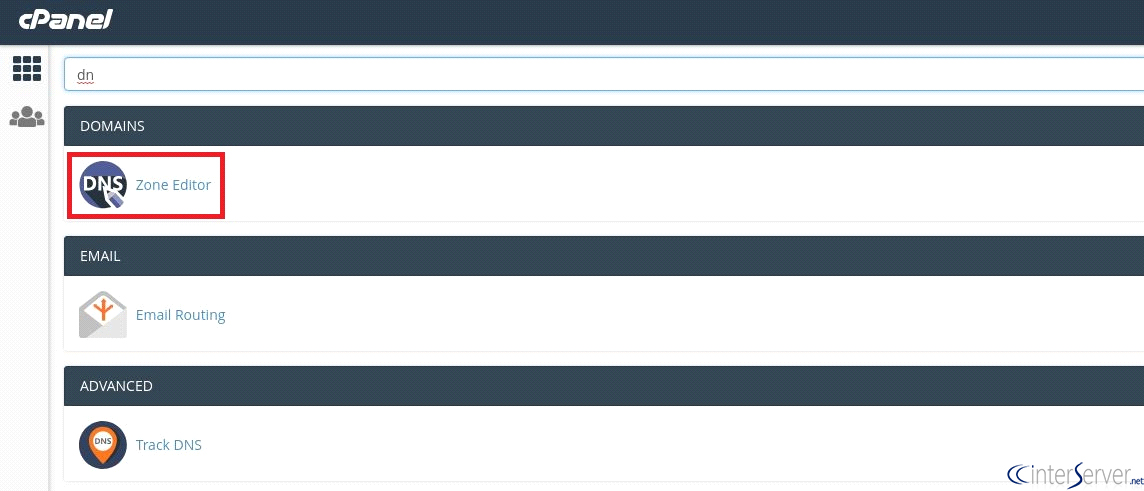
2) Go to “Zone Editor”
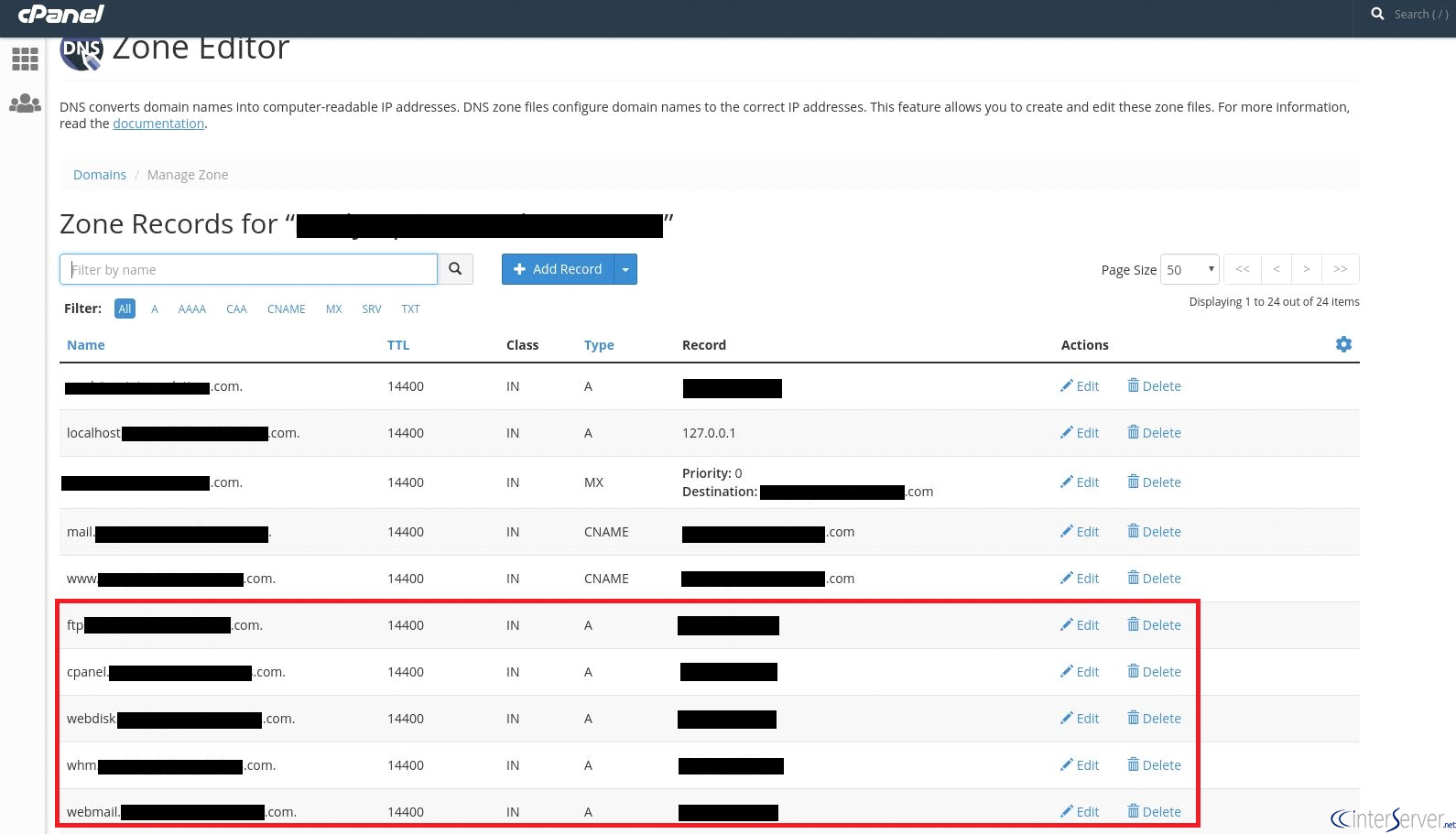
3) If you are having issues with cPanel, FTP, WHM or webmail, locate and delete the current record.
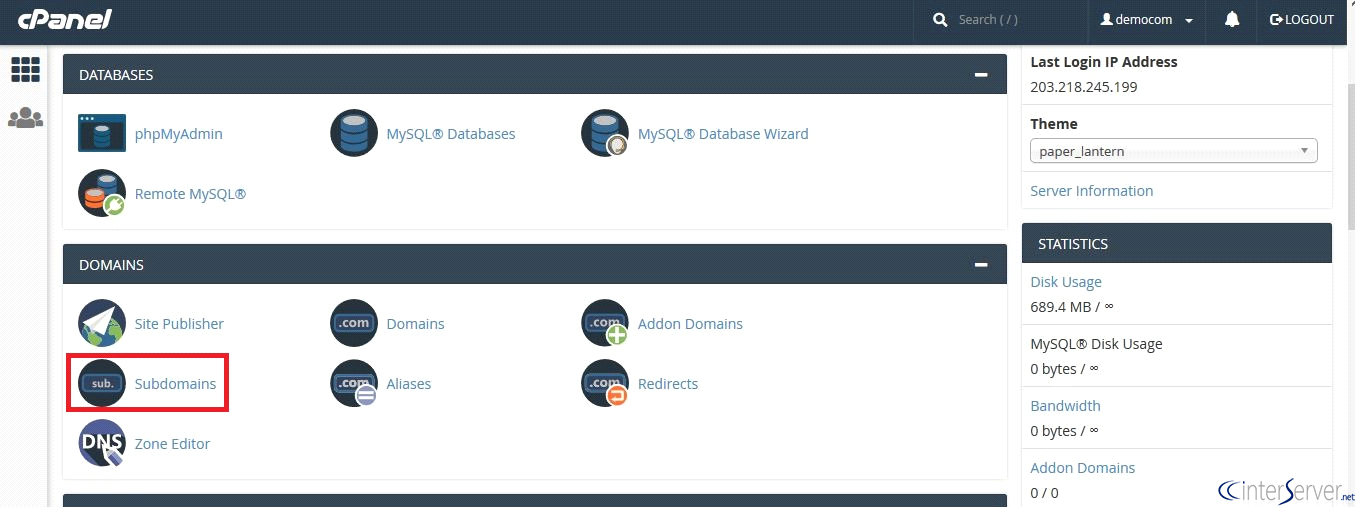
4) Now create a new subdomain for cPanel proxy. Back to cPanel >> Domains >> Subdomains.
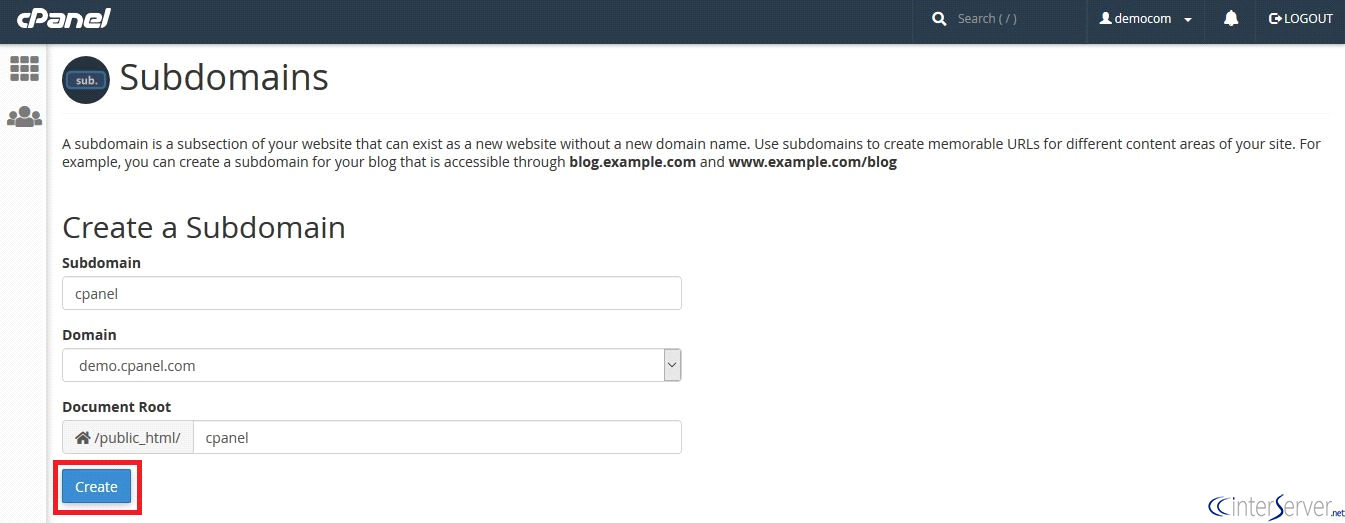
5) Create a subdomain named cpanel.
6) Now go to the document root of the subdomain where you have created.
7) Go to the cPanel proxy website https://sourceforge.net/projects/cpanelproxy/ and download the cPanel proxy.
8) Upload it via file manager or shell to the document root of the subdomain.
9) Extract the zip file.
10) Now you can access cpanel.yourdomain.com without any errors.
If you need any further help, please do reach our support department.
Related guides
Host Additional Domains on an Eligible GICTServer Account
Check your hosting limits, choose a separate site or alias and use cPanel or DirectAdmin with deliberate DNS, content and certificate verification.
cPanelHardening Your cPanel Server: Beyond the Basics After CVE-2026-41940
Security is a moving target. With the recent discovery of CVE-2026-41940, it has become clear that just having a firewall isn't enough anymore.
cPanelcPanel and Plesk notice: Awstats,. Webalizer and Analog stats are being removed
Important Update: cPanel and Plesk Phasing Out Legacy Statistics Tools If you regularly check your website traffic through your hosting control panel, we have an...
cPanelThe dangers of shared licenses (in other words unofficial/cracked licenses)
Why Cracked cPanel Licenses Aren’t Worth the Risk: A Guide for GICTServer Customers When you’re managing a server, every dollar counts.