
GICT knowledge base
Configure Different Payment Methods in WooCommerce
Published
The WooCommerce WordPress plugin would help to start your own web store business, and this is a free eCommerce plugin that allows you to sell your products in a good and beautiful manner. The WooCommerce plugin is a free widely used eCommerce plugin for its simplicity, scalability, and customization with frequent security and performance updates and high-end user review. When starting an online store business, the payment method is one of the important things to consider. Providing different payment methods will always be good to have more business, and will probably remove the scenario of a customer being lost due to unavailable payment options.
Here in this tutorial, we will go through the steps to add different payment methods for your online store on WooCommerce.
We hope you already have a WordPress website with WooCommerce installed to manage the online store. If you are not done this yet, then first you have to refer our article here – https://www.GICTServer.net/tips/kb/woocommerce-free-wordpress-plugin-ecommerce/
1) Login to your WordPress dashboard by going to http://yourdomain.com/wp-admin where replace yourdomain.com with your actual domain name. Once you are in WordPress dashboard, click on ‘Settings’ button under the ‘WooCommerce’ option.
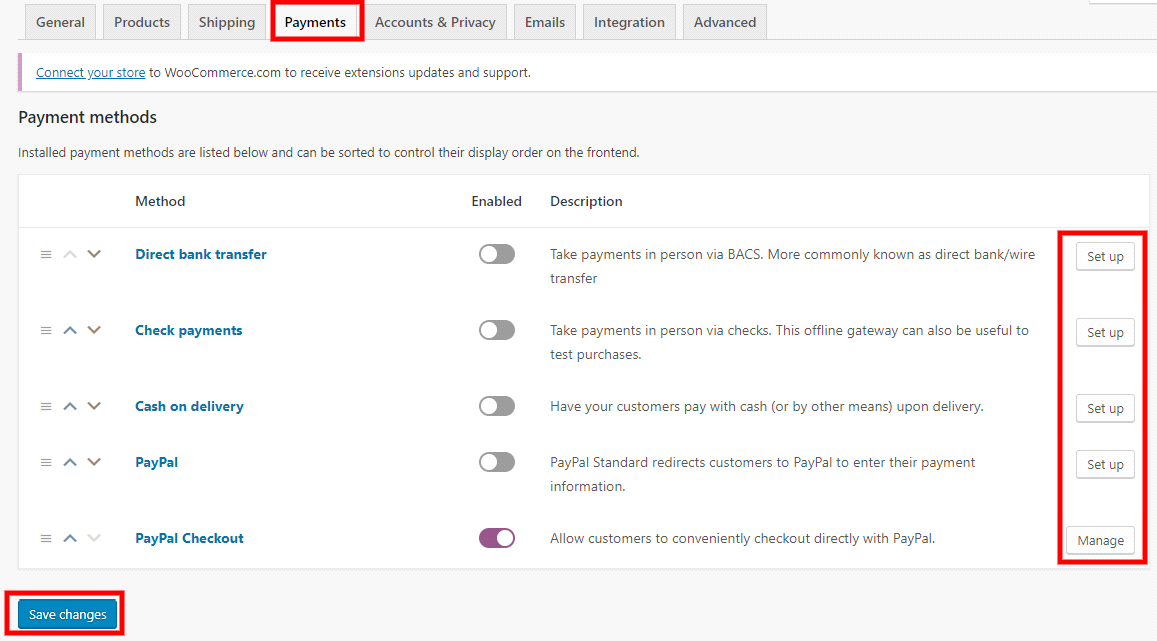
2) Navigate to the ‘Payment’ tab, where you can see a list of available payment methods where only the Paypal method would be selected (only if we enabled this during initial setup). There you can also see the following methods, that would be disabled by default.
– Direct Bank Transfer
– Check payments
– Cash on Delivery
– PayPal (Standard)
PayPal Checkout
We will go through one by one and the way of setting them up for your website. You can configure each of them by click on the ‘Set up’ button beside them on this interface.
Direct Bank Transfer
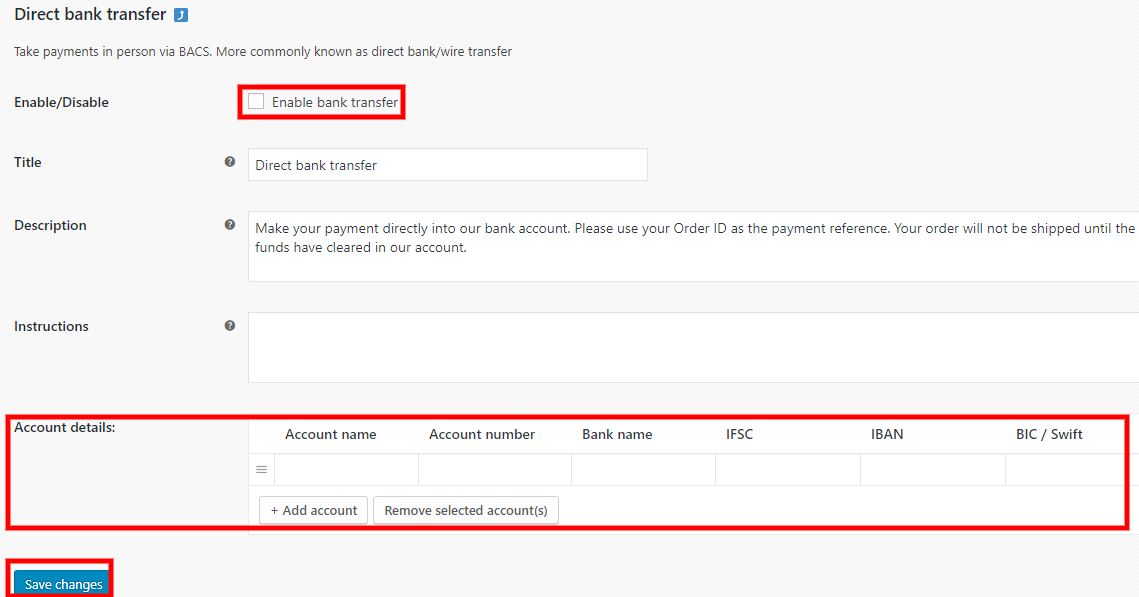
This method used when you wish to process the payment directly via a bank/wire transfer. There you can enable this payment method, and go through the options which itself has a short description. The last Account Details option where you have to enter your bank account details you would like the transfer to be pointed at. Once you have set up this, click on ‘Save Changes’ button at the bottom to save the configuration.
Cheque Payments
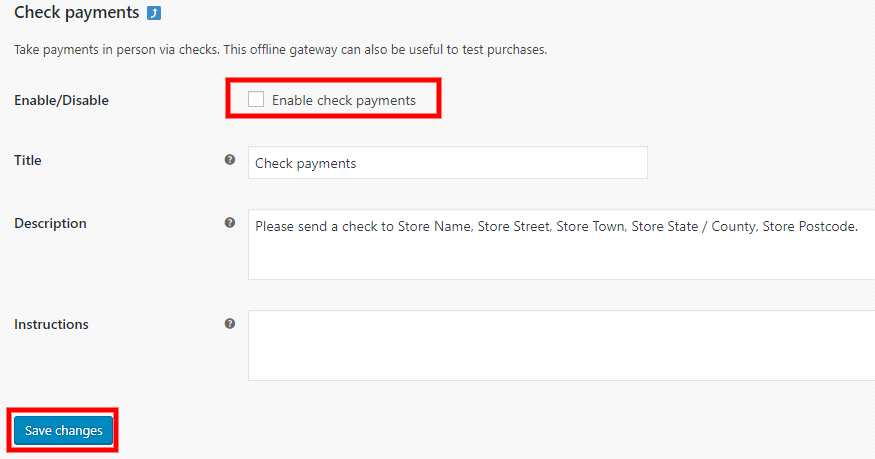
This method as the name suggests using to allow the customers to pay with an E-Cheque. There you can enable this payment method, and go through the options which itself has a short description. Once you have set up this, click on ‘Save Changes’ button at the bottom to save the configuration.
Cash on Delivery
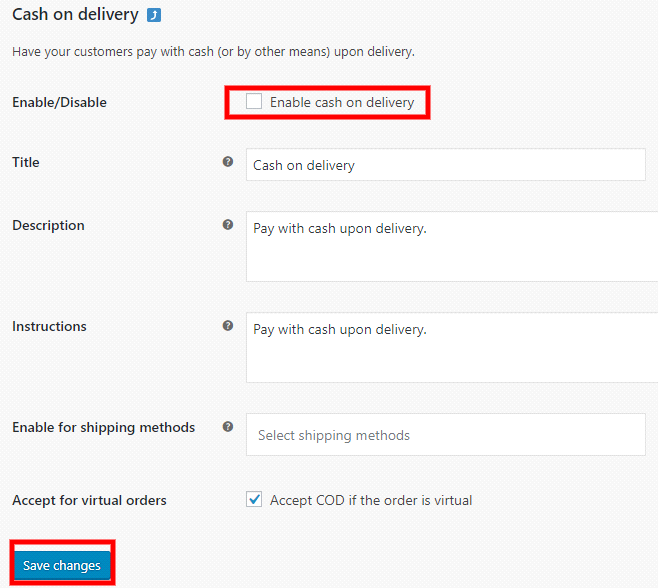
This method used when you wish to process the payment by your customers whenever they receive the product. Once you have set up this, click on ‘Save Changes’ button at the bottom to save the configuration.
Paypal (Standard) and Paypal Checkout
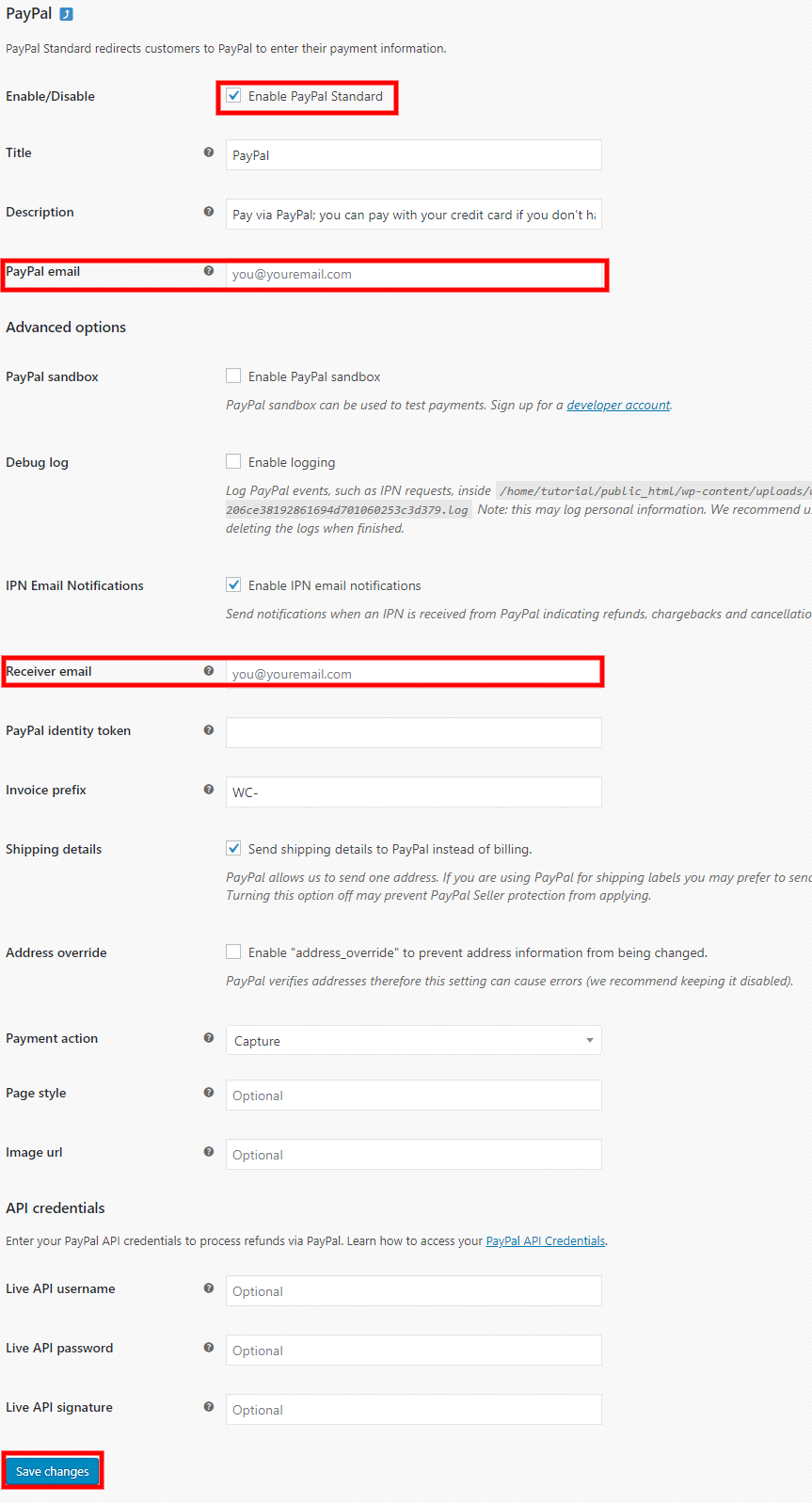
Here the Paypal Standard will redirect customers to PayPal to enter their payment information. The Paypal Checkout allows customers to conveniently checkout directly with PayPal. You can configure Paypal Email, Paypal Sandbox, and debug log through this interface. In advanced options, enter the Receiver Email where you will receive the invoice fund, and invoice prefix, Paypal Identity Token that you can get from Paypal profile > Website Payment -> Preferences option. At last, you can enter the API credentials such as username, password, and signature in order for you to be able to process refunds. Once you have set up this, click on ‘Save Changes’ button at the bottom to save the configuration.
That’s all! Congrats, Now you know how to set up more payment options within your WooCommerce based online store. If you require any additional information, feel free to reach out to us via either LiveChat or support tickets.
Related guides
Top 10 Best Content Management Systems in 2021!
Follow this list to learn in detail about the 10 most popular content management systems available in the market.
E-CommerceWooCommerce vs Shopify : The best E-commerce platforms
WooCommerce and Shopify are the two most popular E-commerce platforms. Follow this tutorial to learn more about both of them.
E-CommerceBest Applications to Run E-commerce Websites
E-commerce Hosting:E-commerce is the process of selling and buying of goods or services over the world wide web. It is also known as electronic commerce or
E-CommerceEasy Digital Downloads Plugin for WordPress
Easy Digital Downloads (EDD) plugin is the second most well-known WordPress eCommerce plugin, after WooCommerce. EDD plugin is used to create an eCommerce