
GICT knowledge base
Change Ownership of Multiple Accounts from WHM
Published
In WHM, there is a feature called “Change Ownership of Multiple Accounts” which allows you to transfer multiple accounts to a particular reseller. This feature is listed under the resellers option on WHM. By using this feature, we can easily change the ownership of multiple account. This feature If necessary, it is possible to change the owner of an account, to a different reseller, or simply to the admin. In this documentation, we are going to discuss about how to change the ownership of multiple accounts of a reseller from WHM.
1) Log in to your WHM
2) Choose the option “Reseller” from the page.
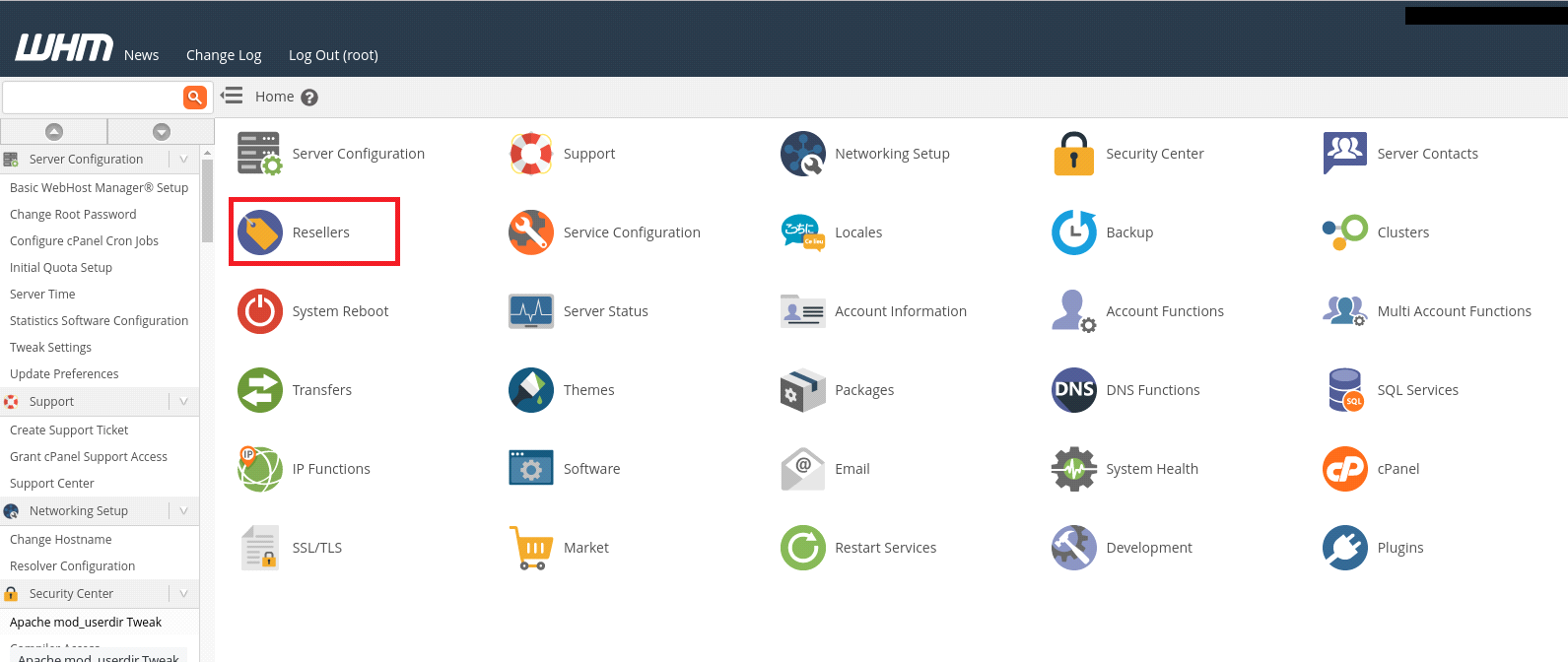
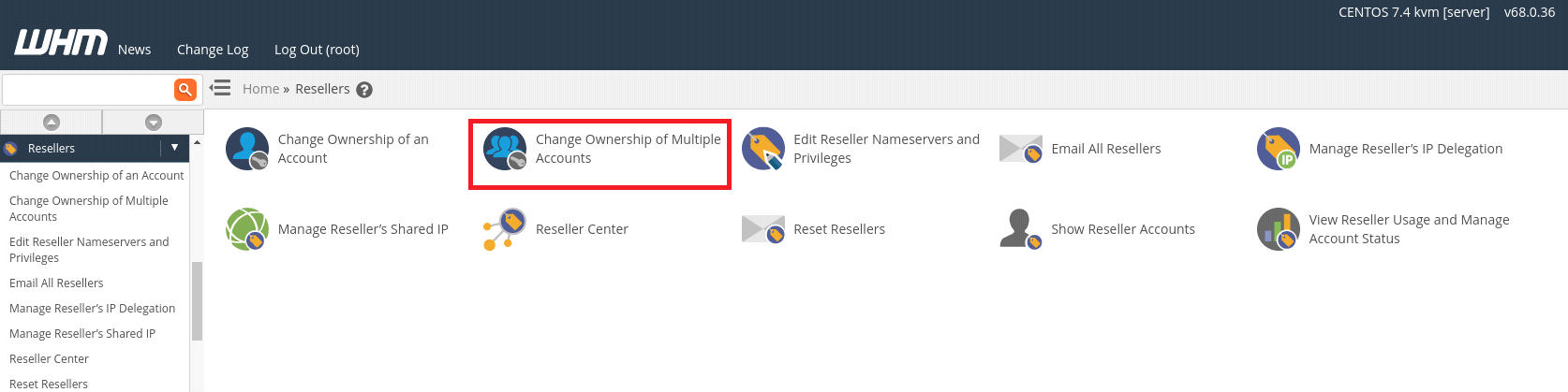
3) Select the option “Change Ownership of Multiple Accounts” for selecting a particular reseller.
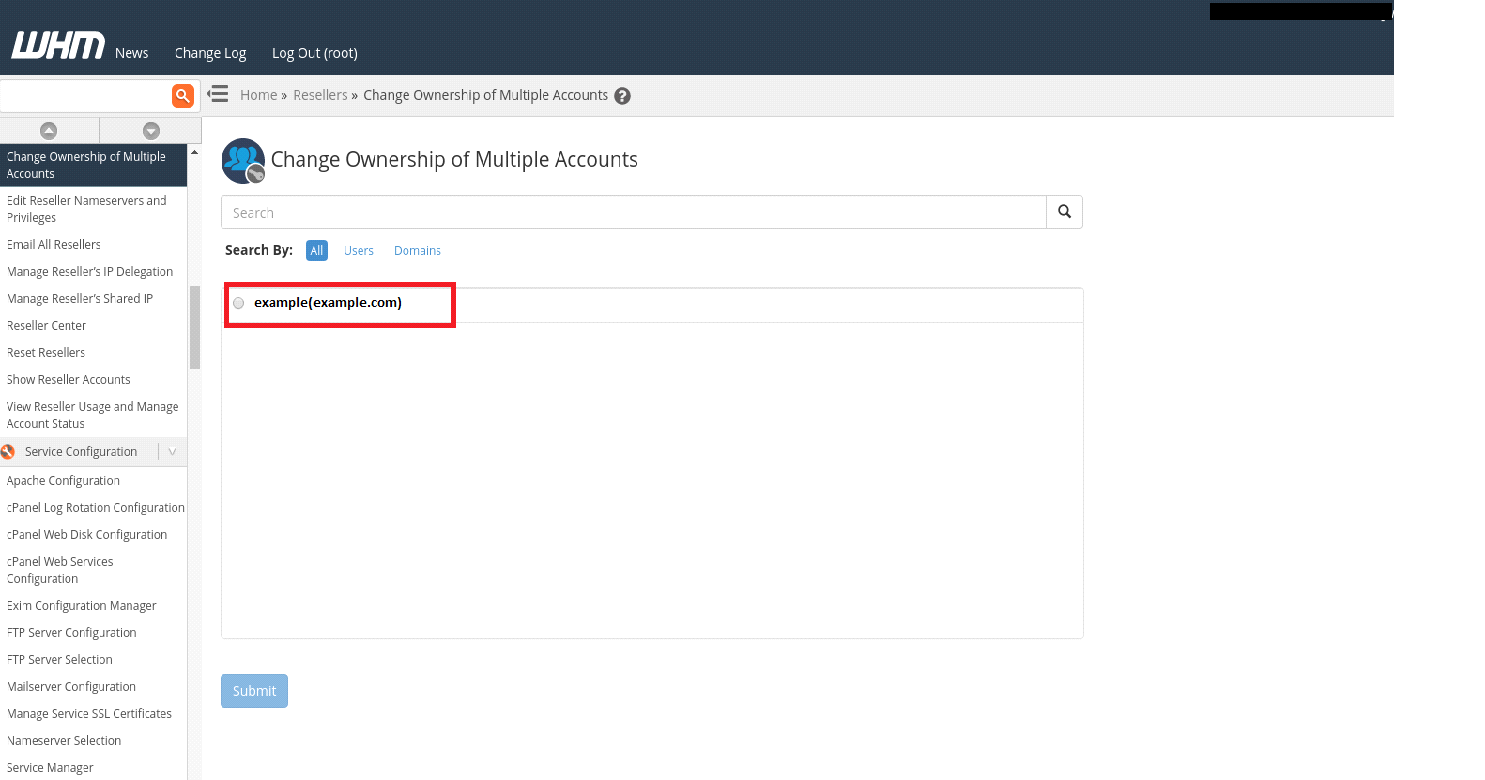
4) From here, select the new reseller who will own the accounts you select. Then click the “Submit” button to continue.
5) On the next page, you need to select the accounts to transfer to the desired reseller. Here, we can select multiple accounts at once.
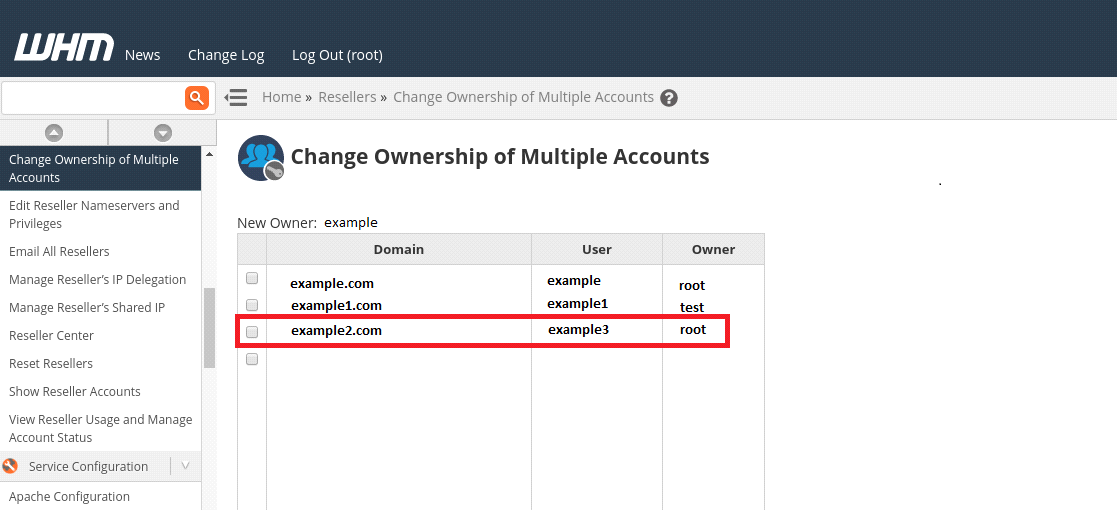
6) Click on “Change Owner of Selected Accounts” button to save the changes.
Now you have successfully changed the ownership of multiple accounts to the desired reseller from WHM.
Related guides
How to Install and Uninstall JetBackup for cPanel
How to Install JetBackup for cPanel. JetBackup is one of the leading backup solutions for cPanel & WHM that offers a user-friendly GUI. It provides
WHMSetup SendGrid on your cPanel VPS/Server
Setup SendGrid on your cPanel VPS/Server. SendGrid provides a cloud-based service for reliable transactional and marketing email.
WHMChange cPanel Nameserver Software to PowerDNS Carefully
Review WHM nameserver selection, resolver dependencies, cluster compatibility and DNSSEC requirements before a planned PowerDNS service change.
WHMTroubleshooting Jailed Shell on OpenVZ
cPanel/WHM providing Jailed shell environment for users, this feature giving high-level security for users when doing ssh access to their server.