
GICT knowledge base
How to Ban Emails in phpBB
Published
phpBB is an open-source Forum Management system launched in December 2000. It is a very powerful and well-built Forum software that provides all the functionality you need to run a successful forum. However, Maintaining quality of the forum is important too, and phpBB provides the robust user security management. phpBB allows you to ban users, Ban E-mails, Ban IPs and Disallow specific usernames.
In this tutorial, I will show you How to ban E-mails in phpBB. It is a very easy process. It also allows you to use wildcard characters so that you can ban a specific type of E-mail address from your forum. You can also put more than one E-mail address or a template in one go. This feature is handy if you are getting too many registrations using the temporary E-mail address providers like temp-mail.org. So, Let’s get started with the tutorial.
Ban E-mails in phpBB
Step 1: Log in to the administrator control panel using the admin credentials.
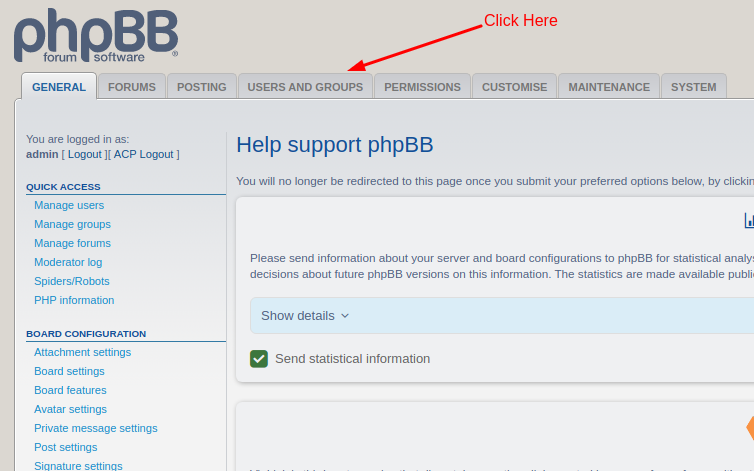
Step 2: Click on the “Users and Groups” tab of the admin panel.
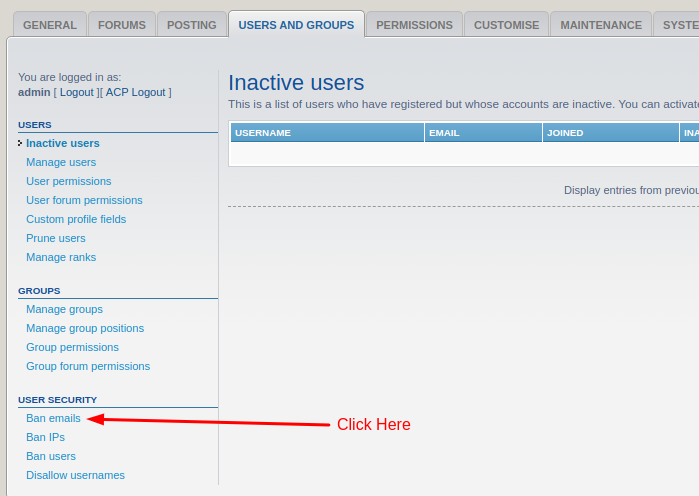
Step 3: Click on the “User Security -> Ban emails” from the left sidebar of the admin panel.
Step 4: To ban new E-mail addresses, fill up the required information in the section with the title “Ban one or more email addresses”.
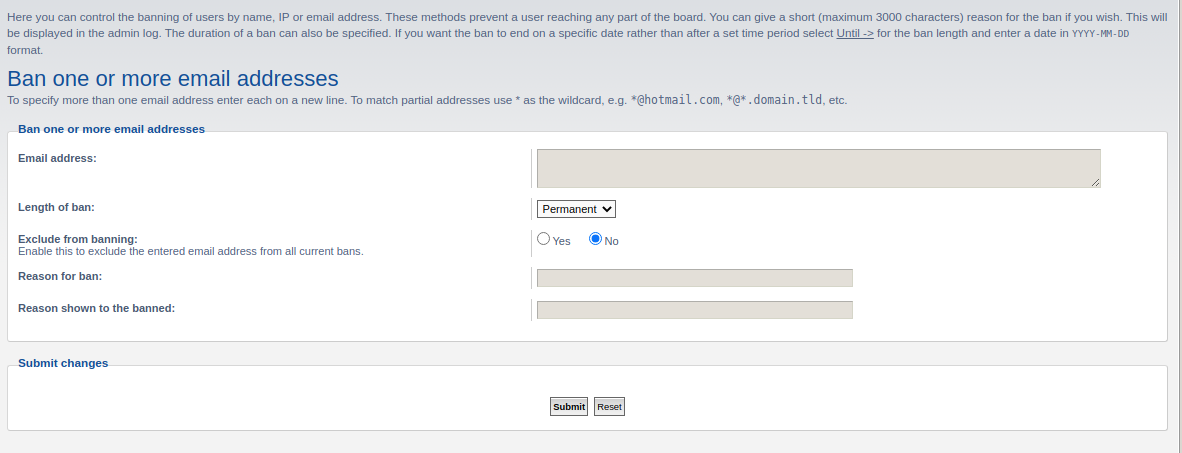
Step 5: Click on the “Submit” button given after the form to apply changes.
If successful, You will see an Entry in the next section of the same page titled “Un-ban or un-exclude emails”.
In this section, You can manage all the banned E-mail addresses.
So, this is how you can Ban E-mail addresses in Drupal. It also allows you to use Wildcard characters to cover the range of E-mail addresses. It is a really good feature that allows you to maintain the quality of your Forum by disallowing specific E-mail addresses on your forum.
We hope this tutorial was helpful for you. If you have a questions, please use the comment section given below. We are happy to help!
Related guides
How to Install phpBB Manually
How to Install phpBB Manually phpBB is a free flat-forum bulletin board software solution that can be used to stay in touch with a group of people or can po
phpBBHow to Install phpBB on Ubuntu Server
How to Install phpBB on Ubuntu Server PhpBB is the most powerful and popular open source bulletin board system. You can create unique forums on your website
phpBBMass Email Settings in phpBB
In this documentation, we can check about mass email settings in phpBB. In this section, you can email a message to either all of your users or all users of
phpBBHow to Enable and Configure SMTP in phpBB
SMTP is a good way to deliver E-mails from the application. Follow this tutorial to learn How to enable and configure SMTP in phpBB.