
GICT knowledge base
5 Best Gutenberg Blocks Plugins For WordPress
Published
Gutenberg is the default block editor in WordPress. It has replaced the classic WordPress editor in the recent version of WordPress. Most of the users find it hard to adjust with Gutenberg. And they would prefer to keep the classic editor.
Gutenberg is the renowned name for the block editor in WordPress. The block editor is created to modernize the WordPress editing experience. Also, the editor tends to work like a page builder plugin. It also allows you to drag and drop items into a post or page. The aim is to offer a more functional editor. It also enables WordPress users to create various layouts for their content with rich multimedia content. Since the release of WordPress 5.0, the block editor is now the default editor in WordPress. However, you can switch to a classic editor anytime using different ways.
What are Gutenberg Block Plugins?
Blocks consist of elements such as paragraphs, images, galleries, columns, and more. You can effectively build your site with the various elements. Building with blocks gives you more control to quickly create and launch any site you want. Various block plugins are compatible with WordPress’s new block editor. Some of the users or non-developers are not comfortable with the Gutenberg editor. The block plugins help them to create a beautiful site with various blocks and sections. The developers will have a custom CSS option to add their styles in the blocks easily.
Gutenberg has morphed into the WordPress Block Editor as of WordPress 5.0. Many people are excited to start building and creating content with these new tools and elements. There are already a lot of solutions available to expand the new editor’s capabilities. Gutenberg Block editor is a fully block-based editor where each element of content is a draggable block. WordPress offers a set of essential content blocks like a paragraph, image, button, list, and more. Some top WordPress plugins will add their blocks to make it easy for you to embed their features.
Thus, it is beneficial and a good option for both developers and non-developers. Above all, it doesn’t consume any time because you can customize the blocks without a single code. We have listed the most popular WordPress Gutenberg Blocks for sites. You can install it directly from the WordPress dashboard. They are available in the WordPress plugin directory. Most of the block plugins are free to use. However, some of the plugins require up-gradation to use the advanced options.
List of Best Gutenberg Blocks Plugins
- Advanced Gutenberg
- Ultimate Add-ons for Gutenberg
- Premium Blocks for Gutenberg
- Atomic Blocks
- Otter Blocks
Advanced Gutenberg
Plugin Advanced Gutenberg is one of the powerful Gutenberg plugins for WordPress. The plugin includes layout options, sliders, buttons, icons, image galleries, maps, tabs, testimonials, accordions, and more. Advanced Gutenberg plugin comes with the content block editor, which helps you show posts, pages, and other content types in various layouts. Moreover, you will have over 20 Gutenberg blocks which consist of accordions, galleries, sliders, tabs, maps, tables, recent posts, and more.
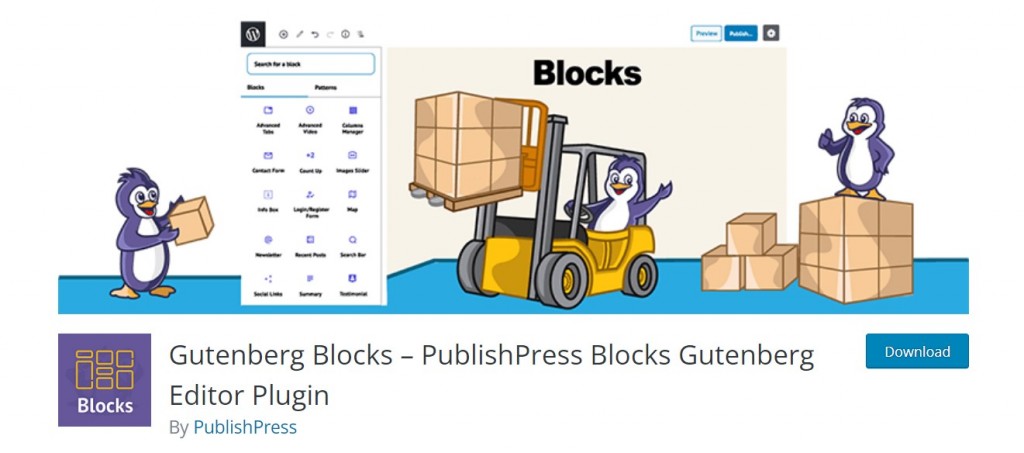
You can also have control over the permission to use the blocks. Moreover, the plugin will allow you to add your CSS styles for your blocks. Thus, any user editing posts can quickly add the styles to blocks. You will have tons of options for page layouts and designs. The page layouts are customizable and work well with any device like mobile, desktop, and tablet. The plugin provides 24 layout options with different options for desktop, tablet, and mobile devices. It will let you create these layouts with the Columns Manager block. This Columns Manager block relies on the default Columns block in Gutenberg. The new version of the block has multiple extra features, including extra layout options, padding, margins, and much more. So, let’s discuss the basic features of this plugin in brief,
Features
- The plugin provides responsive page layouts and designs for any device like desktop, mobile, and tablet.
- The plugin has a very straightforward and user-friendly interface.
- It also allows you to add your style in blocks. You will have custom CSS sections as well.
- It includes many blocks such as accordions, galleries, sliders, tabs, maps, tables, recent posts, and more.
- Moreover, the Advanced Gutenberg plugin provides 24 layout options with different options for desktop, tablet, and mobile devices.
- You can also choose users for allowing access to the blocks. Also, you can select which blocks in the Blocks list will be available for each role.
- The plugin is free to use. However, if you want to unlock the advanced blocks, then you will need to purchase the premium version of the plugin.
- The plugin has Woocommerce and Google map integrations as well, unlike other plugins.
Pricing Details
Advanced Gutenberg is free to use the Gutenberg blocks plugin. You can install it from the WordPress plugin directory for free. However, the free version is enough to create an effective site. The plugin also provides the premium version. You can upgrade to the premium version if you want to use the advanced options. The Block Pro depends on how many licenses you want. If you want a license for a single site, it will cost $69. If you want to buy a license for 5 sites, it will cost around $129. The plugin also provides a license for unlimited sites, and it costs $199.
Gutenberg Blocks – Ultimate Add-ons for Gutenberg
The Ultimate Add-on plugin is one of the most popular Gutenberg blocks for WordPress. You can add tons of powerful elements to your WordPress Gutenberg editor. The plugin comes with customizable elements and easy-to-use settings. Thus, you can quickly speed up your site with attractive styling options. Ultimate Add-on plugin gives you several unique and creative blocks for Gutenberg. It will help you to build and design pages or posts without a single line of code.
Moreover, the plugin provides free professionally designed 20+ pre-built starter sites built using Gutenberg, Ultimate Addons for Gutenberg, and the Astra theme. You can import them just in a few clicks. The Gutenberg starter provides a pixel-perfect website. It helps you to change the texts and images to avoid copyright issues. You will have a free and popular Gutenberg compatible theme as well using this plugin. The plugin has its own Gutenberg block library, which includes star ratings, form building, FAQ schema, tags, advanced columns, and many more. The users using the Astra theme will get many Gutenberg assurances, such as front-end styling in the block editor. So, let’s discuss the basic features of this plugin in brief,
Features
- The Ultimate Add-on for Gutenberg plugin comes with many blocks such as review schema, FAQ schema, tabs, and many more.
- You will have 20+ pre-designed sites which are designed using Astra Themes and the ultimate Add-on plugin.
- You can also change the images and texts to make them your own. It ultimately avoids copyright issues as well.
- Also, you will get various popular Gutenberg compatible themes for free using this plugin.
- The plugin comes with various integrations such as Woocommerce, LearnDash, and LifterLMS, etc.
- You can customize various elements the way you want to build an effective site.
- You will have multiple other block options, such as WP- Search, Content timeline, infobox, and any more.
- It has Google map integration. It will allow you to display locations with zooming options.
Pricing Details
Ultimate Add-on for Gutenberg is free to use blocks plugin. You can find it in the WordPress plugin library for free. The plugin is entirely free to use. You don’t have to pay for anything. However, it offers premium themes and other products, and you can purchase them if you want to unlock the unique features.
Premium Blocks for Gutenberg
Premium Block is another powerful WordPress Gutenberg blocks plugin. It helps you create unique-looking websites using the new WordPress Gutenberg Editor. Moreover, all Gutenberg blocks designed by this plugin are RTL-ready. It also allows you to disable the blacks, which you no longer use. Premium Blocks for Gutenberg is a translation-ready plugin so you can easily translate it to your language.
The plugin includes multiple block elements such as counter block, button block, banner block, and many more. It is also compatible with Google maps. Premium blocks plugin provides testimonial blocks as well to customize and display the testimonials on your site. With the help of the icon box and video box, you can easily embed the social media buttons and videos on your site. However, you will have only one block – CountUp for free. So, let’s discuss the basic features of this plugin in brief,
Features
- The plugin has straightforward to use elements.
- It provides only one block in the free version. However, if you want to use the other blocks, you can purchase the block element separately.
- You will have a CountUp block in the free version of the plugin. Other block elements include icon box, video box, counter block, button block, banner block, and many more.
- The plugin is an open-source platform so that you can use it for free. However, you can also purchase the block elements.
Pricing Details
Premium Blocks Plugin is free to use for WordPress. It is available in the plugin directory of the WordPress dashboard. The plugin provides various elements such as button blocks, banner blocks, pricing table blocks, and many more. The costs of these blocks start from $25 per month. You can purchase the blocks separately if you want to use the premium features of blocks.
Atomic Blocks
Atomic Blocks is one of the best block plugins for WordPress sites. The plugin is a collection of page-building blocks for the new Gutenberg block editor. You can quickly build a beautiful page using the various customization tools. It adds a collection of beautiful site-building blocks to help you customize page layouts, increase engagement, and get results for your business. You will have customizable buttons for page layouts and sections. The plugin provides a section & layout block to create a practical page layout on your site.
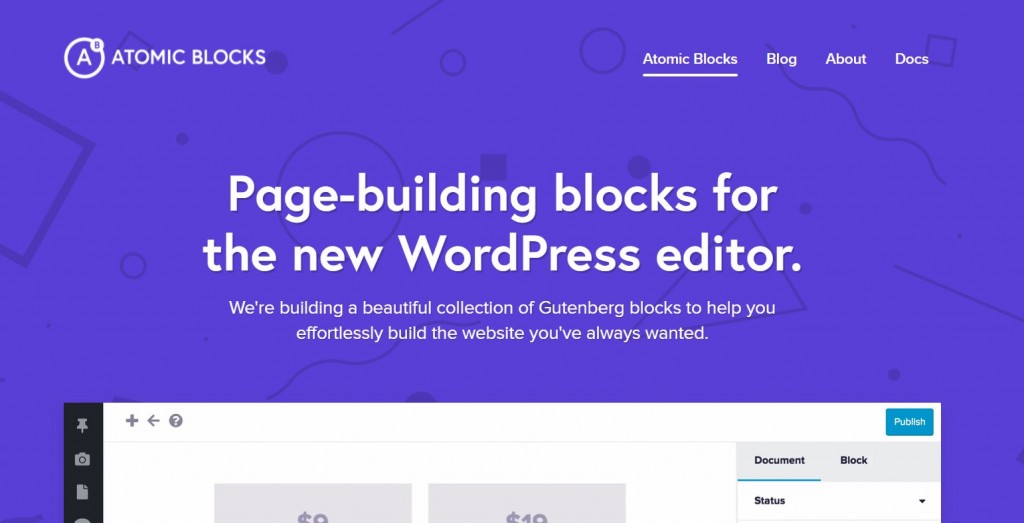
Also, these blocks are elementary to create and save a lot of time. This block comes with a library of pre-designed sections and layouts to help you quickly and easily build a beautiful site with the new block editor. You can also browse designs by category, search, and layouts. Moreover, it comes with Atomic blocks theme integration for free. It supports full-width, block-based page building. Thus, you can quickly build an effective site using the layout and section blocks. Moreover, it has multiple block supports such as post grid block, container block, inline notice block, accordion block, etc. So, let’s discuss the basic features of this plugin in brief,
Features
- The plugin comes with various customizable options and tools to create a beautiful page layout.
- It provides Section & layout blocks which provide multiple features to build the page.
- The plugin includes many other blocks such as Pricing block, testimonial block, call in action block, accordion block, and many more.
- Atomic Block plugins also support Google AMP for each block.
- The plugin has Atomic theme integration, which comes with full-width, block-based page building support.
- The section & Layout blocks provide a library of pre-designed sections and layouts to build a site with the Gutenberg editor.
- The plugin is free to use, and you will have various options to customize the sections and layouts in the Gutenberg editor.
Pricing Details
The Atomic Block plugin is free to use. You can install it from the WordPress plugin directory for free. You will have Atomic theme integration as well for free. Also, you can download the plugin and theme from the official website of Atomic. The plugin includes many blocks such as advanced column block, Newsletter block, testimonial block, and many more.
Otter Blocks
Otter is one of the popular page building block plugins for WordPress sites. You will have various page building blocks and templates for the WordPress block editor. It provides all the elements which you need to create an effective site. The plugin is lightweight, so it enhances site-building without affecting the site speed. Otter’s Section Block, you will be able to create innovative layouts that improve readability with enhanced visual appeal.
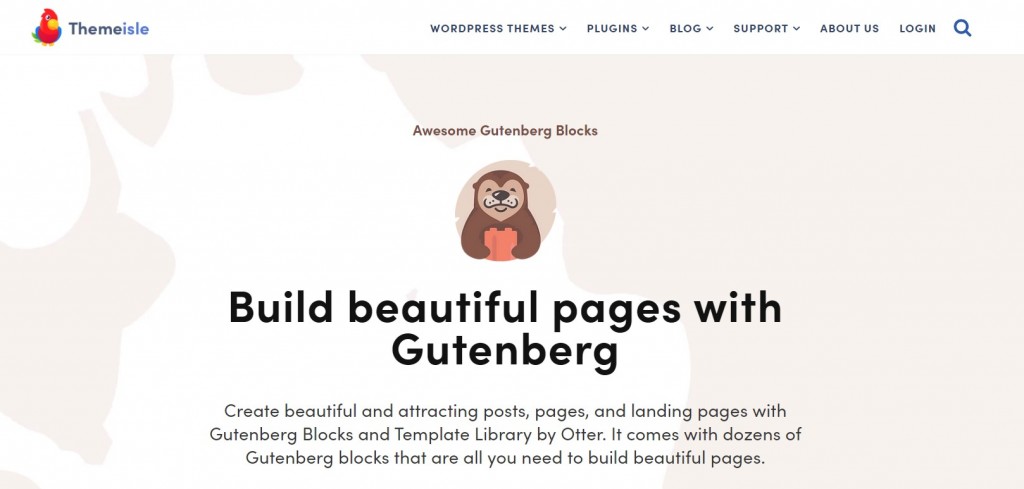
Otter Blocks plugin comes with section blocks, slider blocks, pricing blocks, icon blocks, and many more. You will also get the popup block so you can increase the conversion rate of your site. It also provides icon blocks and sharing icons blocks. Thus, you can easily share your content with your users on social media platforms. Otter Blocks plugin also comes with Google Maps integration. It allows you to create your layouts or select one of Otter’s layouts and templates.
This plugin’s most important feature is that you will have full responsive controls to increase padding and margins. Also, the drop elements will let you create visual experiences perfect for mobile, tablet, or desktop. The plugin also has a template library. The template library provides a range of different elements in various styles to help you build great pages. Moreover, Otter also comes with the WordPress Block Editor, which allows you to see your changes live from the backend. So, let’s discuss the basic features of this plugin in brief,
Features
- The plugin provides responsive design and templates to create attractive websites.
- The otter blocks plugin consists of various page building blocks and templates. It includes sharing icon blocks, section blocks, pricing blocks, popup blocks, and many more.
- It is a lightweight plugin, so it will not affect the site speed and will help you enhance site-building.
- The plugin comes with the template library, which offers tons of elements to customize the page layouts.
- It provides responsive designs and layouts which work well on any device like tablet and mobile.
- Moreover, the Otter has WordPress block editor integration. So you can easily edit the sections and elements with the live preview editor.
- The plugin is free to use. You will have various blocks and elements to design the page layouts.
Pricing Details
Otter Blocks Plugin is a free to use Gutenberg blocks plugin for WordPress sites. You can install it from the WordPress plugin library for free. The plugin is entirely free to use and provides advanced features to create an effective site. The plugin is designed by Themeisle so that you will have various options for free and premium plugins and themes.
Conclusion
The block plugins mentioned above are the most powerful WordPress Gutenberg block plugins. They come with various blocks and page building layouts. You can easily customize the blocks and design your site effectively. Moreover, they provide professionally designed layouts in the free version. Most of the plugins are free to use. They are available in the WordPress plugin directory for free. However, if you want to unlock the pro blocks, you will have to purchase the plugin’s premium version. Also, the plugins are integrated with the WordPress Gutenberg editor. So basically, they provide additional blocks to make your site more functional. The block plugin is usually lightweight so that it won’t affect the site speed.
The installation and setup process is very straightforward. The plugins also come with responsive designs and layouts, which work well with mobile, tablet, and desktop devices. We hope this article will help you to choose the right Gutenberg block plugin for your site.
Related guides
7 Common Hosting Mistakes Beginners Make (And How to Avoid Them)
7 common hosting mistakes beginners make in 2026: no backups, ignored updates, bad host choice, weak passwords, single point of failure, no staging. With fixes for each.
WordPressWebsite Migration Backup Checklist: What to Save and How to Test
Prepare a website migration backup: inventory files, databases, email and DNS, check archive integrity, test recovery and plan a safe final synchronization.
WordPressCore Web Vitals in 2026: A Practical Fix Guide for Site Owners
Core Web Vitals 2026: practical fixes for LCP, INP, and CLS. Real root causes, what to measure, common misconceptions, and a priority order of fixes for site owners.
WordPressFixing the WordPress “Death Loop”: When Missing Files slow down your site
You’ve just launched your new WordPress site or pushed a big update. In your staging environment, everything ran perfectly.