
GICT knowledge base
Update Locale Settings in Magento
Published
Magento is a platform made in PHP that allows you to create and manage an eCommerce store. With GICTServer web hosting, you can create a Magento based eCommerce store in no time. As every eCommerce store is located somewhere in the world, we have to set the timezone and other local settings to let users know about timings, and also to run automated daily tasks. So, Locale settings are important for every website on the internet that interacts with the user at a physical level.
If you are using Magento, you can change or update Locale settings directly from the Administration panel. Magento has an easy and efficient user interface, which makes this task even easier. So, Let’s get started with the step-by-step tutorial. You can refer to the screenshots given after every step to visually understand the process.
Update locale settings in Magento
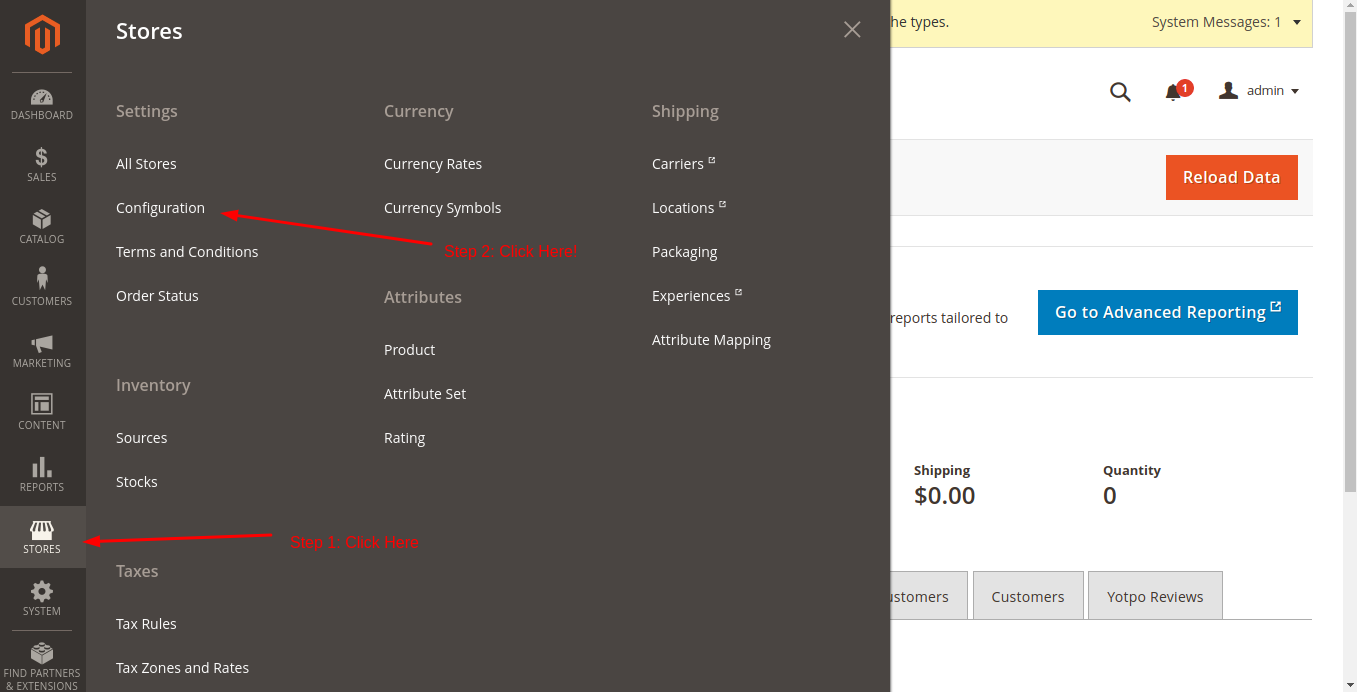
First of all, Log in to the admin panel of your Magento store. In the main menu, click on the Store option just like the following image. Then, click on the Settings -> Configuration option. The location of the Store option is as follows.
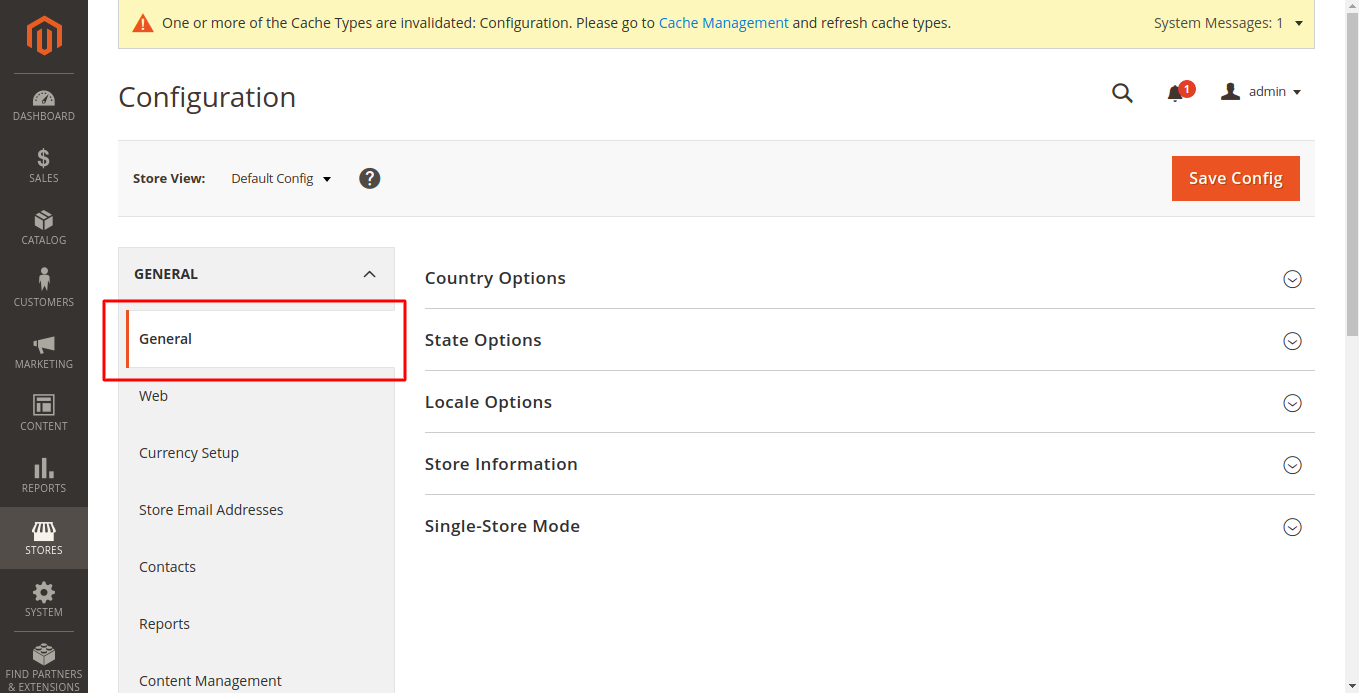
Now, Make sure you are on the General -> General page. In this section, you can quickly update the most important settings in Magento.
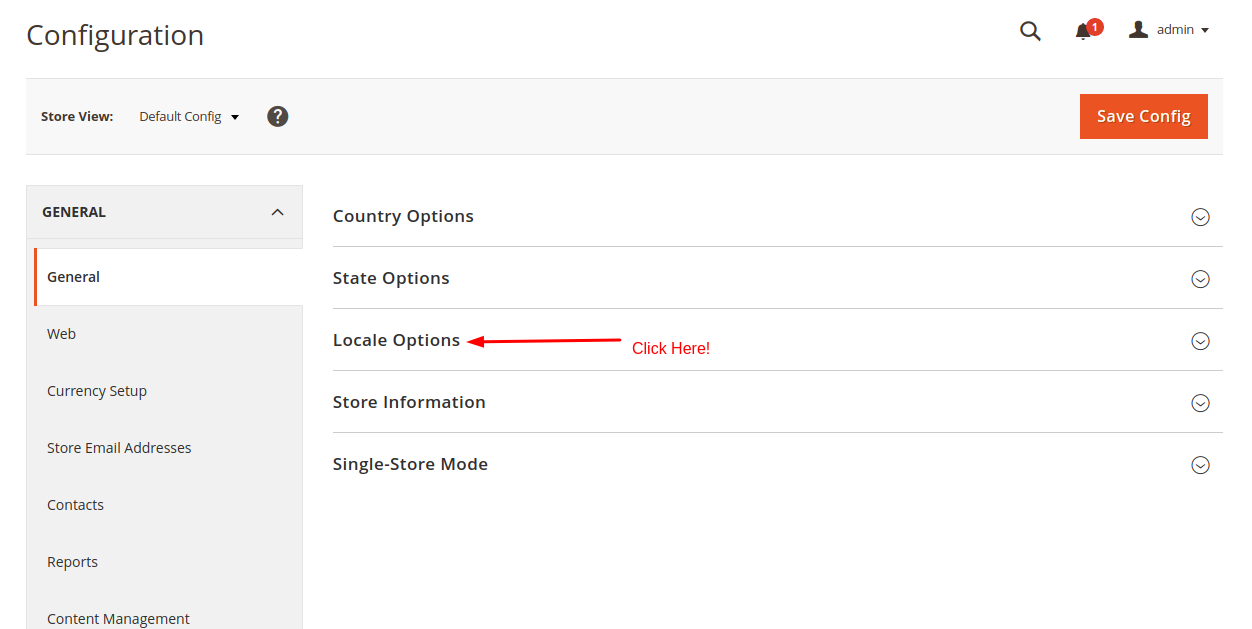
On this page, you will see a list of options like Country options, Store information, Locale options, and State options. Expand the Locale options section to see a form in which you can update Locale settings.
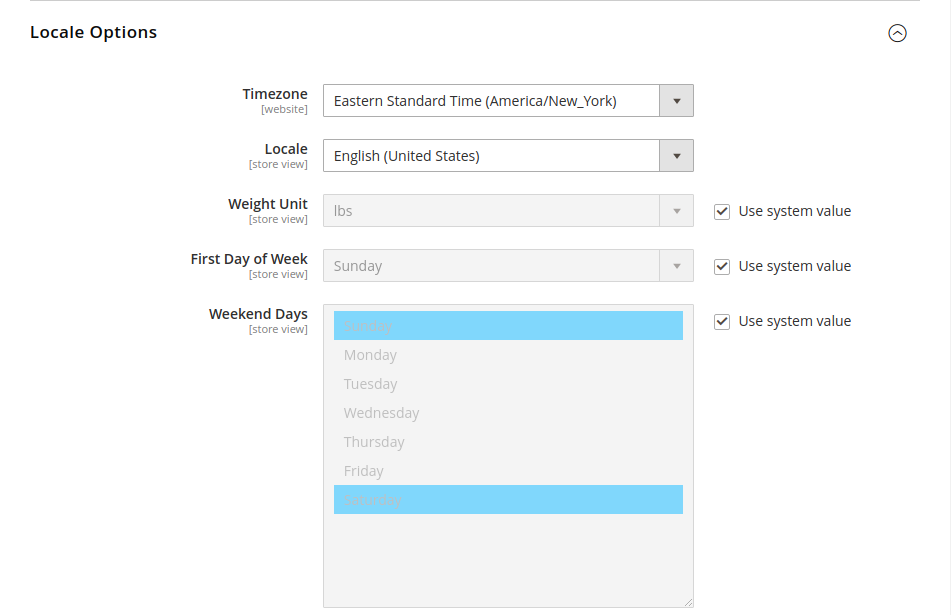
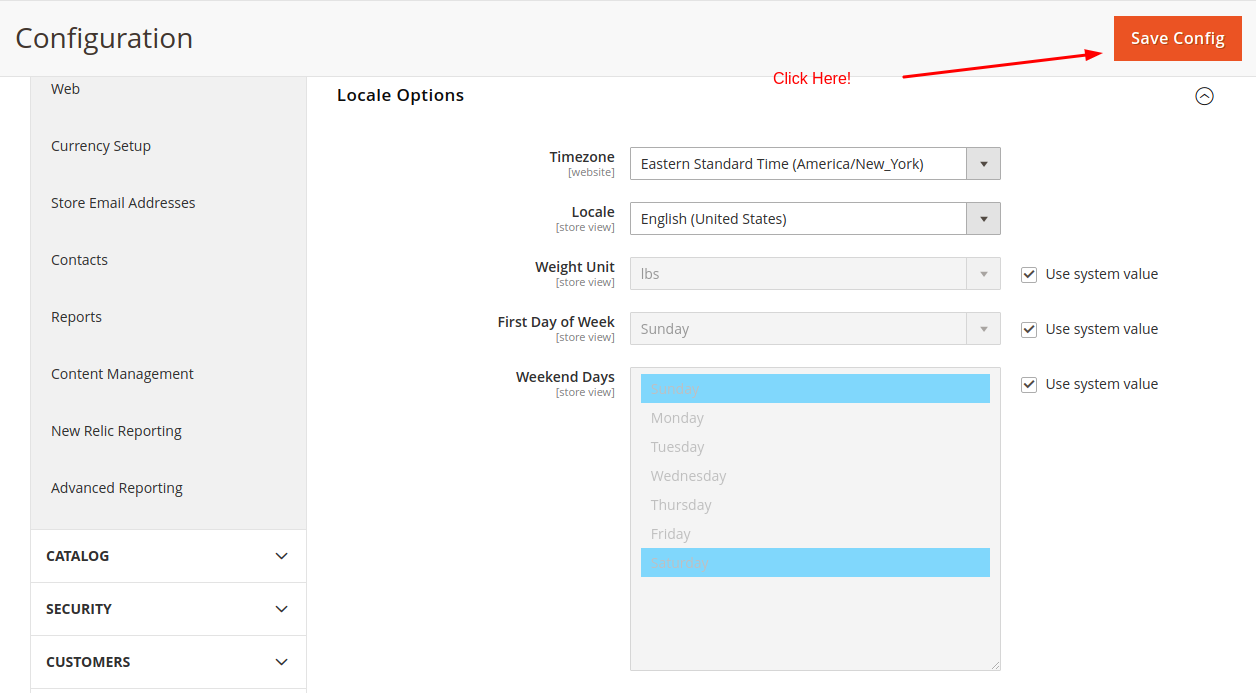
Here you can update information like Timezone, Locale, First day of Week, and Weekend days. As these settings change with the location, you can set your Locale anywhere in the world. Enter the information as per your choice in this form.
Finally, Click on the Save Config button given at the top-right corner of the page. To make it easier to spot, refer to the following screenshot.
So, this is how you can set Locale in Magento. It is a very important task after Magento Installation. If you are unable to update the Locale in your Magento, please let us know in the comment section, we will get back to you with help as soon as possible. If you are an GICTServer customer, please contact our 24*7 awesome support!
Related guides
Top 10 Best Content Management Systems in 2021!
Follow this list to learn in detail about the 10 most popular content management systems available in the market.
E-CommerceWooCommerce vs Shopify : The best E-commerce platforms
WooCommerce and Shopify are the two most popular E-commerce platforms. Follow this tutorial to learn more about both of them.
E-CommerceBest Applications to Run E-commerce Websites
E-commerce Hosting:E-commerce is the process of selling and buying of goods or services over the world wide web. It is also known as electronic commerce or
E-CommerceEasy Digital Downloads Plugin for WordPress
Easy Digital Downloads (EDD) plugin is the second most well-known WordPress eCommerce plugin, after WooCommerce. EDD plugin is used to create an eCommerce