
GICT knowledge base
Steps to Create User Group in Joomla
Published
Joomla is a combination of software packages that you can use to build a Website, Blog, Structured web application, Mobile app. Joomla also provides tools for Creating, managing the website, Content Management, and organising your data. Joomla Supports more the 60 languages and 3 percent of the web running on Joomla worldwide. Joomla is a secured web management tool providing its secured services to small businesses, Government, Medium, and Large Organisations. With Joomla, You can just build a website or web application in a few steps, Easy to use and manage from one platform.
User group allows you to provide limited access to a specific type of user. It means that you can create different roles using the user group feature. You can allow or deny permissions so that a user in a specific user group can perform only authorised actions. So, Let’s see how to create a user group in Joomla.
Create a user group in Joomla
Step 1: Make sure you have admin access to the Joomla website.
Step 2: Log in to the admin panel of your Joomla website.
Step 3: Now Left-Side of your display you can see the list of sections and options.
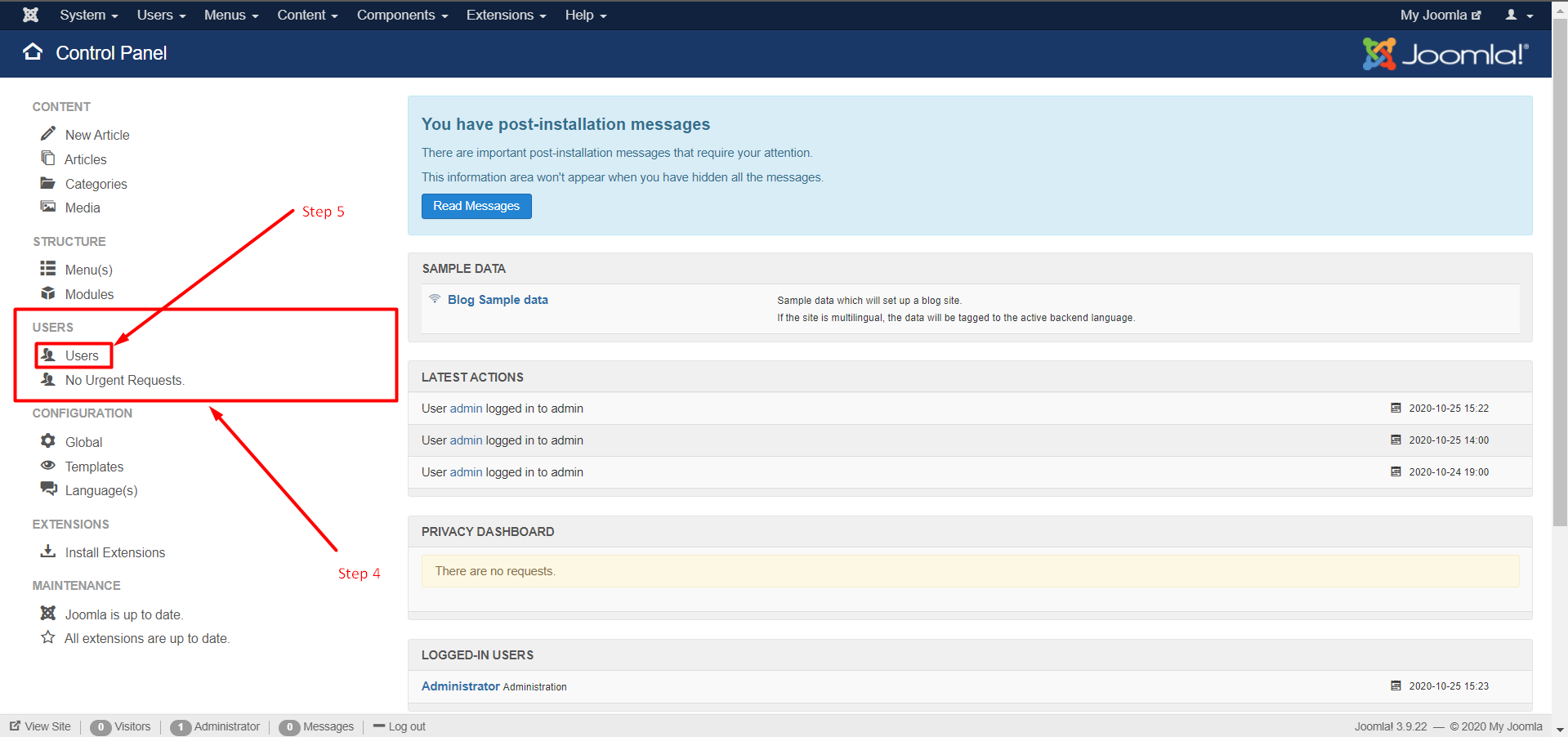
Step 4: Find Users Section from the Sections.
Step 5: Click on Users.
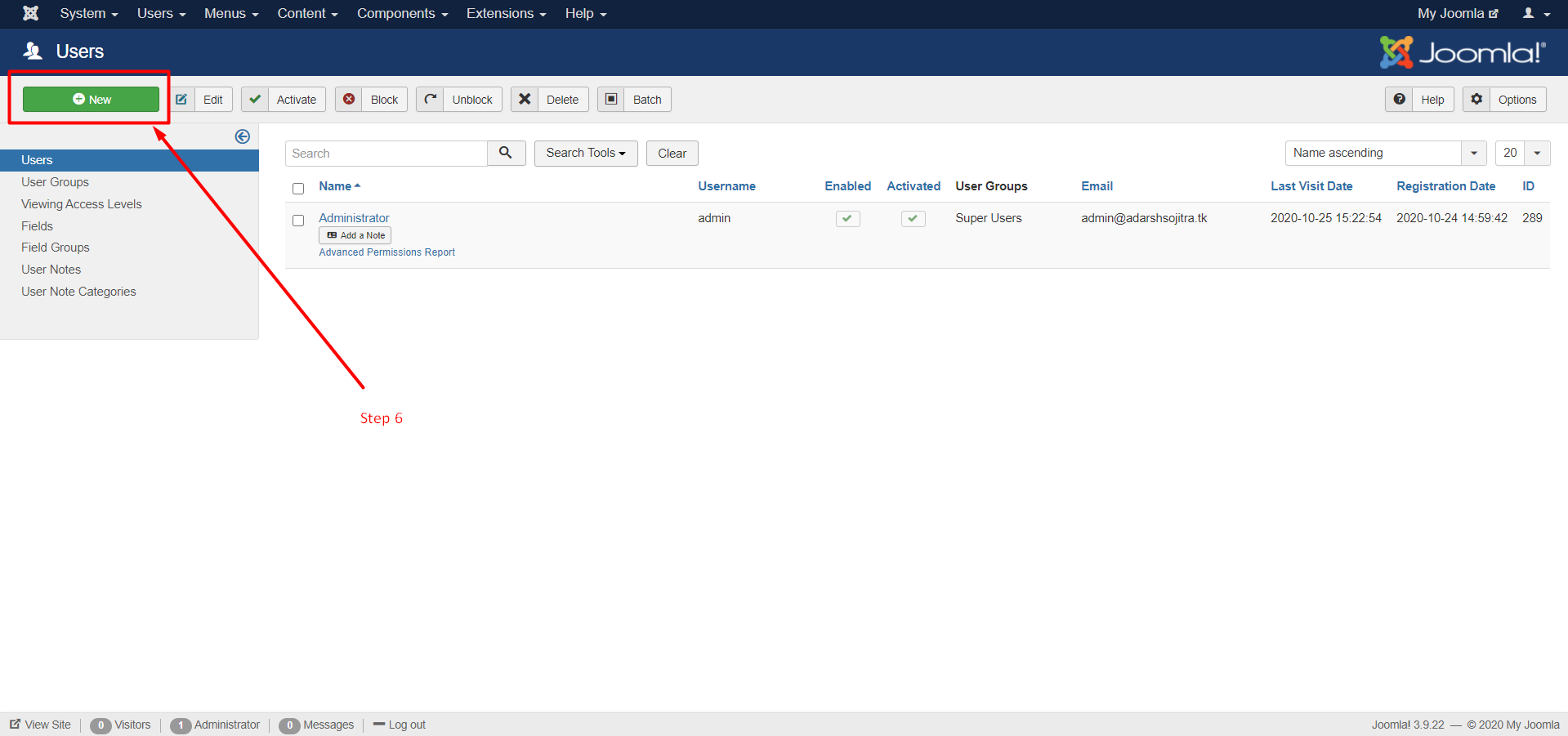
Step 6: Now to create the User Click on the Green button called +NEW.
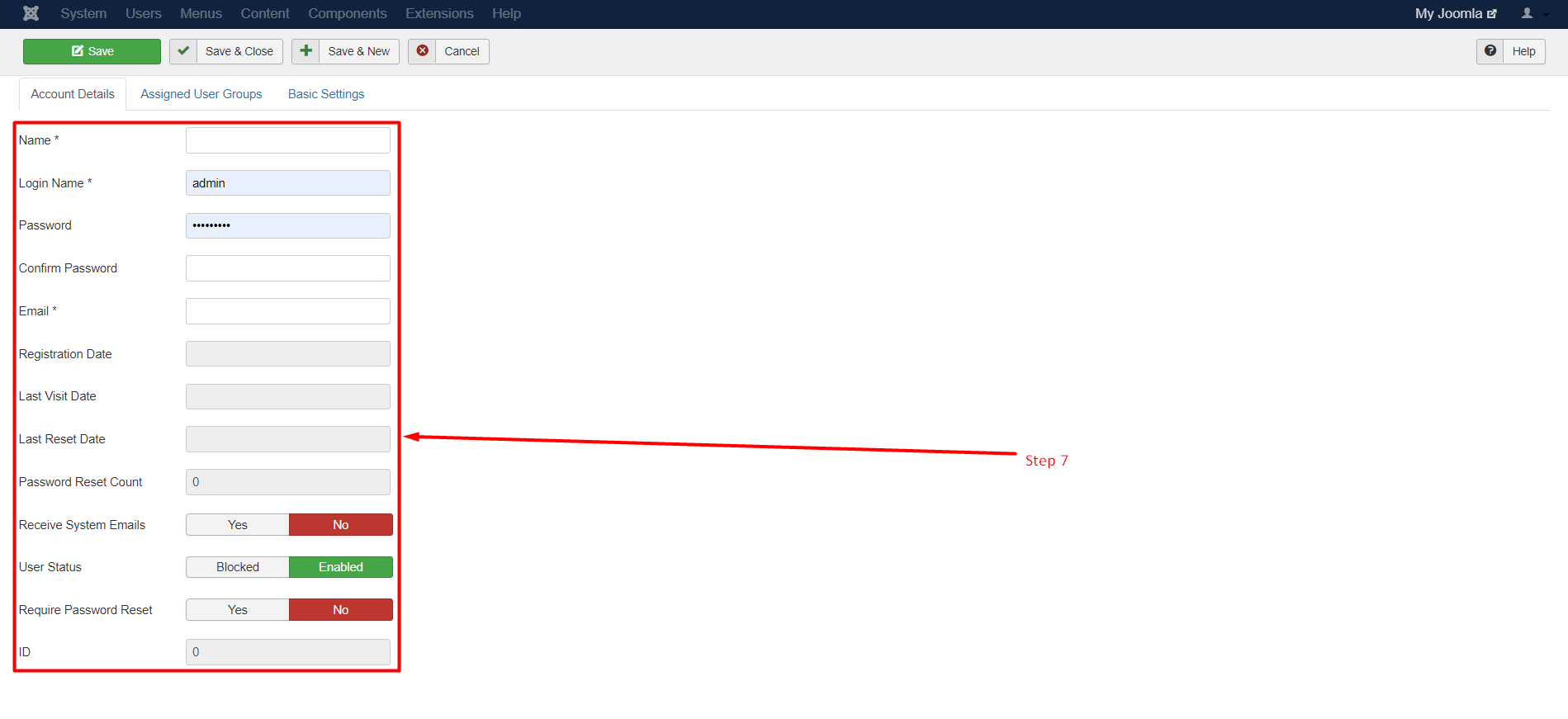
Step 7: Check the New button will take you next page and on that page, you’ll Some Textboxes. Enter the details as
per your requirement like User’s Name, Password, E-mail, etc.
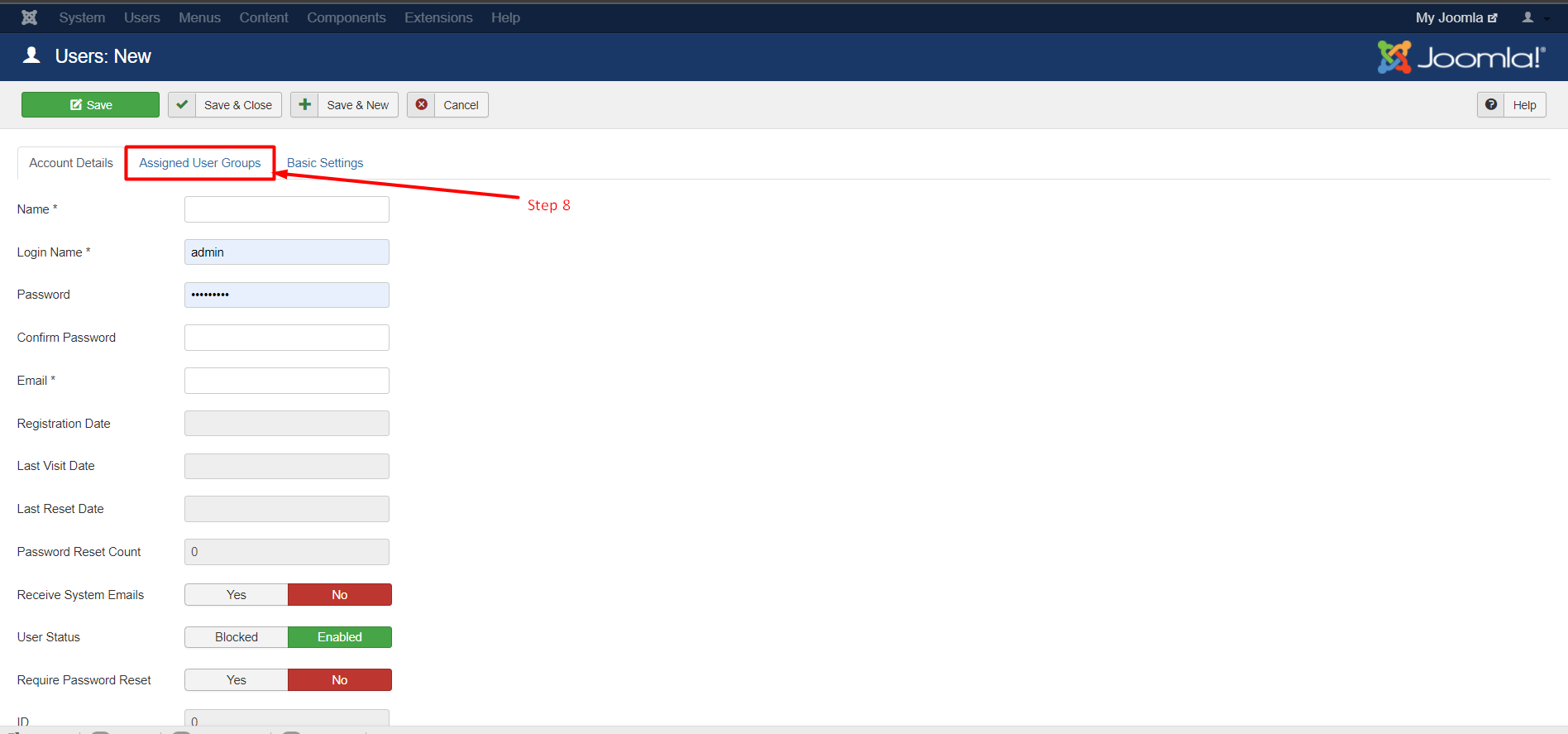
Step 8: Then click on the Second Tab called Assigned User Group to assign the created user in a specific group.
Step 9: Check the Checkbox to true to assign the Group.
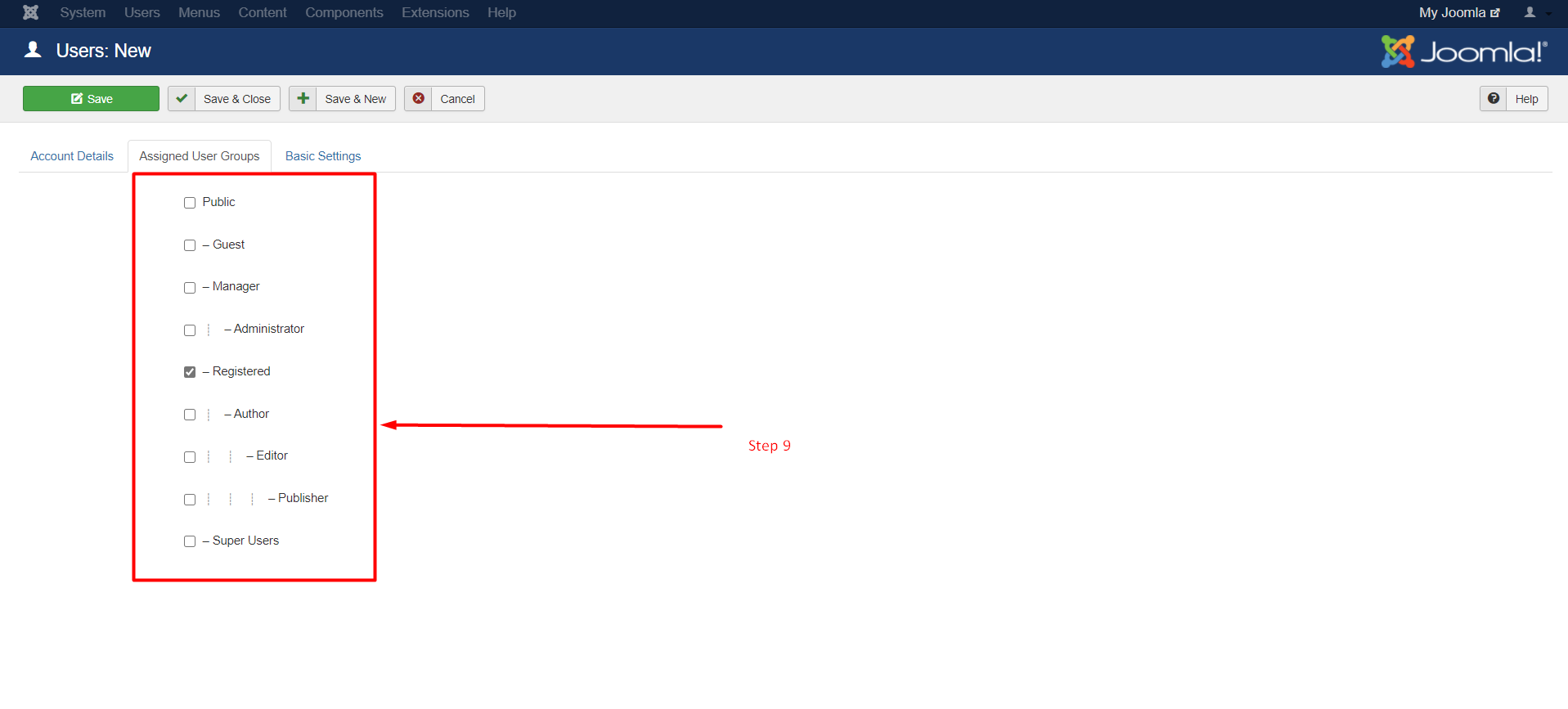
Step 10: Then click on Third Tab is called Basic Settings. This tab is for extra supportive settings.
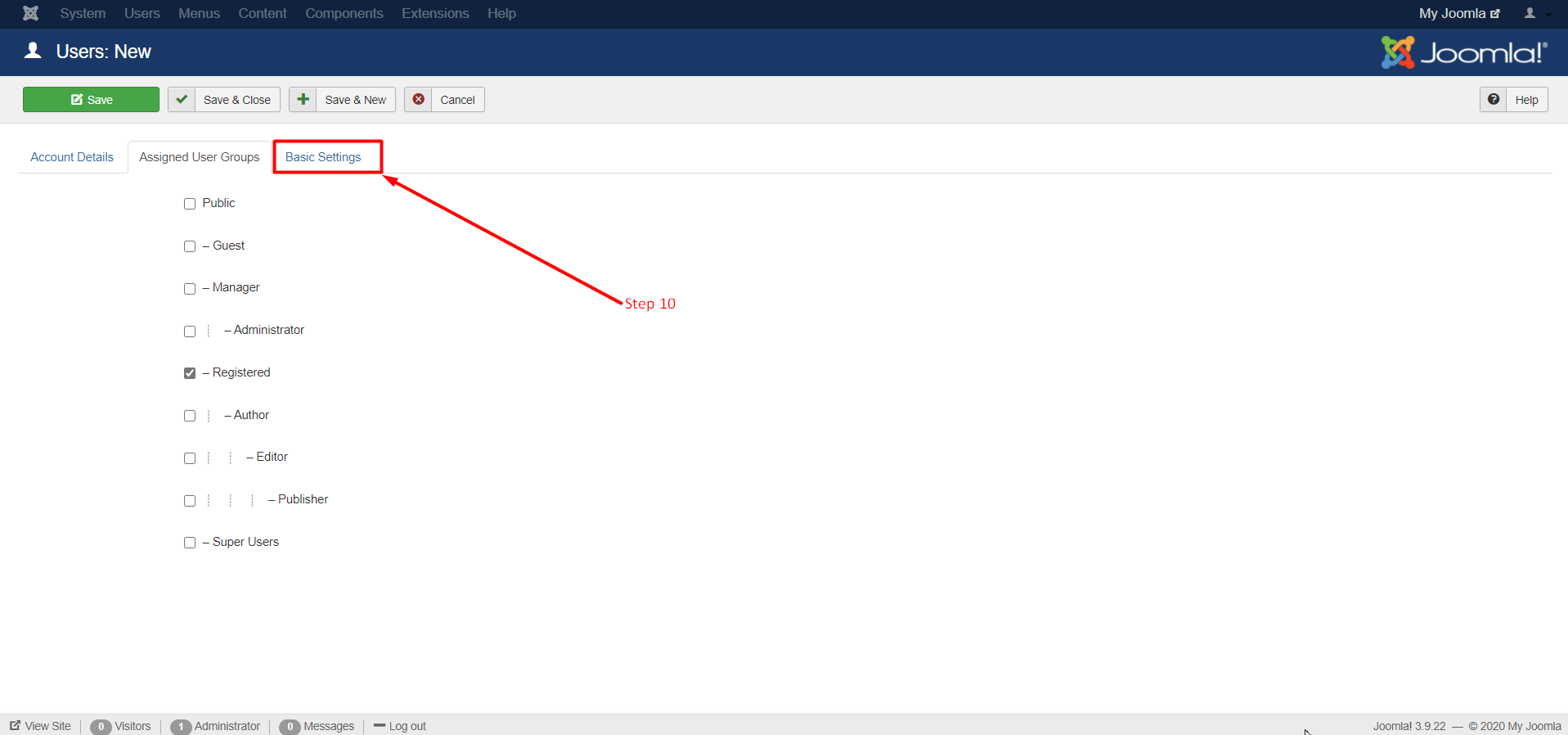
Step 11: Select the Fields as per your requirement.
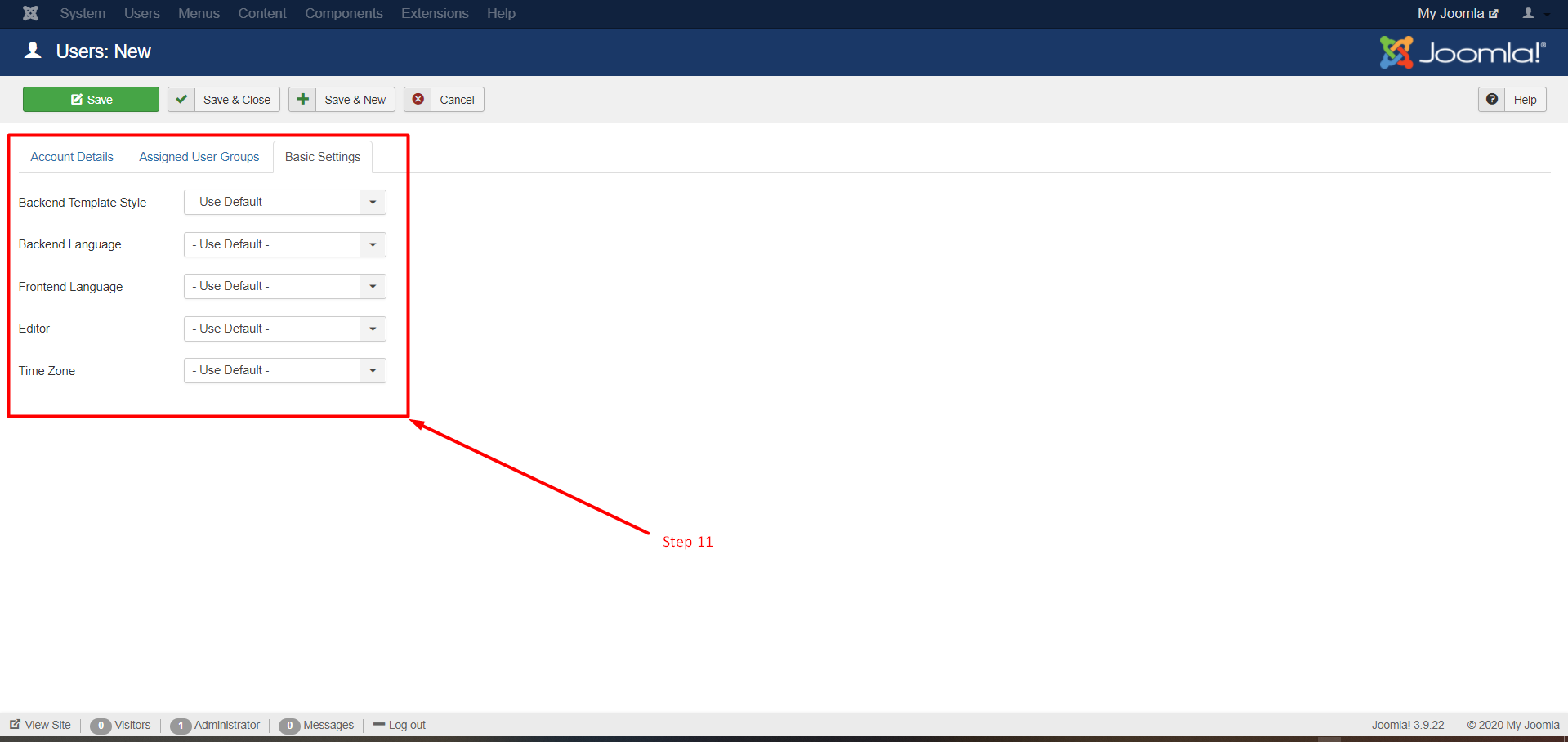
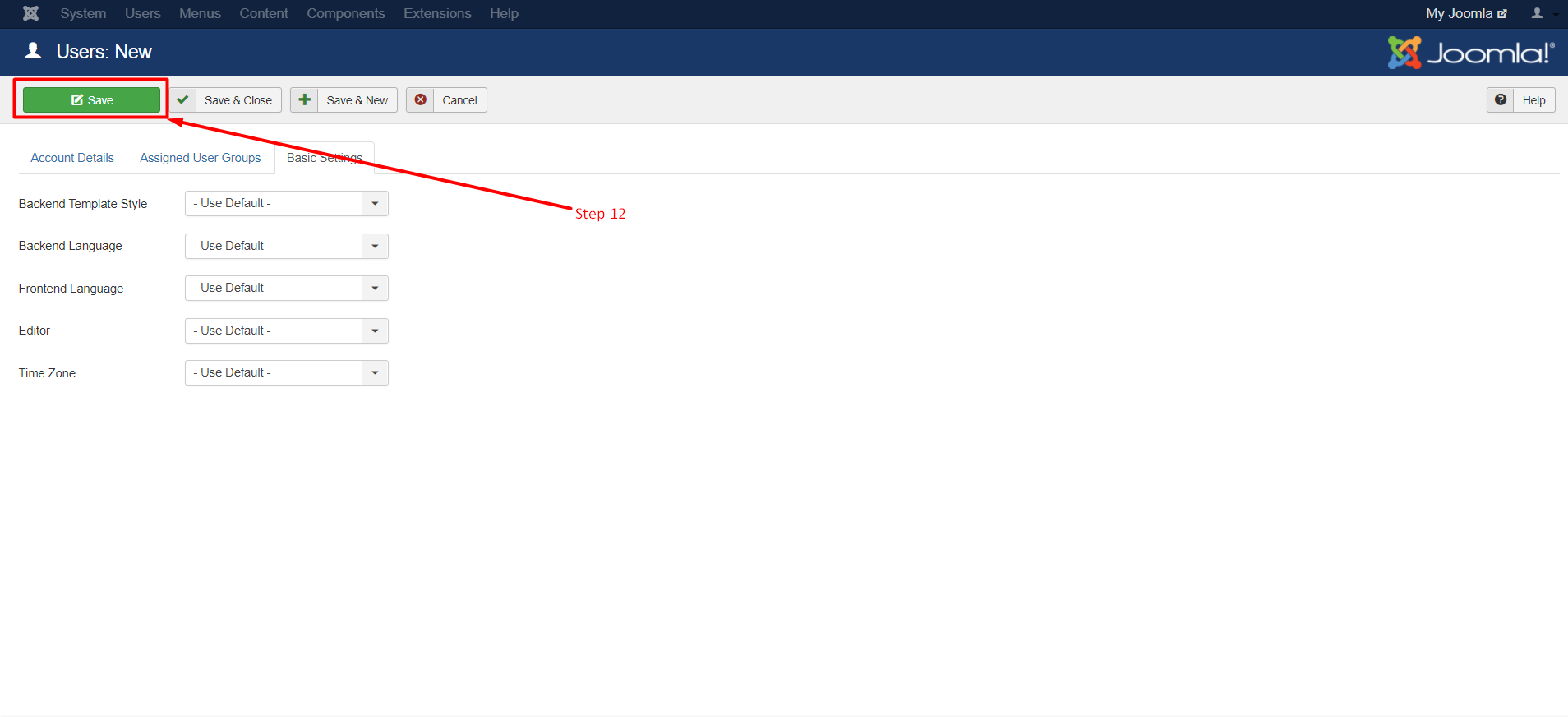
Step 12: Then to save the user Click on SAVE Button.
So, this is how you can create and use User groups. It is a really good way to create different roles on your site. If you are unable to follow this tutorial due to some issue, please let us know. We are happy to help!
Related guides
WordPress vs. Joomla: Which is the Best CMS for Websites?
WordPress and Joomla, both are one of the best CMS available in the market. Read this comparison for head-to-head battle between both!
JoomlaHow to Create a Portfolio Website Using Joomla?
In this tutorial, we can check how to create a Portfolio Website using Joomla.An online portfolio is a platform where you can display, share, and sell your
JoomlaHow to Fix Your Hacked Joomla Site
In this tutorial, we can check how to fix a hacked Joomla site. Joomla is an open-source Content Management System (CMS) used to create websites and online
JoomlaJoomla Admin Password Reset
Joomla Admin Password Reset. Joomla is an open source powerful CMS (content management system) which is widely used for publishing websites. Joomla sites