
GICT knowledge base
How to Manually Create Orders in OpenCart
Published
OpenCart is one of the most popular eCommerce applications on the internet. With the help of OpenCart, you can easily create an eCommerce store without having any technical knowledge. It is built in PHP and it provides a powerful admin panel that contains almost every feature you will ever need to run an eCommerce store. In most cases, by default, orders are created by customers and are automatic. But, sometimes you have to create an order manually, for any reason.
The good news is, OpenCart and other eCommerce platforms allow us to create orders manually, in case your customer cannot create an order. OpenCart provides us an easy to use user interface to manage orders in our store. In this tutorial, I am going to show you how to manually create orders in OpenCart store. Follow the screenshots to locate the buttons and options along with the steps. So, Let’s get started with the tutorial.
Create Order manually in OpenCart
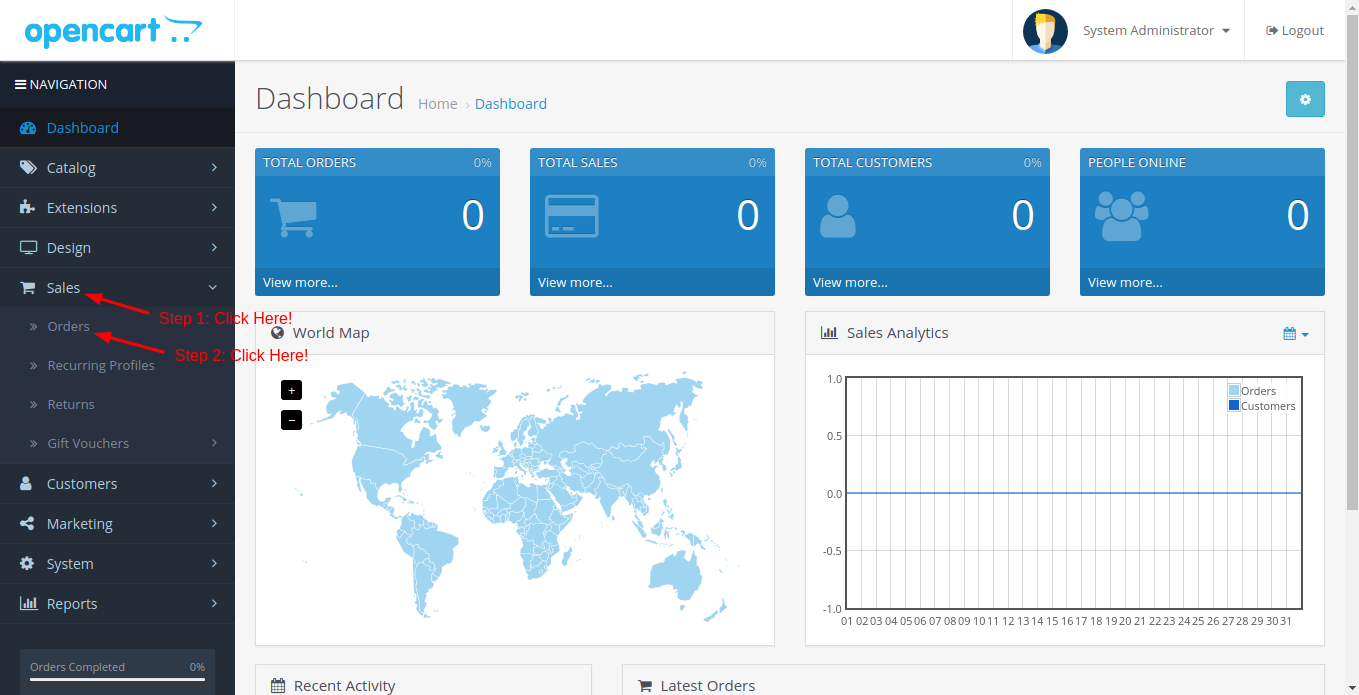
Log in to the admin panel of your OpenCart store. Then, click on the Sales -> Orders option from the primary menu. The sales option is the drop-down menu that will reveal the Orders option. Refer to the following screenshot.
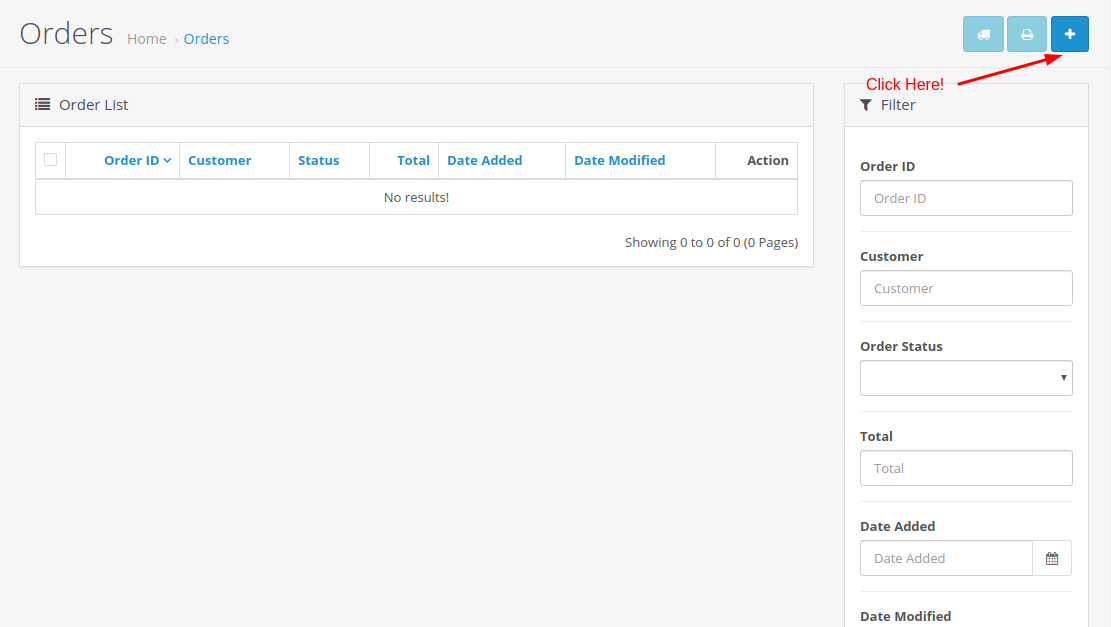
On this page, you can find and filter orders based on customers, ID, status, creation date and much more. To create a new order, click on the “+” button given at the top-right corner of the page.
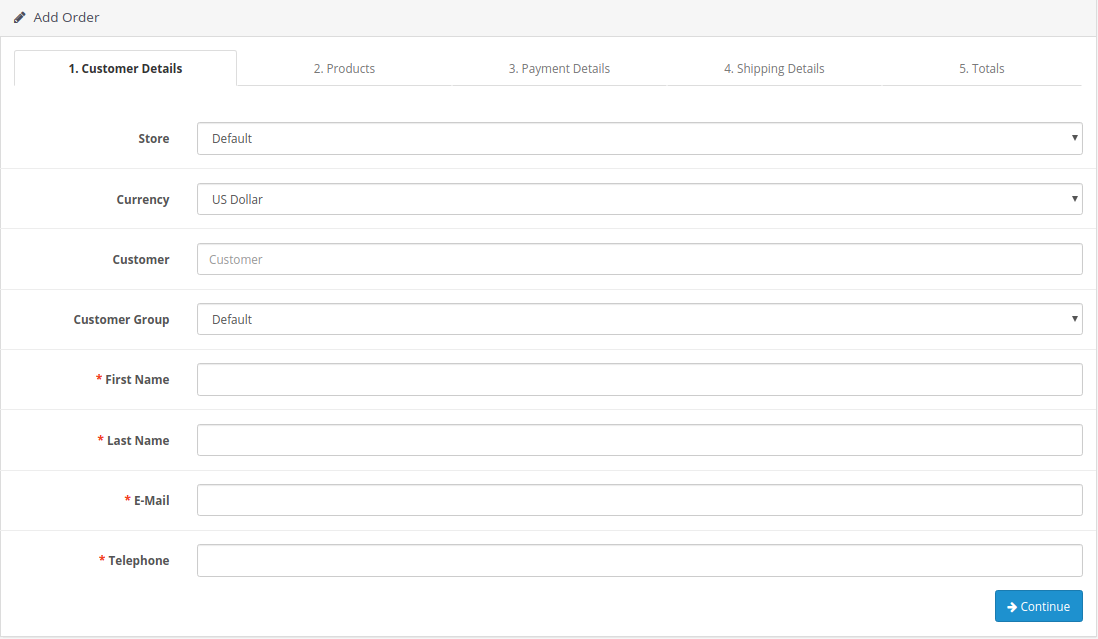
It will redirect you to a page where you can create a new order manually. Enter all the required information in the multi-step form like Customer details, Products, Payment details, Shipping details, and totals. After entering all the required information, click on the Save button to save the order in the database.
So, this is how you can create an order in OpenCart. It is a very handy feature that you can use to create orders manually just in case your customer can’t. If you have any questions regarding this tutorial, please let us know in the comment section given below, we will reply with the answer as soon as possible.
Related guides
Top 10 Best Content Management Systems in 2021!
Follow this list to learn in detail about the 10 most popular content management systems available in the market.
E-CommerceWooCommerce vs Shopify : The best E-commerce platforms
WooCommerce and Shopify are the two most popular E-commerce platforms. Follow this tutorial to learn more about both of them.
E-CommerceBest Applications to Run E-commerce Websites
E-commerce Hosting:E-commerce is the process of selling and buying of goods or services over the world wide web. It is also known as electronic commerce or
E-CommerceEasy Digital Downloads Plugin for WordPress
Easy Digital Downloads (EDD) plugin is the second most well-known WordPress eCommerce plugin, after WooCommerce. EDD plugin is used to create an eCommerce