
GICT knowledge base
How to Manage Zones in Zen Cart?
Published
With the power of Internet and good marketing skills, you can operate your E-commerce store in various parts of the world from your laptop. While reading, it feels really hard to achieve. However, The open-source E-commerce store management systems like Zencart allows you to manage everything from one Panel. Yes, you can also decide where you want your store to operate or serve. It means that you can run your store in specific “Zones” around the world.
Each and every zone might have different properties and effects on the purchasing experience of the customer. You can set different variables for different zones according to the requirements. In this tutorial, I will demonstrate How to create a new zone and manage them in Zencart. It is a really simple yet effective process. So, Let’s get started with the tutorial.
Manage Zones in ZenCart
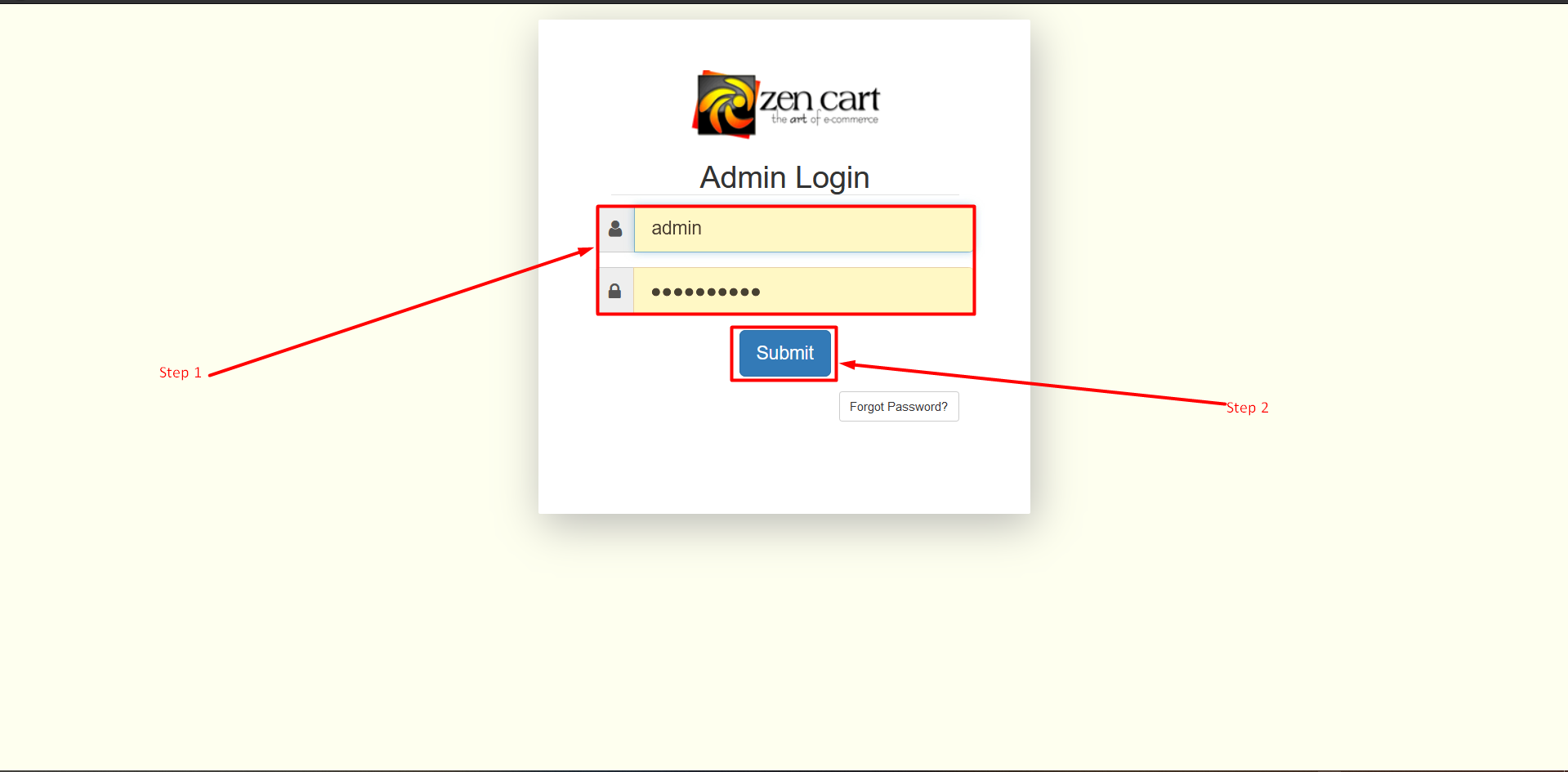
Step 1: Open the login page of the administrator in a new tab. Type your Username and Password in the form.
Step 2: Now click on the Submit button to log in to the admin panel.
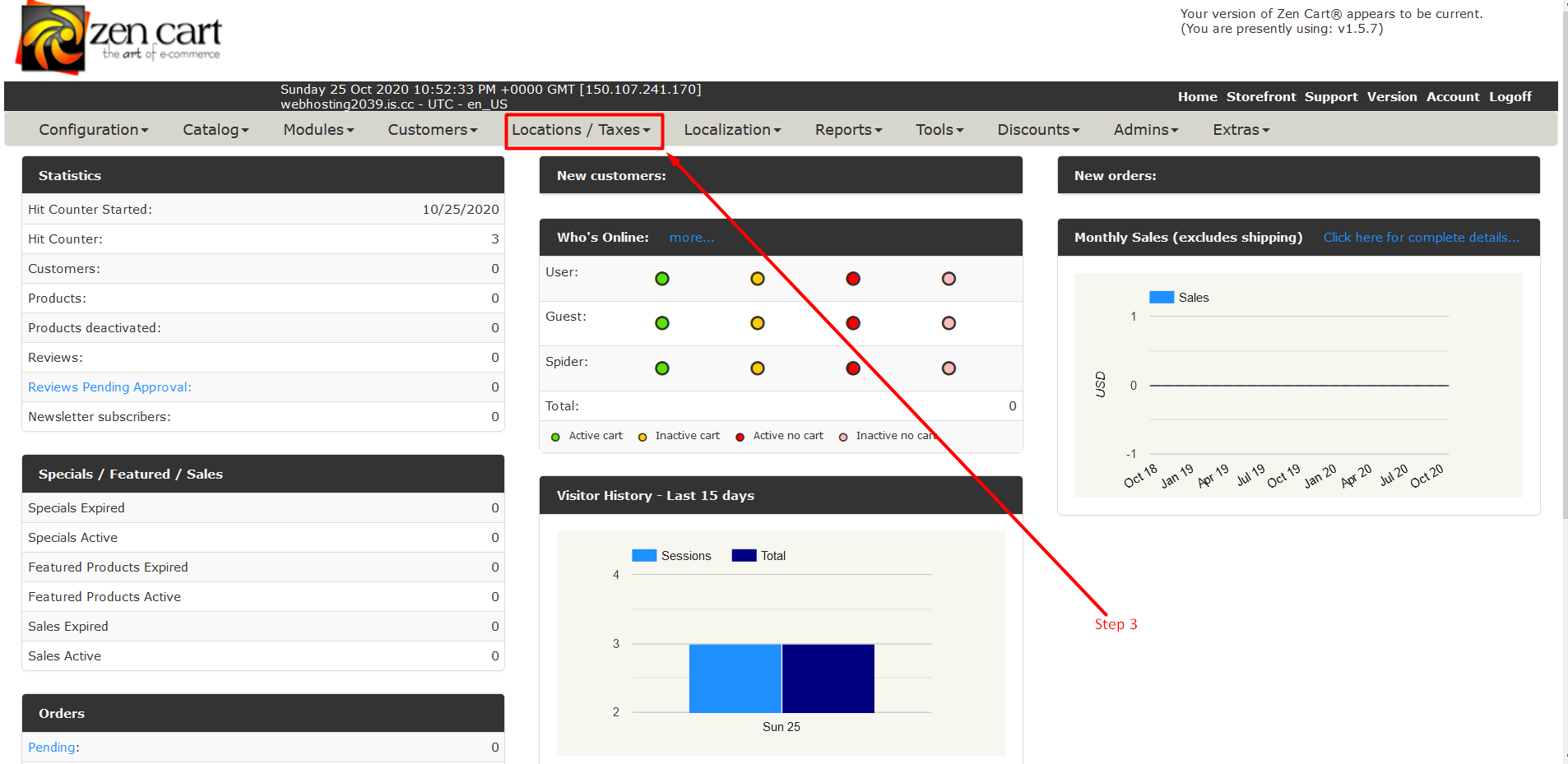
Step 3: Now Find a tab section and find the Location /Taxes tab and click on the Triangle to expand that tab.
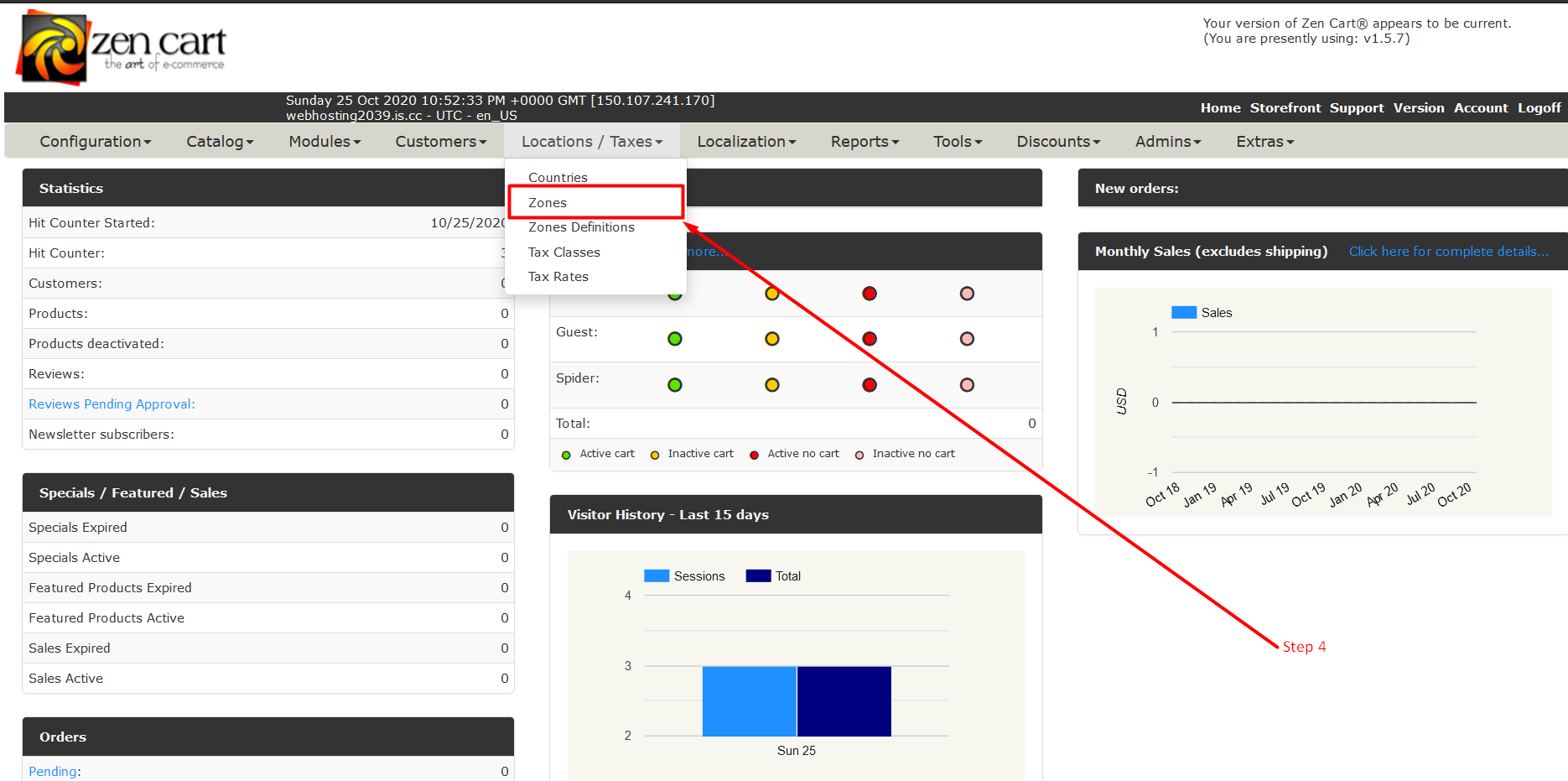
Step 4: Now Click on Zones.
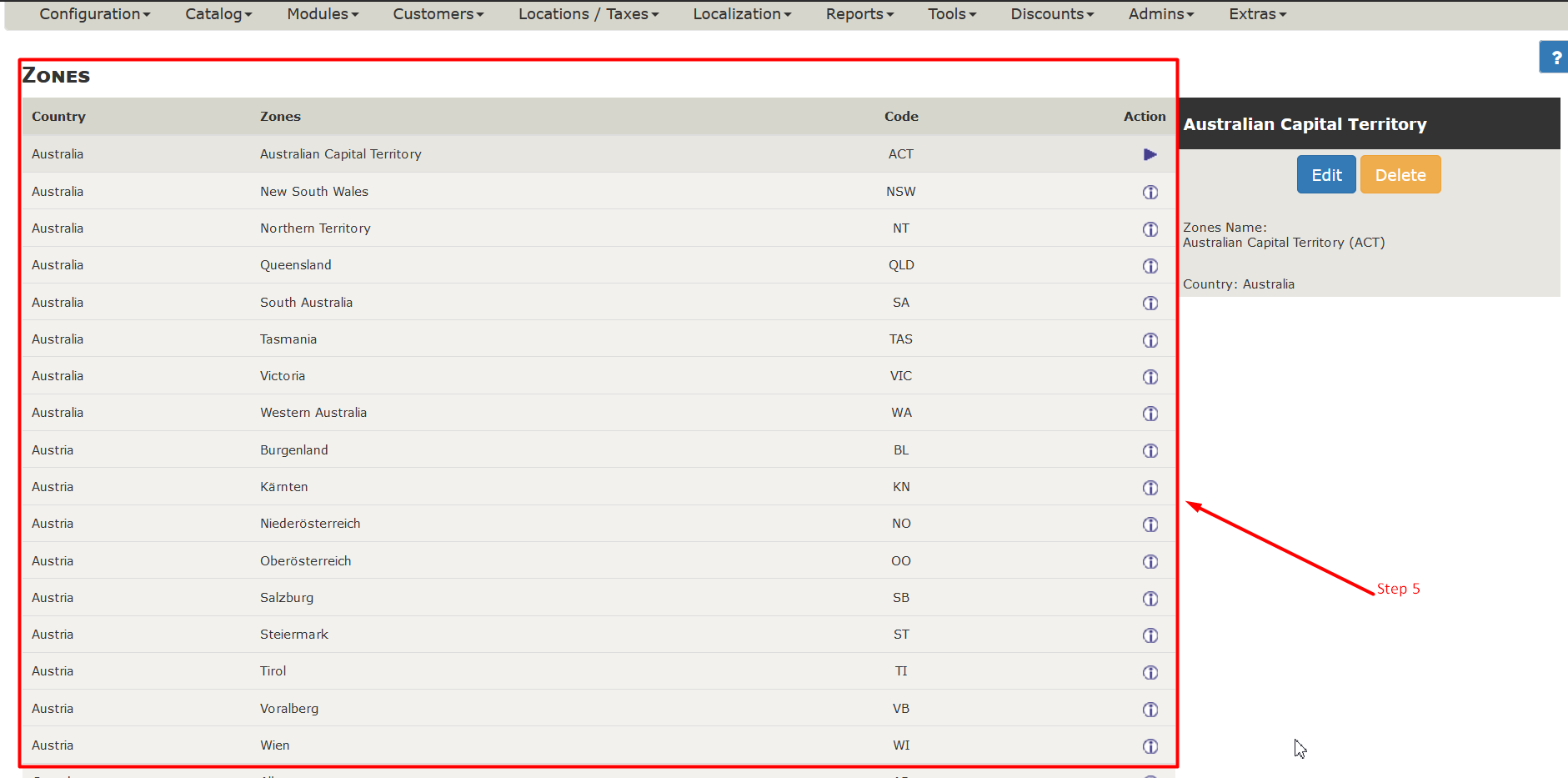
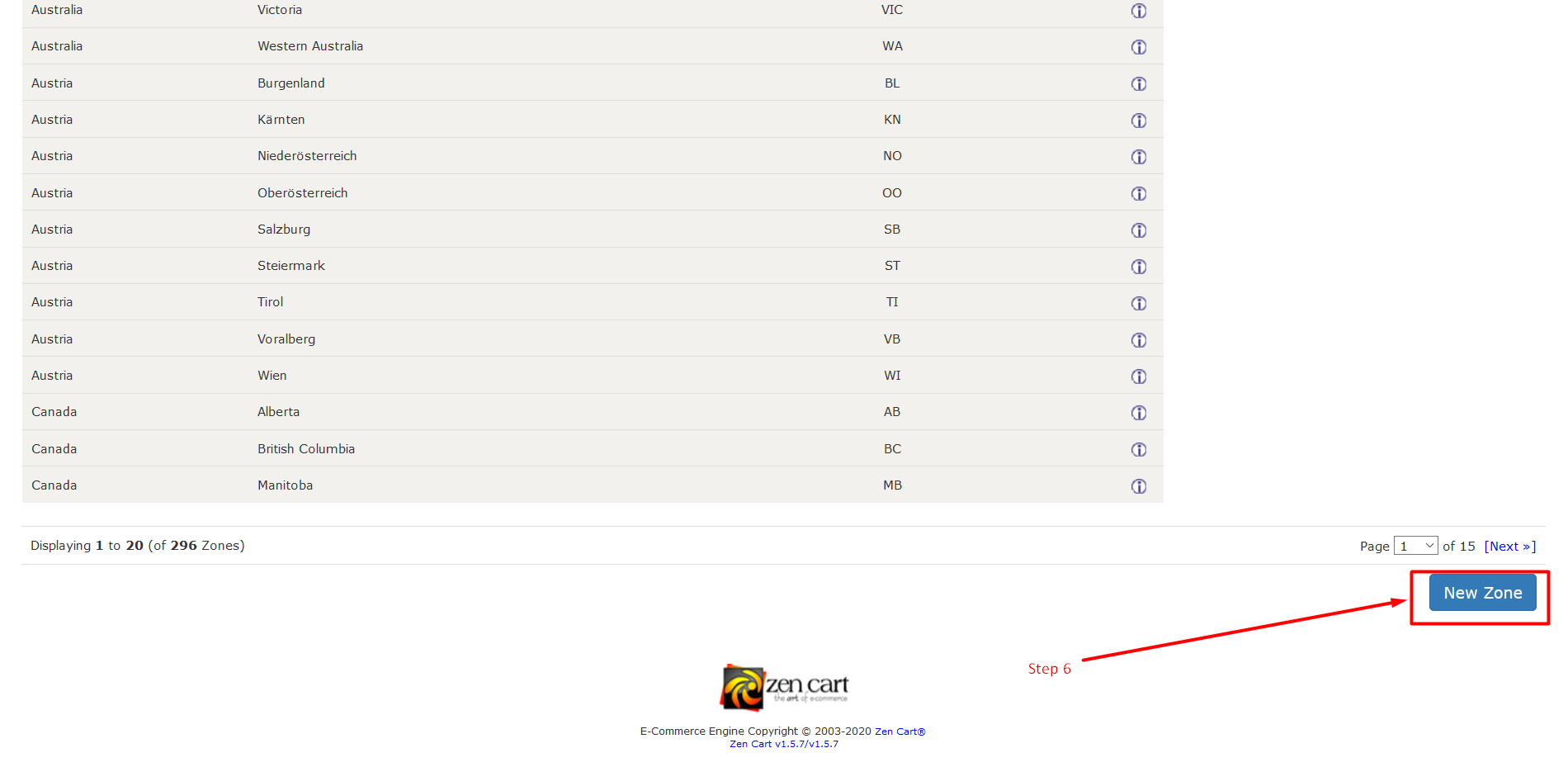
Step 5: After click on the Zones tab the next page is a list of available zones. Refer to the following image.
Step 6: To add a new zone click on the button, New Zone.
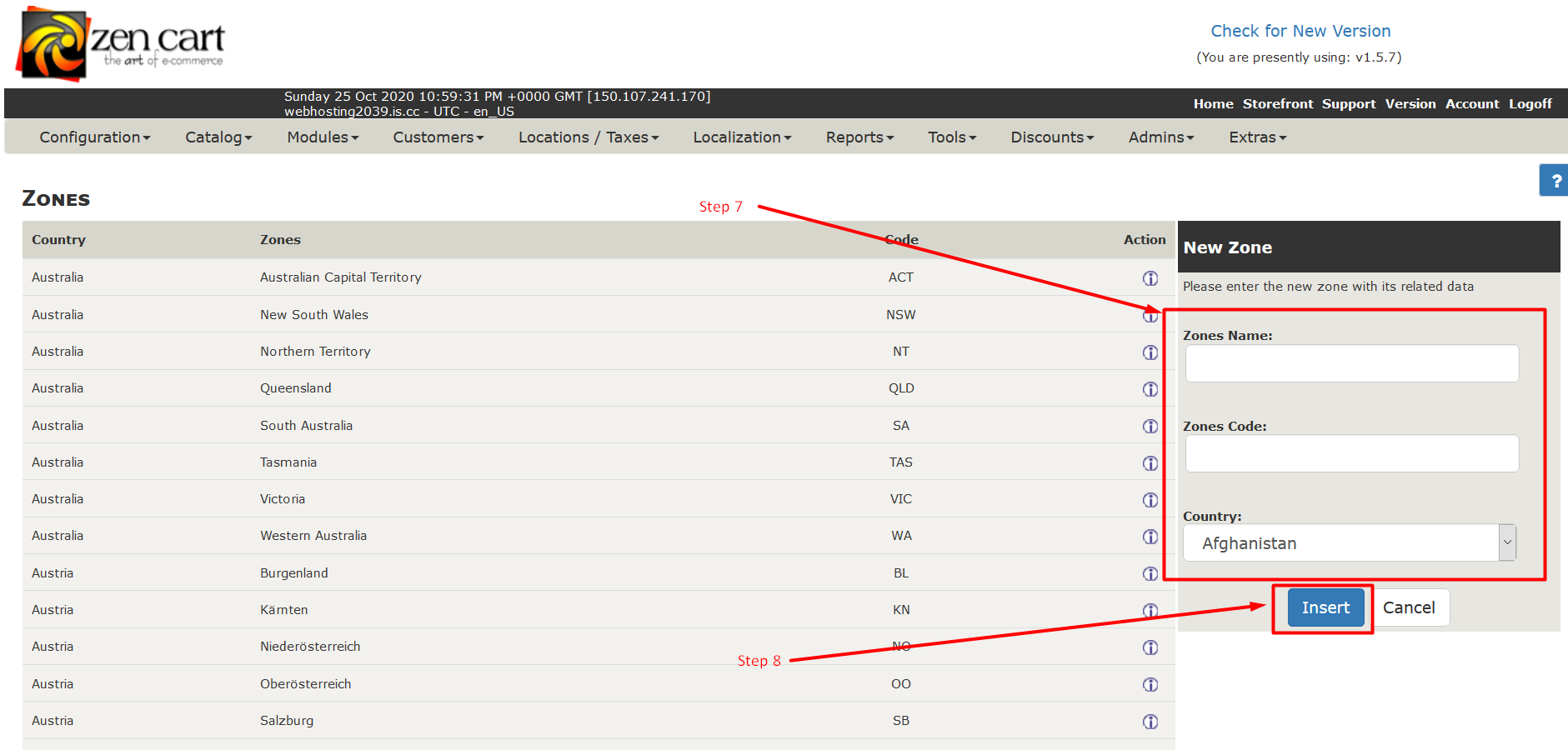
Step 7: Fill in the details about the zone like Name, Zip[A1] Code, and Country.
Step 8: Then click the Insert button to insert the zone on your website and the list too.
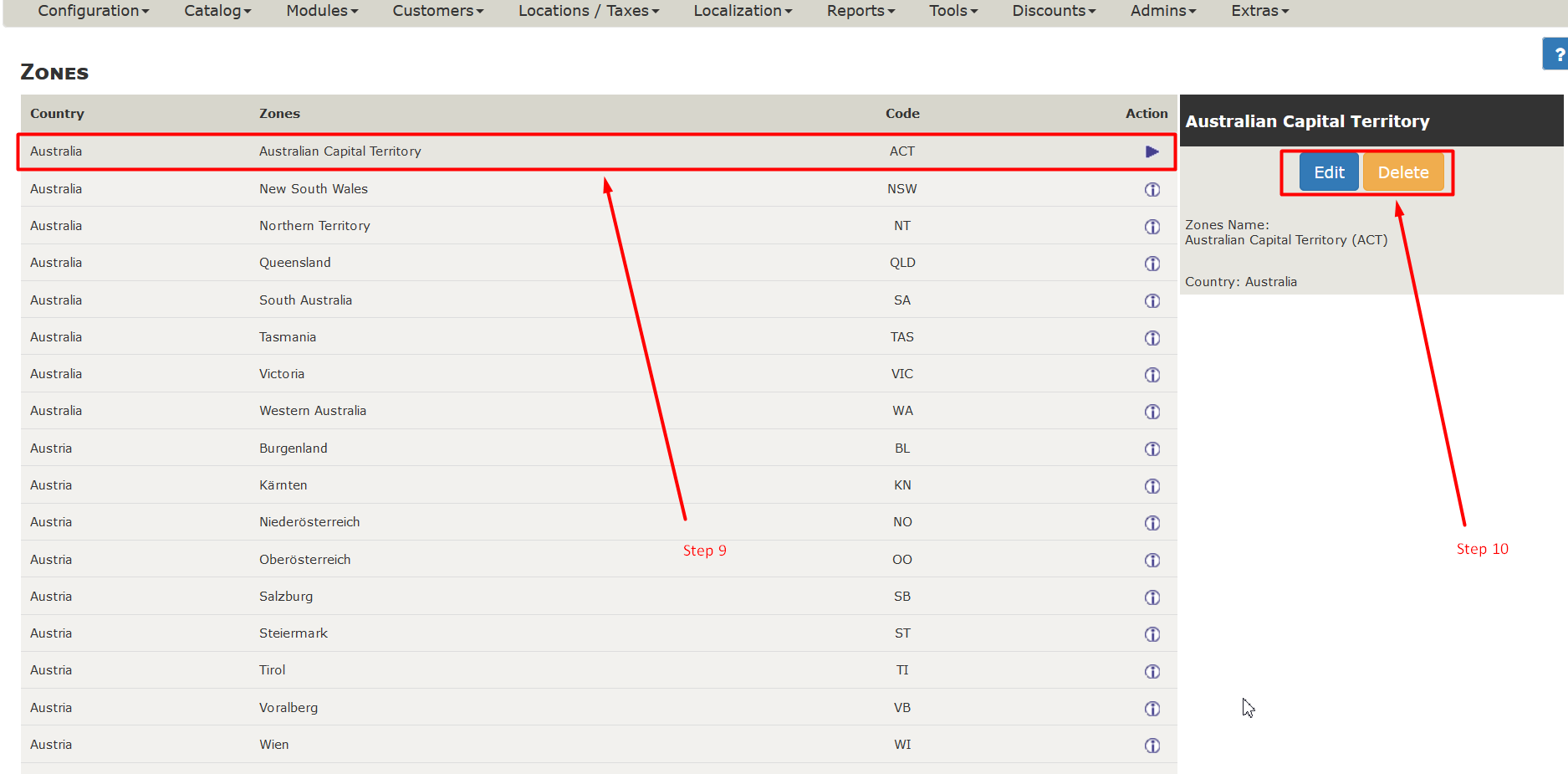
Step 9: Now you can see your inserted zone in the list. Click on it to select.
Step 10: when you select the zone, You will see action buttons for that specific zone.
So, this is how you can create and manage zones in ZenCart. We hope this tutorial was helpful for you. If you are facing any issue with this method, please let us know in the comment section given below.
Related guides
Top 10 Best Content Management Systems in 2021!
Follow this list to learn in detail about the 10 most popular content management systems available in the market.
E-CommerceWooCommerce vs Shopify : The best E-commerce platforms
WooCommerce and Shopify are the two most popular E-commerce platforms. Follow this tutorial to learn more about both of them.
E-CommerceBest Applications to Run E-commerce Websites
E-commerce Hosting:E-commerce is the process of selling and buying of goods or services over the world wide web. It is also known as electronic commerce or
E-CommerceEasy Digital Downloads Plugin for WordPress
Easy Digital Downloads (EDD) plugin is the second most well-known WordPress eCommerce plugin, after WooCommerce. EDD plugin is used to create an eCommerce