
GICT knowledge base
How to Manage Gift Messages in Magento
Published
E-commerce is a good way to gift a loved one far away from you in this world. If you are running an E-commerce store, You can surely improve the user experience by allowing your customers to send gifts. And also, the gift message with the product. If you are using Magento, You can easily Manage gift messages settings for a specific product.
Magento is a powerful E-commerce store management system. It allows you to manage everything in your E-commerce store with analytics so that you can understand your audience. It powers tens of thousands of E-commerce stores in the world. In this tutorial, I will show you How to manage gift messages for a specific product in Magento. So, Let’s get started.
How to manage gift messages in Magento
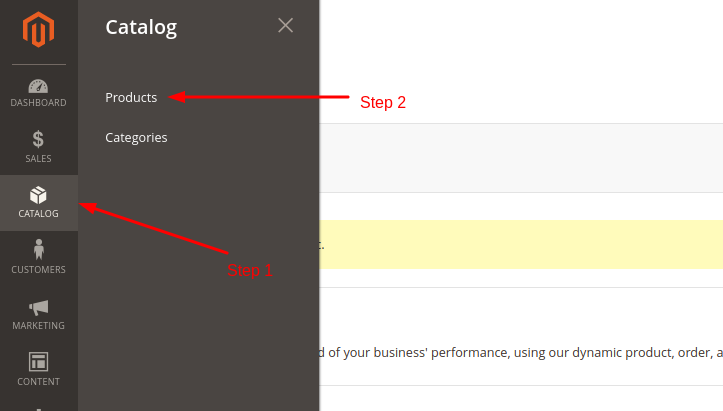
1. Log in to the admin panel of your Magento store. Click on the Catalog -> Products option from the left sidebar of the admin panel.
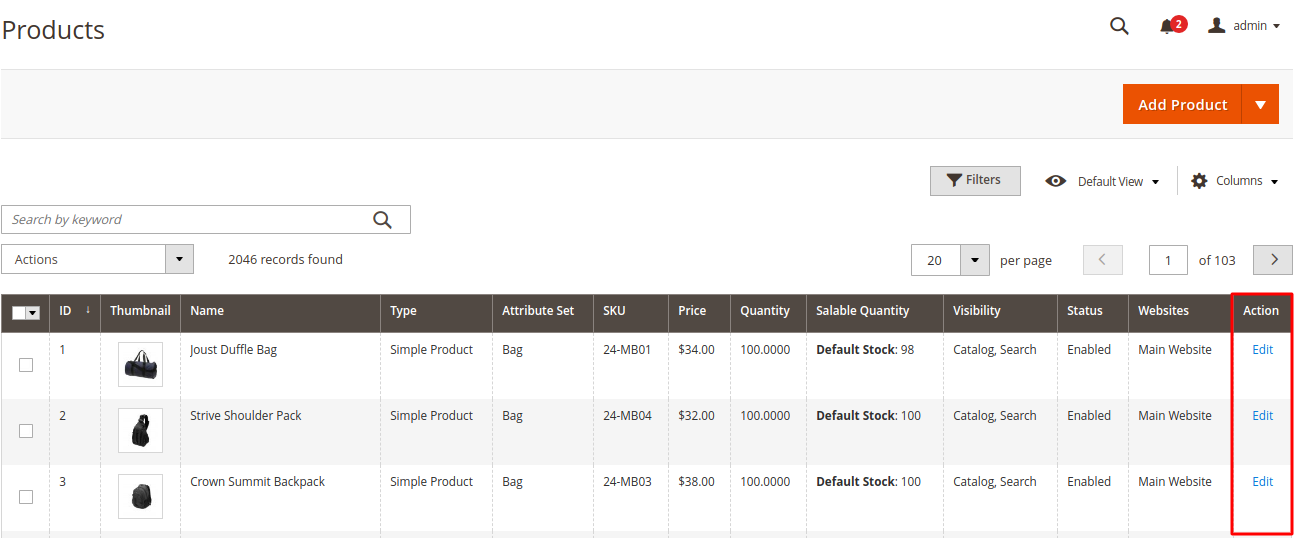
2. Now, you will see a table full of products available in your store. Click on the Edit link corresponding to the product you want to update.
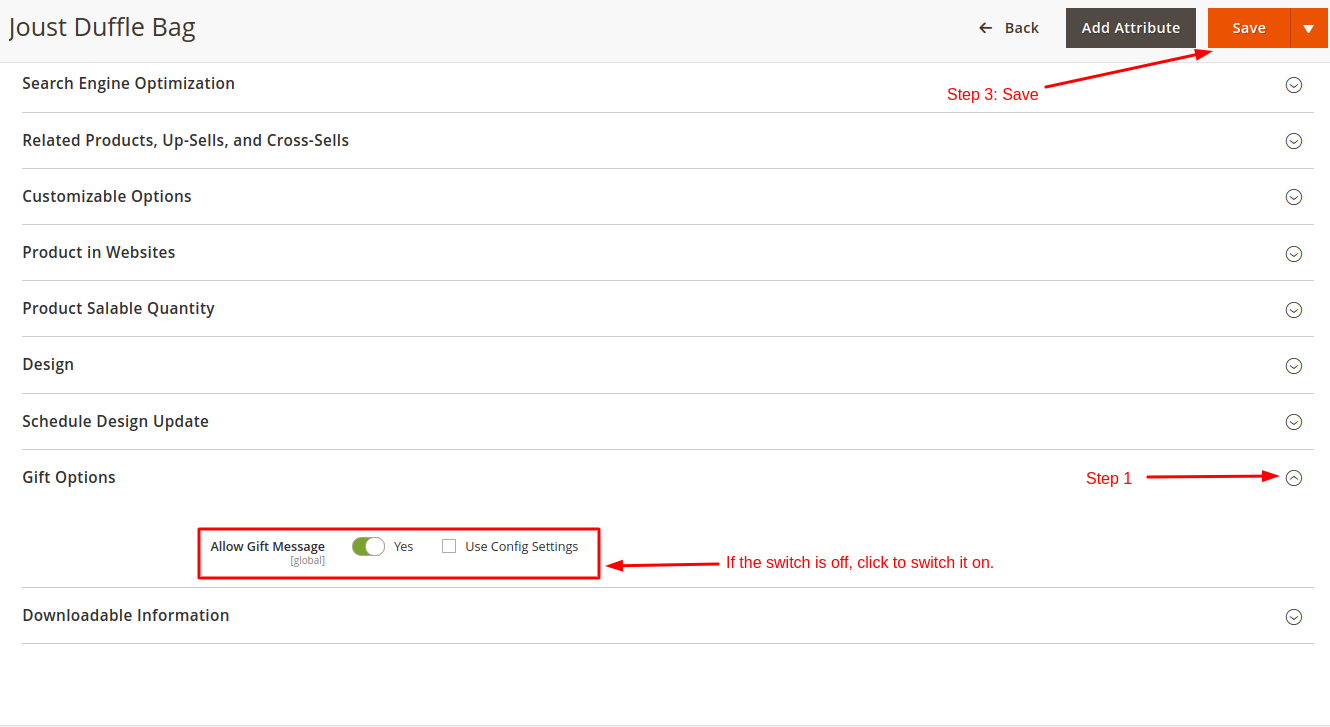
3. On the product edit page, you will find a form and multiple collapsed tabs. Find a collapsed tab with the title Gift Options. If it is off, Click on the switch to turn it on. It will allow Gift Message for that product. If you want to use Config settings, click on the checkbox with Use Config Settings label.
4. Once done, click on the Save button given at the top-right corner of the edit page. See the following screenshot to understand the complete process.
So, this is how you can manage gift messages in Magento for a specific product. It is good to enable gift messages for the products that are popular as gifts. If you have any questions regarding this topic, please let us know in the comment section given below.
Related guides
Top 10 Best Content Management Systems in 2021!
Follow this list to learn in detail about the 10 most popular content management systems available in the market.
E-CommerceWooCommerce vs Shopify : The best E-commerce platforms
WooCommerce and Shopify are the two most popular E-commerce platforms. Follow this tutorial to learn more about both of them.
E-CommerceBest Applications to Run E-commerce Websites
E-commerce Hosting:E-commerce is the process of selling and buying of goods or services over the world wide web. It is also known as electronic commerce or
E-CommerceEasy Digital Downloads Plugin for WordPress
Easy Digital Downloads (EDD) plugin is the second most well-known WordPress eCommerce plugin, after WooCommerce. EDD plugin is used to create an eCommerce