
GICT knowledge base
How to Install and Uninstall Joomla Extensions
Published
In this documentation, we can check how to uninstall Joomla app store extension. Normally Joomla comes with a huge amount of built-in functionalities by default. Joomla extensions are used for adding new functionalities to your website with just a few clicks. Extensions are used for extending the base functionalities of Joomla. Modules, components, and plugins are all referred to as Joomla extensions. To make the website more organized, the extensions you have decided not use should be uninstalled. This will help to eliminate the security vulnerabilities of your website. Removing extensions from Joomla is an easy task. You can see the following steps for uninstalling Joomla extensions from the Joomla admin panel.
1) Log into Joomla Admin dashboard.
2) To install extensions in Joomla, you can refer the following link https://www.GICTServer.net/tips/kb/install-joomla-app-store-extension/
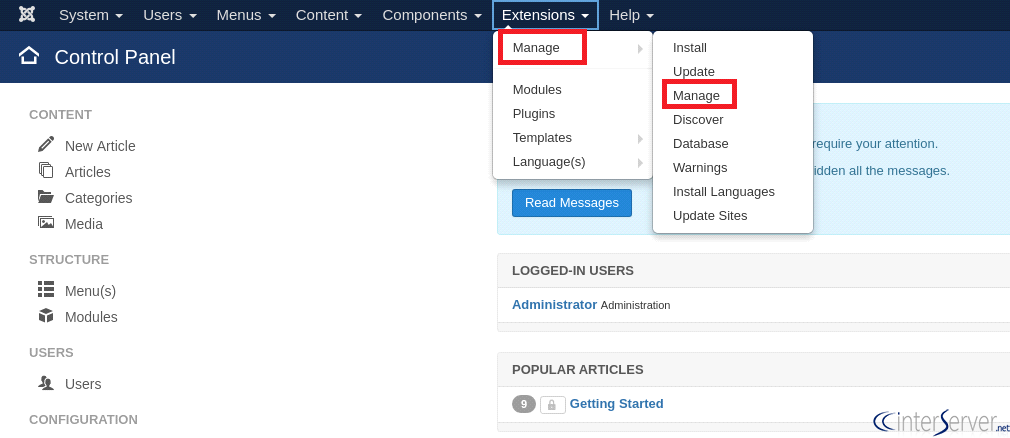
3) To uninstall extensions, in the top menu, click Extensions.

4) You can see the following tabs at the top: Install, Update, Manage, Discover, Database, Warnings. Select “Manage”.
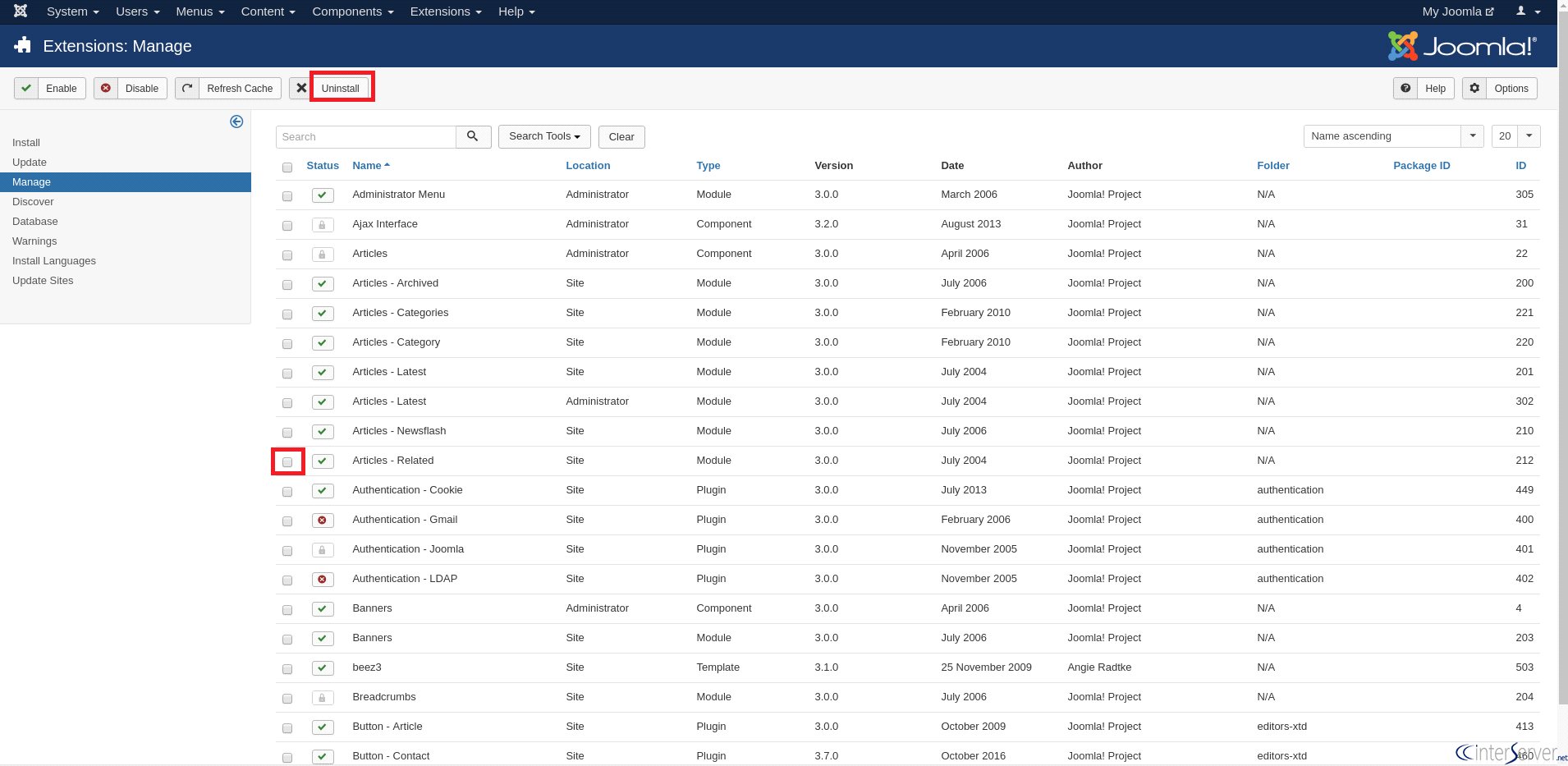
5) Select the check the box next to the extension you want to remove and click ‘Uninstall’ in the top right menu. You can see the list of installed extensions on the website. If you can’t pick up the extension which you want to uninstall, you can use the ‘Filter’ field for quick searching.
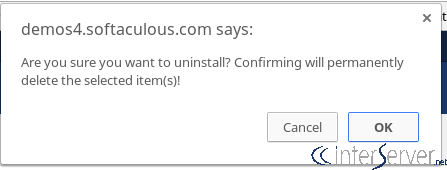
6) You will then see the following message: and click the button ‘OK’.
If you need any further help, please do reach our support department.
Related guides
WordPress vs. Joomla: Which is the Best CMS for Websites?
WordPress and Joomla, both are one of the best CMS available in the market. Read this comparison for head-to-head battle between both!
JoomlaHow to Create a Portfolio Website Using Joomla?
In this tutorial, we can check how to create a Portfolio Website using Joomla.An online portfolio is a platform where you can display, share, and sell your
JoomlaHow to Fix Your Hacked Joomla Site
In this tutorial, we can check how to fix a hacked Joomla site. Joomla is an open-source Content Management System (CMS) used to create websites and online
JoomlaJoomla Admin Password Reset
Joomla Admin Password Reset. Joomla is an open source powerful CMS (content management system) which is widely used for publishing websites. Joomla sites