
GICT knowledge base
How to Reset Magento Admin Password
Published
In this ultra-modernized world, Magento is a platform to extend the shoppable experience beyond the barricades. Now, as a part of Adobe Experience Cloud, Magento offers unique features such as analytics, advertising, content creation, and e-commerce. In addition, Magento is absolutely handy for users. Moreover, one can launch a site promptly too. On top of it, it achieves ROI quicker than ever.
In this tutorial, we are going to discuss how to reset Magento password from phpMyAdmin. Use this method if you cannot access the website’s admin panel or request password reset link via E-mail.
Reset Magento Admin Password
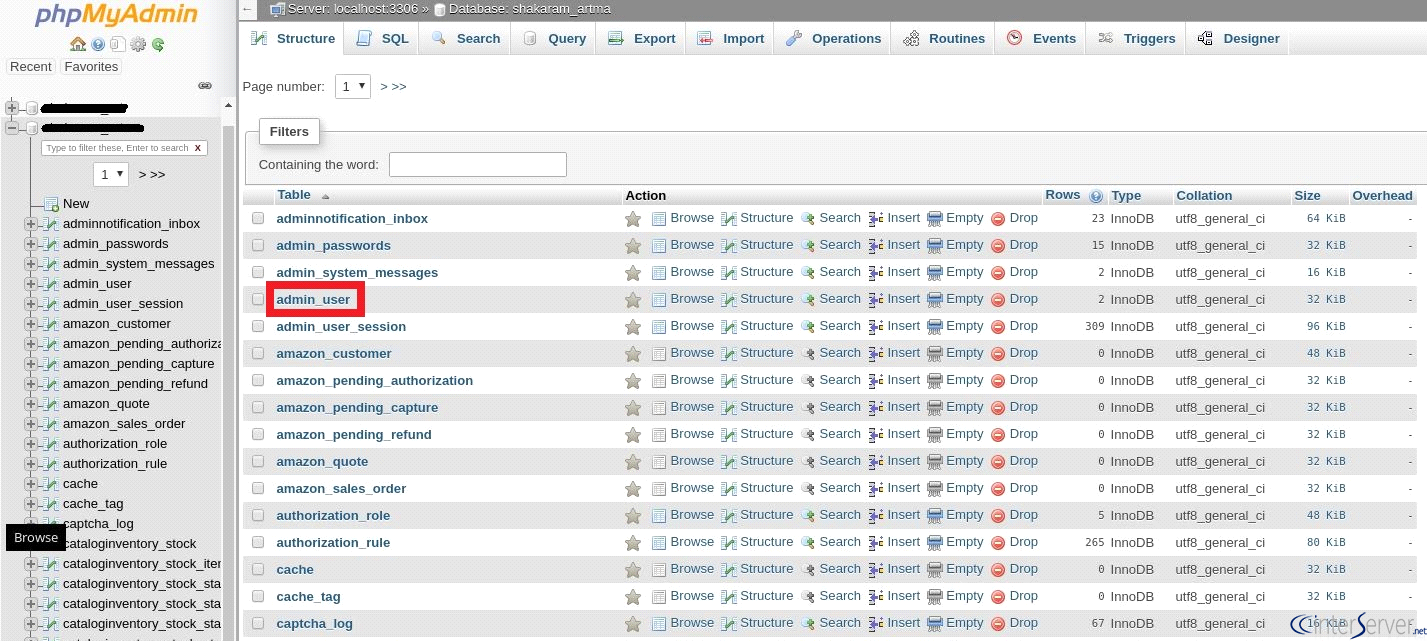
1) Login to the cPanel account, Now go to phpMyAdmin and select the database for Magento. Once you have selected the database, You will see all the tables in the selected database, you can select the “admin_user” table as shown in the screenshot.
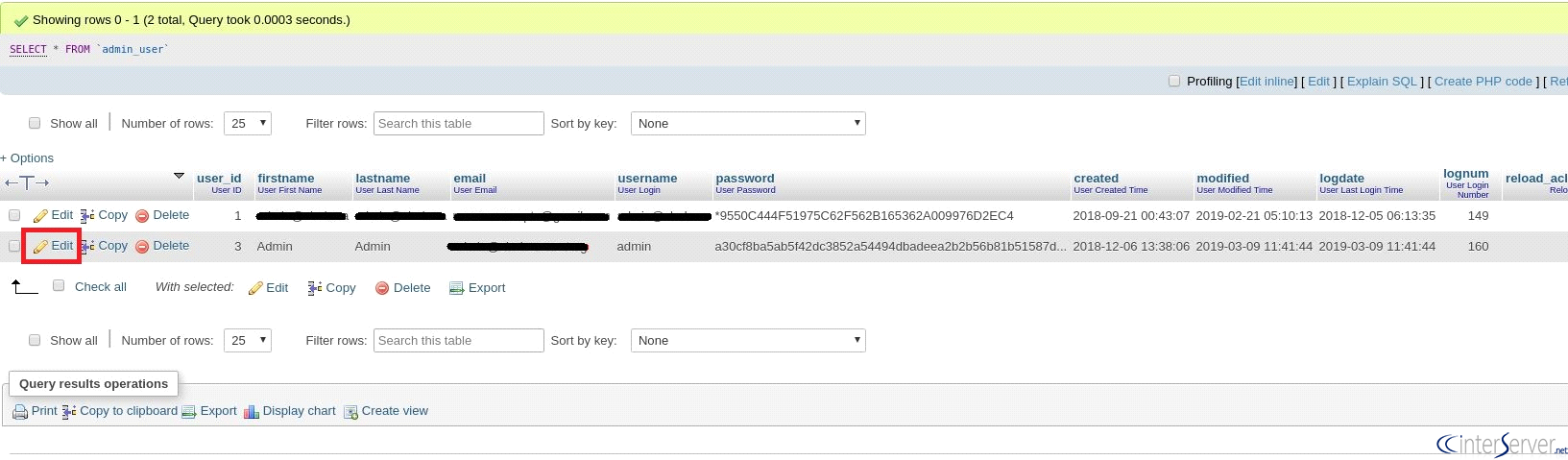
2) Now, we are going to edit the password for the user “admin” so, click on “Edit” corresponding with user ‘admin’ as shown in the following screenshot.
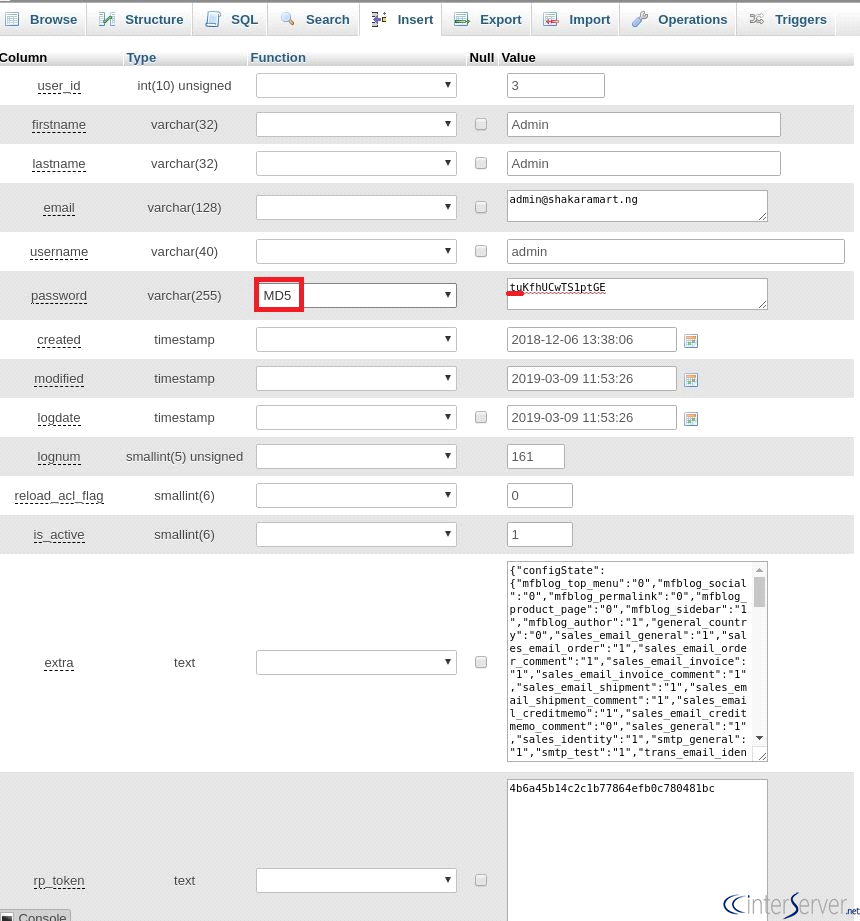
3) Here I am entering my password as “KfhUCwTS1ptGE”, you can set any password as per your wish. Next, we will add a two-character sequence which is called “cryptographic salt” which is added in front of the password and it can be any of two characters. Here I am taking “tu” as the salt and added in front of this password as shown in the screenshot and set the encryption as MD5. Then click on “GO” to save it.
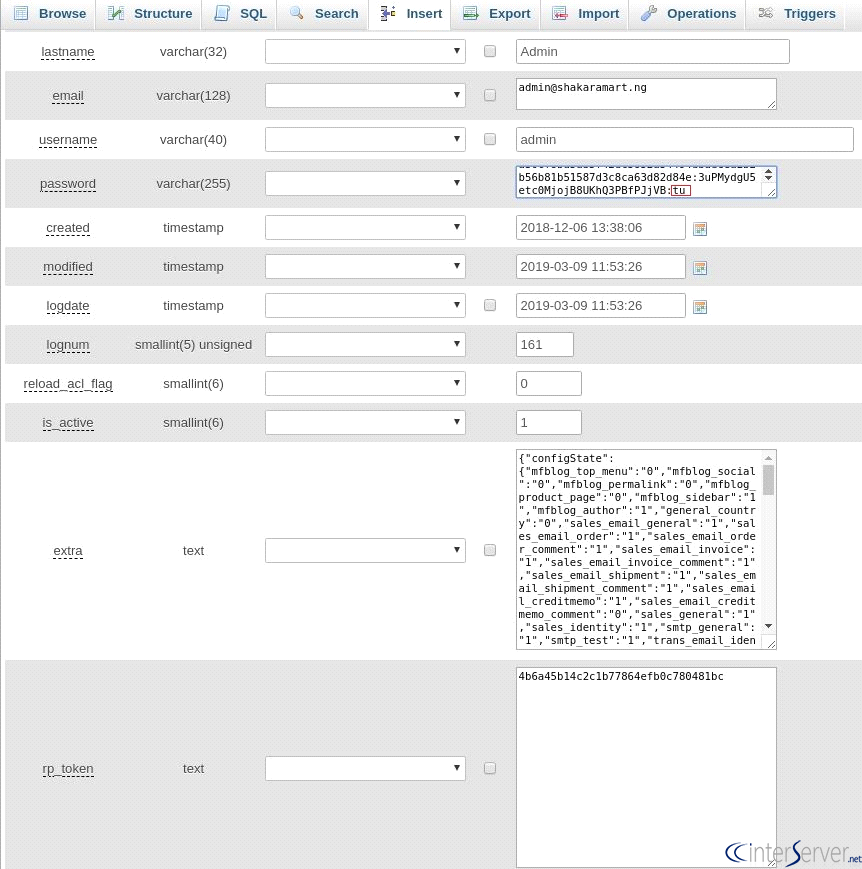
4) Once done you have done saving it, you should edit again by adding the salt at the end of the password as shown in the following screenshot and then save it by clicking on “Go”.
Now, you have successfully changed the password for the admin user, and you can access the admin panel of the Magento website using the updated password.
If you need any further help, please do reach our support department.
Related guides
Top 10 Best Content Management Systems in 2021!
Follow this list to learn in detail about the 10 most popular content management systems available in the market.
E-CommerceWooCommerce vs Shopify : The best E-commerce platforms
WooCommerce and Shopify are the two most popular E-commerce platforms. Follow this tutorial to learn more about both of them.
E-CommerceBest Applications to Run E-commerce Websites
E-commerce Hosting:E-commerce is the process of selling and buying of goods or services over the world wide web. It is also known as electronic commerce or
E-CommerceEasy Digital Downloads Plugin for WordPress
Easy Digital Downloads (EDD) plugin is the second most well-known WordPress eCommerce plugin, after WooCommerce. EDD plugin is used to create an eCommerce