
GICT knowledge base
How to Limit Visible PHP Versions in EasyApache4
Published
How to Limit Visible PHP Versions in EasyApache4
In this tutorial, we are going to learn about how to limit the visible PHP versions for cPanel accounts. The cPanel in its new release has introduced a new option to limit the visibility of PHP versions installed in the server that runs on EasyApache 4. You can manage this functionality in the Feature Manager interface in WHM. Unless you limit the access to a PHP version, the system displays all the installed PHP version for all the users by default. The cPanel MultiPHP manager interface hides the PHP versions which is limited in the custom package. Let’s see from this tutorial how can we perform this procedure.
1) Log in to your WHM by accessing the link https://yourhostname:2087 or https://yourserverIPadress:2087
2) Navigate to “Packages”.
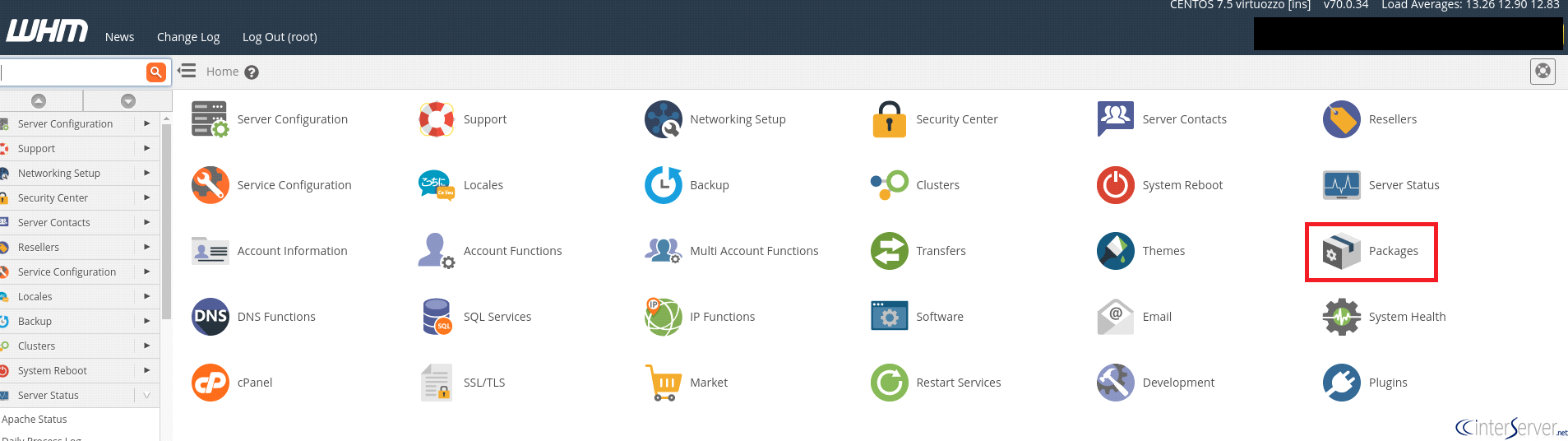
3) Select “Feature Manager” option from packages.

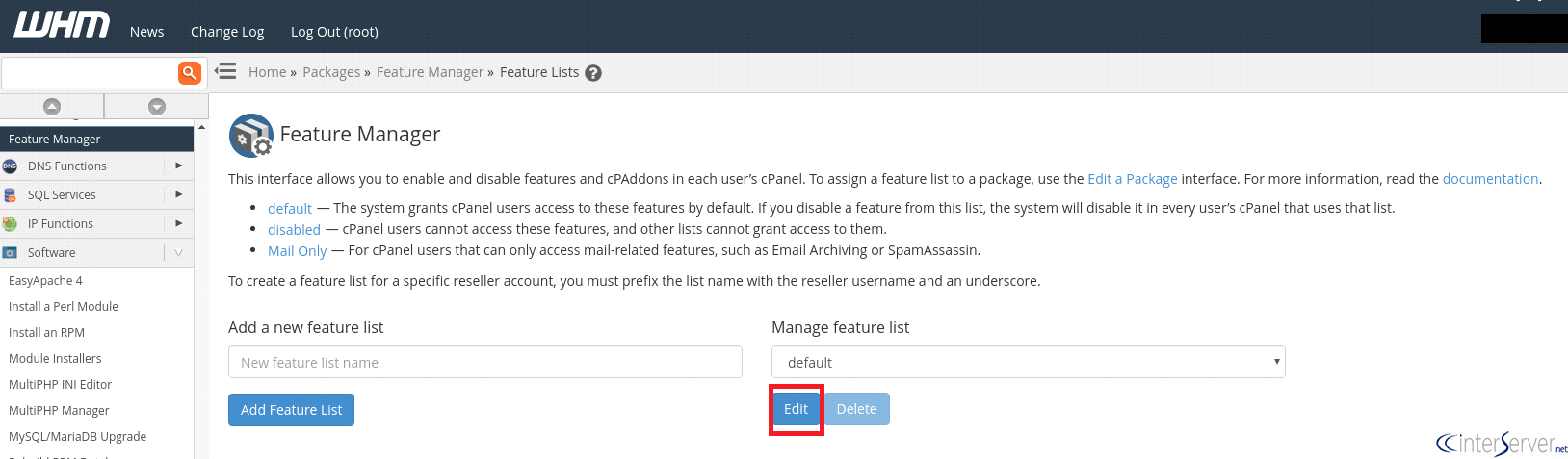
4) From Feature Manager, if you want you can select a new feature list or make an edit in the existing by selecting a feature list from the drop-down list by clicking the edit button.
5) By scrolling down you can see the checkboxes like EA4- Allow PHP 5.4, uncheck the checkbox for the PHP versions which wish to hide.
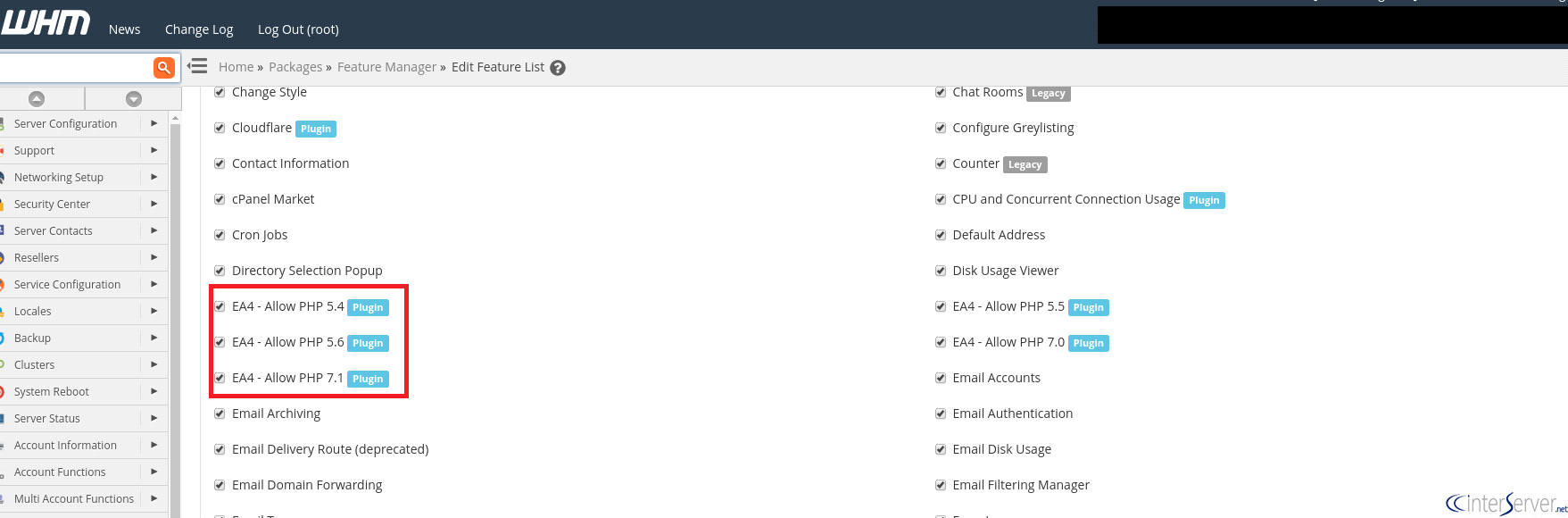
Scroll down to bottom and save the changes made. You can assign this feature list for any of the package existing in the server or you can create a new package and do the same. This will hide the PHP versions from a user and also the limited PHP version will not appear in the MultiPHP manager of the cPanel account which resides within that package. Thus we have learned how to limit PHP versions for cPanel users.
If you have any doubt regarding this, please do reach our support department via Live chat or support tickets.
Related guides
How to Increase PHP Upload Max Filesize on Apache and Nginx
Learn how to increase PHP upload max filesize on Apache and Nginx, including configuration settings, common issues, and approaches for handling large file uploads.
PHPHow TO: Debugging 500 errors on zencart
Troubleshooting Your Zen Cart: A Quick Guide to Debugging Running an e-commerce site on GICTServer’s high-performance hosting gives you a great head start, but even the...
PHPPHP Versions on cPanel: Everything You Need to Know
PHP Versions on cPanel: Everything You Need to Know If you are running a PHP site here at GICTServer, you have probably seen notifications in your dashboard talking...
PHPHow to Install or Upgrade to PHP8.4 in Ubuntu
Upgrade to PHP 8.4 on Ubuntu 24.04 for real-world speed boosts, better error handling, and smoother Laravel, WordPress, and Symfony support.