
GICT knowledge base
How to Create Backup in VestaCP?
Published
VestaCP is a free web hosting control panel that you can use to manage clients and websites on your server with ease. To get a clear idea, it is a smaller version of cPanel. VestaCP is widely used to manage personal servers. It can also be used and is being used to resell the hosting business. If you are in the web hosting business, you have to take care of regular backups and uptime. If a site goes down, it is good to quickly take the site or the whole system live by restoring the available backups.
VestaCP provides us the backup system out of the box. With VestaCP, you can easily create new backups and restore them whenever you want. It is a very simple process with VestaCP. In this tutorial, I am going to show you how to create a backup in VestaCP.
Create Backup in VestaCP
To create a backup, log in to your VestaCP control panel using the following link in your web browser.
https://{Enter your server IP address or hostname}:8083
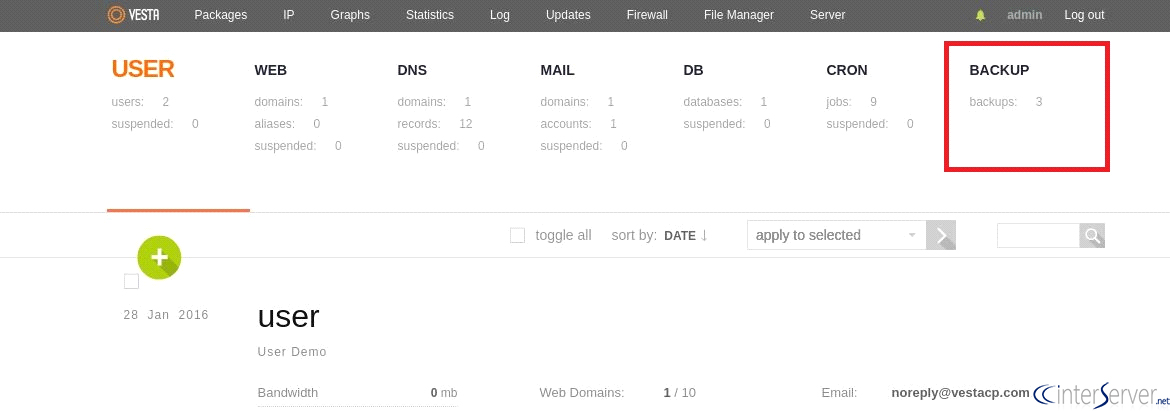
Now, click on the BACKUP section given on the main menu. Refer to the screenshots given after every step of the process to locate options in the user interface of VestaCP.
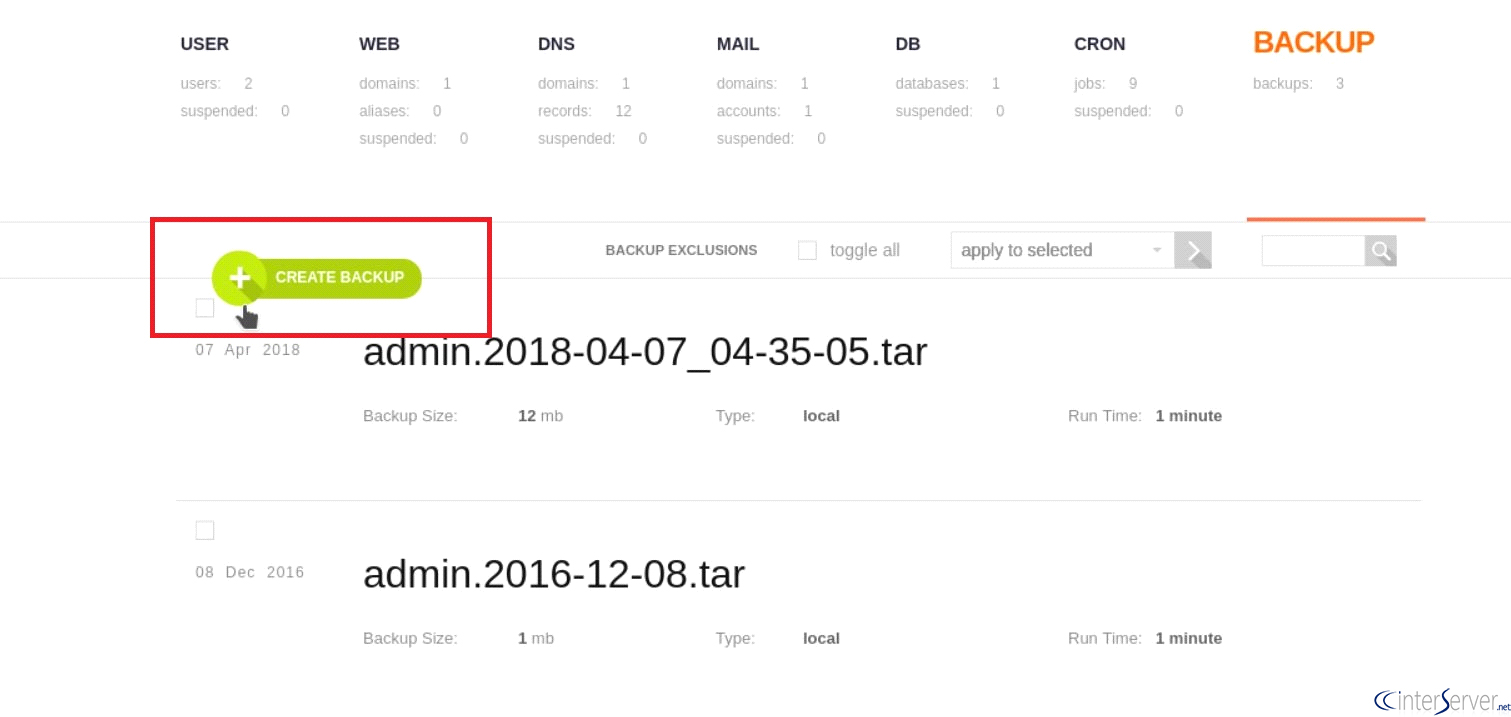
Now, Click on the CREATE BACKUP button given in the backup section.
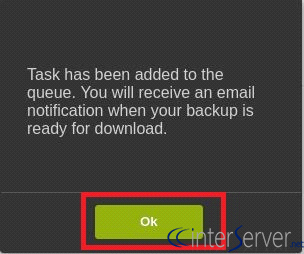
Once the “Create Backup” button is clicked, backup generation would be initiated and you would get the following message and you can click on the “Ok” button.
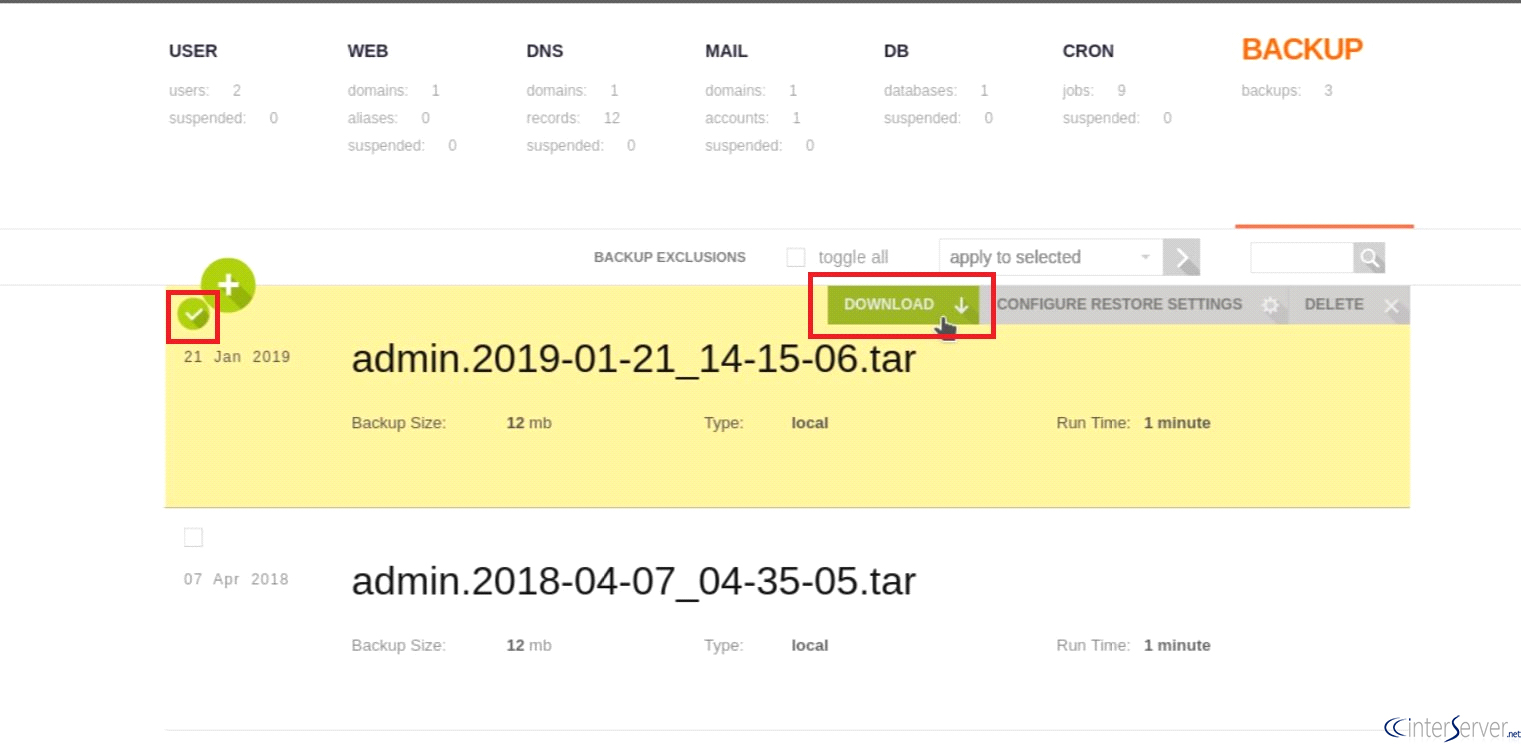
The backup generated would be shown on the same page itself (under the backup tab section). You could easily download the backup from the list of backups. Just select hover on the backup and click on “Download” button, It will start the download process instantly.
So, this is how you can create and download backups in the VestaCP control panel. It is always a good thing to keep off-site backups so that you can restore them even if there is a server error and you cannot restore it directly from the user interface. If you have any questions related to backups in VestaCP, let us know in the comment section given below. If you are an active GICTServer customer, please contact our support department for the quick help!
Related guides
Install VestaCP on Ubuntu 18.04
In this tutorial, we can check how to install VestaCP on Ubuntu. VestaCP (Vesta Control Panel) is a free, powerful, and open-source website hosting control
VestaCPHow to Restore from a VestaCP Backup
How to Restore from a VestaCP Backup. We have discussed how to take VestaCP backup on our former tutorials. If you have any doubt on how to create the
VestaCPHow to Add User and Domain on VestaCP
How to Add User and Domain on VestaCP. In this tutorial, we are going to discuss how to add user and domain name under the same user. Please seek the
VestaCPHow to Create Database in VestaCP?
In this tutorial, we are going to discuss how to create database in VestaCP control panel.