
GICT knowledge base
How to create a Python application in cPanel
Published
1: Log in to cPanel and scroll down to the Software section and click on Setup Python App.

2. click on Create Application button.

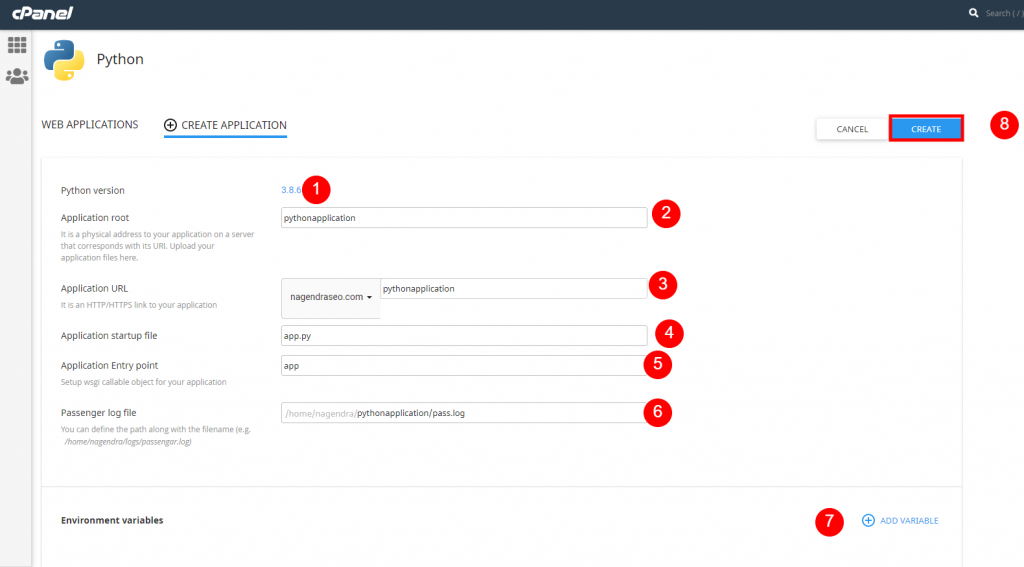
3.
- Now choose the Python version you wish to use(The latest version is recommended).
- Enter the directory that the python application should be installed to. This is path is relative to the root directory of the web and will create the specified directory if it does not exist.
- Enter the address the application should be located on.
- Name the file to run the application. This will link the Application Entry point.
- Please enter the name of the variable containing the server.
- Here the path to the log file is written.
- The environment can be added if need.
- Once after updating all the fields click on Create Button.
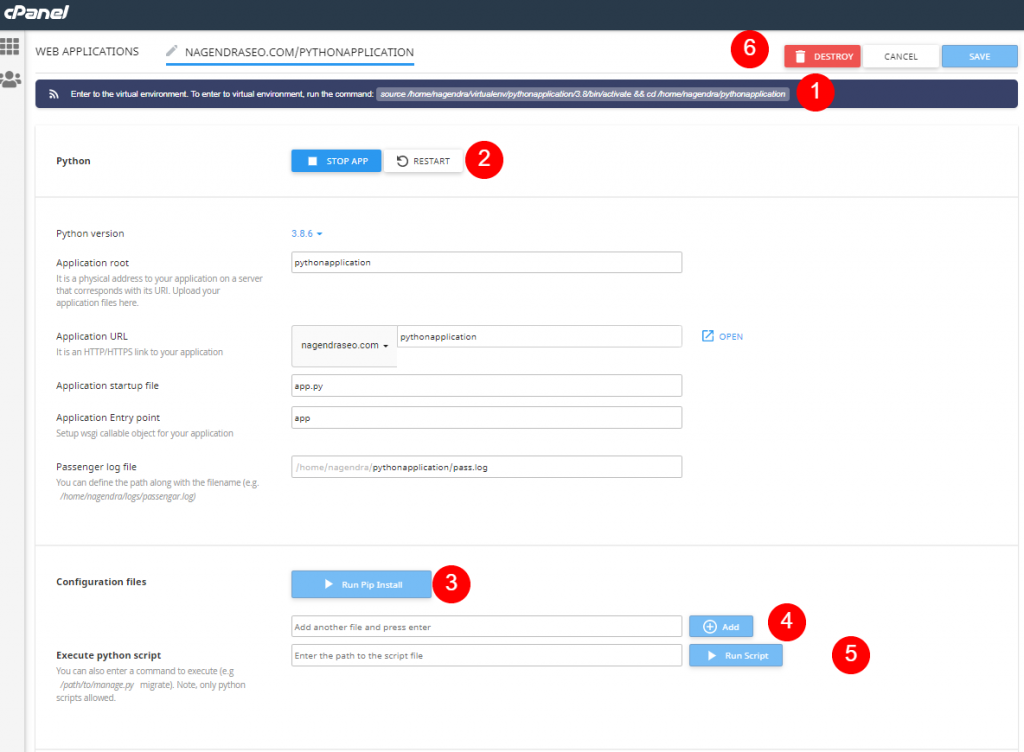
4. Here you can make changes and manage the python application.
- This is the command you input in the terminal to enter the virtual environment that is set up for the application. To install packages through pip, this command must be run first.
- These buttons allow you to start, stop and restart the application.
- If you have added a configuration file (ref. Point 4), for example, a “requirements.txt” made with pip, you can install the listed packages by pressing this button.
- Here you can add configuration files for the python application.
- Here you can run the python script located on the Webhosting. This is useful if you do not have access to the terminal and want to run a python script to do setup, for example, to create a superuser in Django. The script is run in the virtual environment of the application.
- These buttons allow you to save or discard changes as well as delete the entire application.
This article shows us how to create a Python application, manage, update the environment and delete it.