
GICT knowledge base
How to Clear Horde Cache Files in cPanel
Published
In the latest cPanel version, cPanel includes a new feature to purge/delete the horde cache from the server. It will helps you to free up the server space. The cache files related to the horde are normally saved in the location /home/user/tmp/ or /home/user/tmp/horde/, Several applications make heavy use of caching and, if enabled, you will see a significant increase in performance. But some times this cache files fill out the server resources and takes more disk space, so in the new cPanel version they introduce a new feature that will helps you to delete the horde cache after a X day from the server.
Here is the steps to delete the horde cache from the server.
1) Login to WHM panel.
2) Navigate to “Server Configuration”.

3) Click on the “Tweak Settings”.
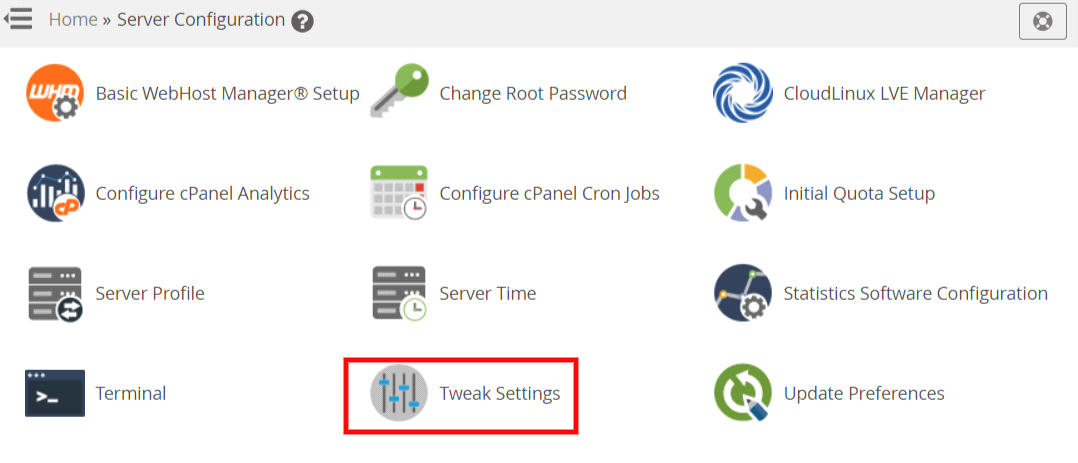
4) Click on the “Mail” tab on tweak settings.

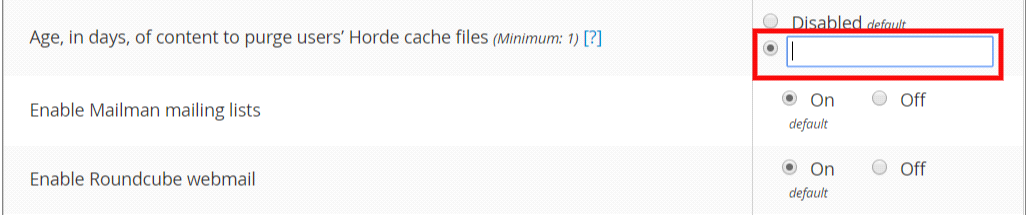
5) Click on the radio button for “Age, in days, of content to purge users’ Horde cache files” to enable the purge option, by default this is set to ‘Disabled. This option determines the minimum age, in days, of files that the system will automatically purge users’ Horde cache files. The minimum value is 1.
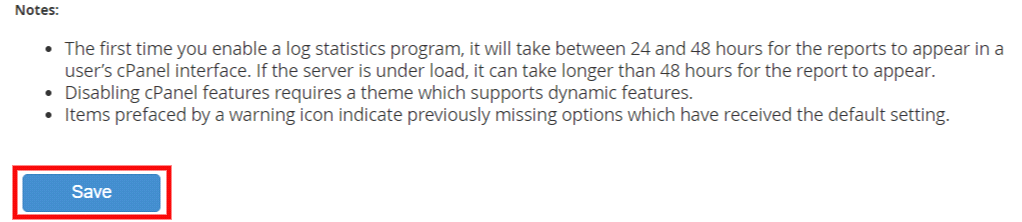
6) Finally, click on the “Save” button to save all changes.
If you need any further help, please do reach our support department.
Related guides
End of TLS1 and TLS 1.1 support in cPanel as of version 132
The End of an Era: Why TLS 1.0 and 1.1 Are Gone, and What it Means for cPanel Users * Update: If Dovecot settings under Web Host Manager >> mailserver configuration is...
Email Client / WebmailRemove Your IP from the Hotmail/Outlook Blacklist
Remove Your IP from the Hotmail/Outlook Blacklist. A suspicious or wrong email practice can lead o serious deliverability problems, such as spam placements
Email Client / WebmailcPanel Horde Data Conversion from MySQL to SQLite
The horde_mysqltosqlite ScriptThe horde_mysqltosqlite script in cPanel is used to transfer and convert Horde user data from a single shared MySQL
Email Client / WebmailFind Verified Mail Client Settings in cPanel and Webmail
Find mailbox-specific IMAP, POP and SMTP settings, pair ports with TLS correctly and configure clients without exposing passwords or using root access.