
GICT knowledge base
How to cancel a Dedicated server?
Published
Hello,
Please login to you’re account using GICTServer logins.
You can click on the Servers from the left side menu.
https://my.GICTServer.net/view_servers_list
Or click on the link it will redirect you to the servers page.
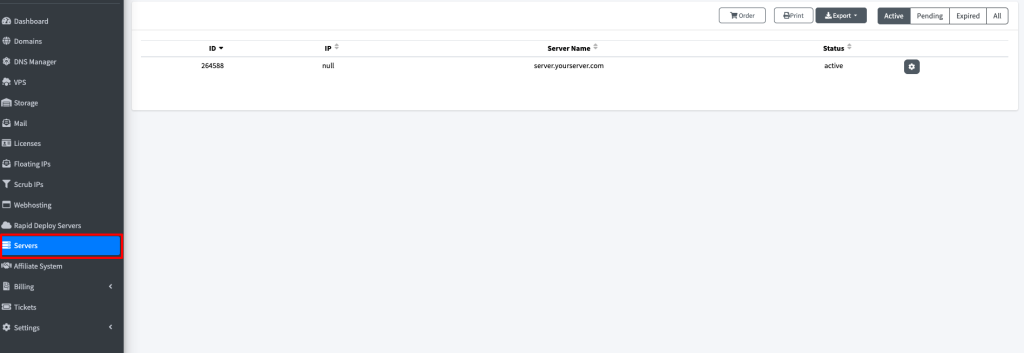
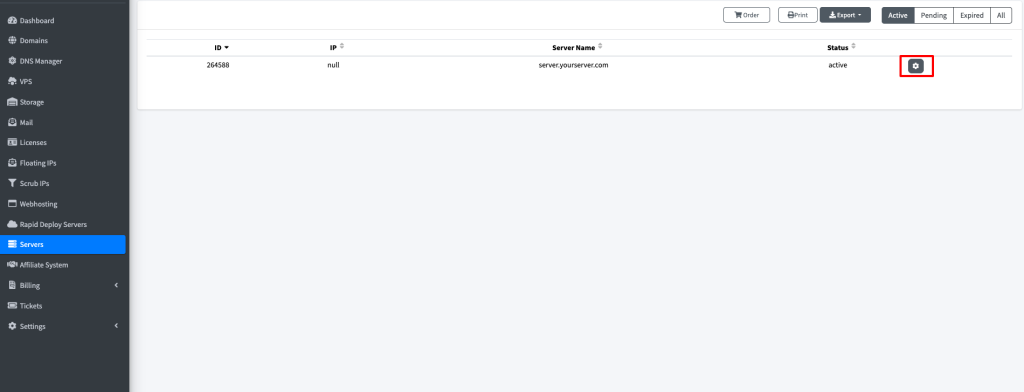
Click on the gear button, whcih will redirect you to the page which will show the option to cancel the server.
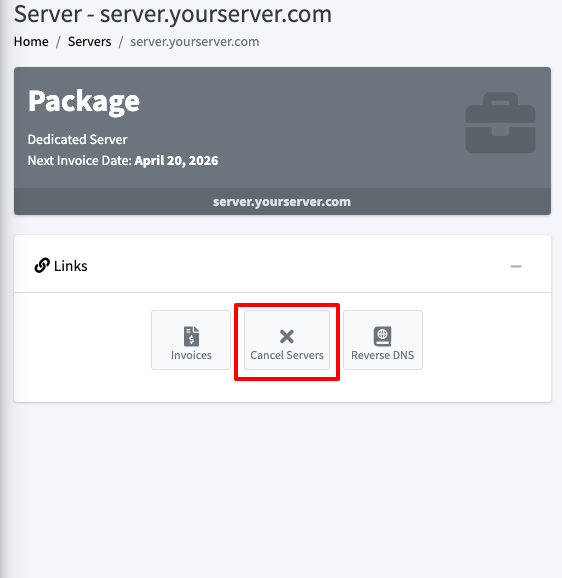
Now click on cancel servers.
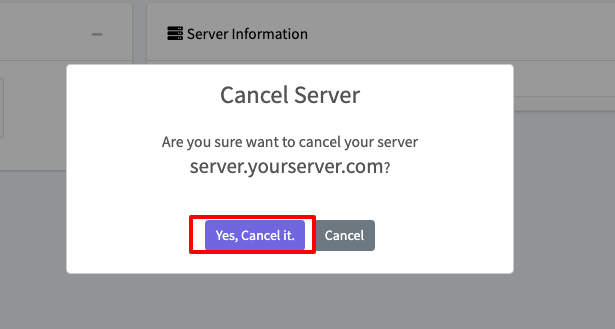
Now you will see : Are you sure want to cancel your server server.yourserver.com? Click on Yes, Cancel it.
You will see Success!
Server is canceled.

You may contact us by email at [email protected] or call our office at 201-605-1440 during normal business hours (8 AM – 5 PM EST) we will help you to cancel the server.