
GICT knowledge base
How to add product images in PrestaShop
Published
If you are running an E-commerce store, you know the value that images provide is enormous. It is because images and videos are the only thing a user can see about that product. If they are purchasing something physically, they can obviously hold the product in hand and inspect them if they want. But in case of E-commerce, only the Images and Videos of the products are available to the potential customer. Without Images and videos, your E-commerce store will simply fail.
In this tutorial, I will show you How to add or update the product images in Prestashop. Prestashop provides an awesome interface to manage such things for individual products. So, Let’s get started with the tutorial.
How to add product images in Prestashop
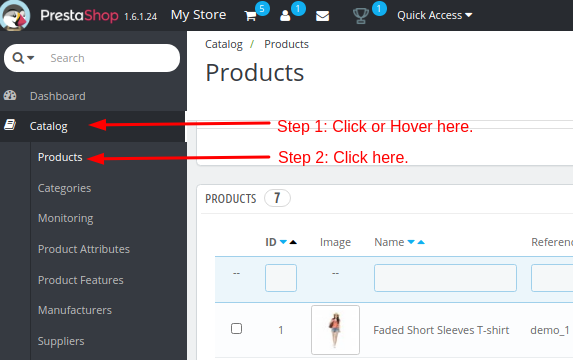
To manage product images, Log in to the admin panel of your Prestashop store. Then, click on the Catalog -> Products from the left sidebar. See the following screenshot for reference.
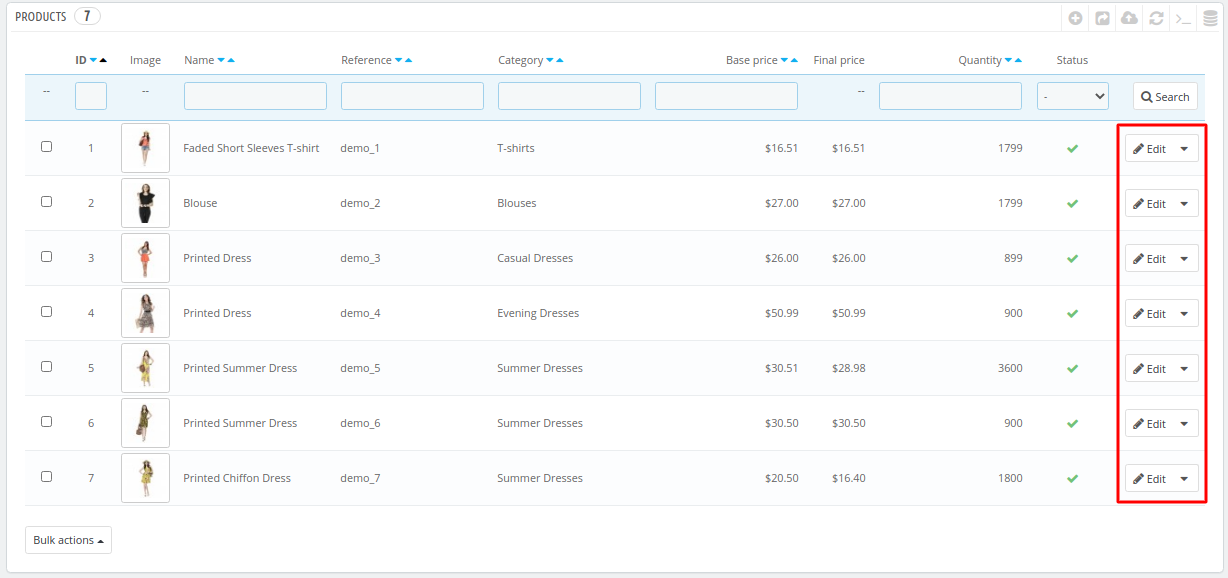
On this page, you will see a table containing the products you have on your store. Click on the Edit button corresponding to the product you want to update.
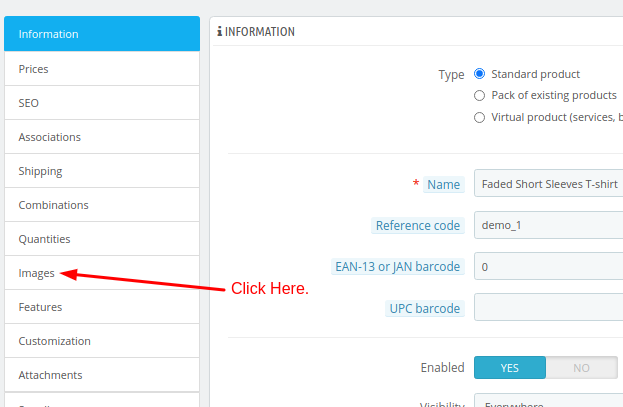
On this page, you will see a small sidebar and the main content area allowing you to update the information according to the section you are in. To update images, click on the Images option from the secondary sidebar, Just like the following image.
On this page, you will see a list of images available for that product. To add a new image, click on the Add Files … button with the Add a new image for this product label.
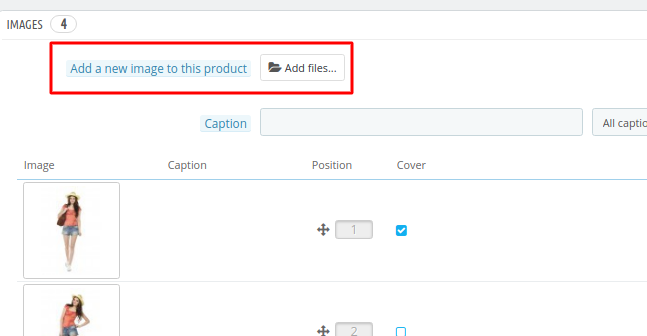
You can also position them according to your requirements. Once all the changes are done according to the requirements, click on the Save button given at the bottom-right corner of the page.
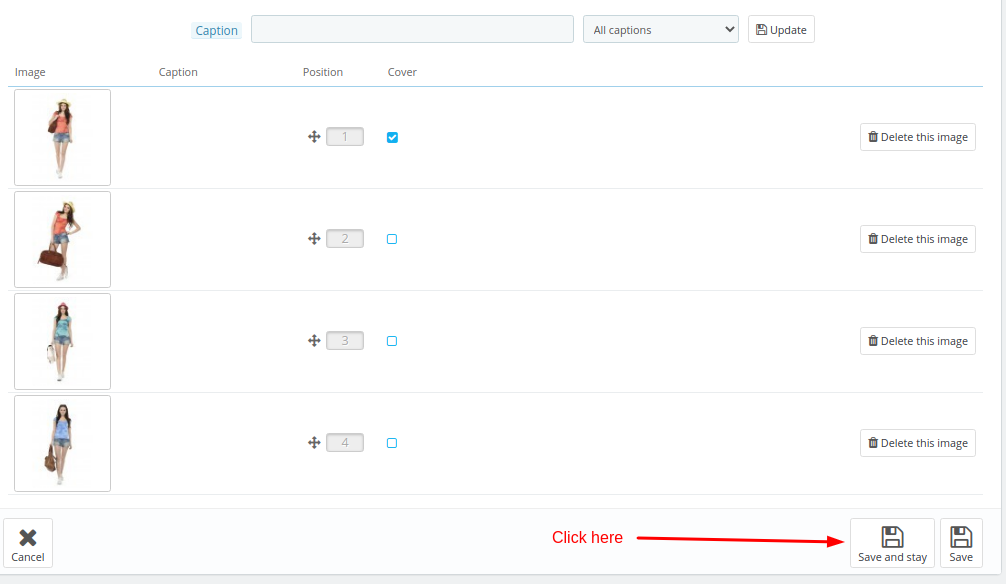
So, this is how you can add product images in Prestashop. It is always good to upload as many product images as possible for each product. If you have any questions regarding this tutorial, please let us know in the comment section given below. We are happy to help!
Related guides
Top 10 Best Content Management Systems in 2021!
Follow this list to learn in detail about the 10 most popular content management systems available in the market.
PrestaShopInstall and Configure PrestaShop With Memcached
In this tutorial, we can check Install and Configure PrestaShop With Memcached on Ubuntu. Memcached is an open-source, free memory object caching system
PrestaShopBest Applications to Run E-commerce Websites
E-commerce Hosting:E-commerce is the process of selling and buying of goods or services over the world wide web. It is also known as electronic commerce or
PrestaShopHow to Speed Up PrestaShop Store?
In this tutorial, we can check how to speedup PrestaShop Store. If you are already a user of the PrestaShop for your e-commerce website, in order to improve