
GICT knowledge base
How to Access WordPress Manager
Published
WordPress Manager is a utility to manage all your WordPress installations in one place. WordPress Manager allows you to update settings for the WordPress installations without even log in to the WordPress admin panel.
Accessing WordPress Manager
To access WordPress Manager click on the “WordPress” icon, which is on the upper right corner of your Softaculous as shown in the screenshot.
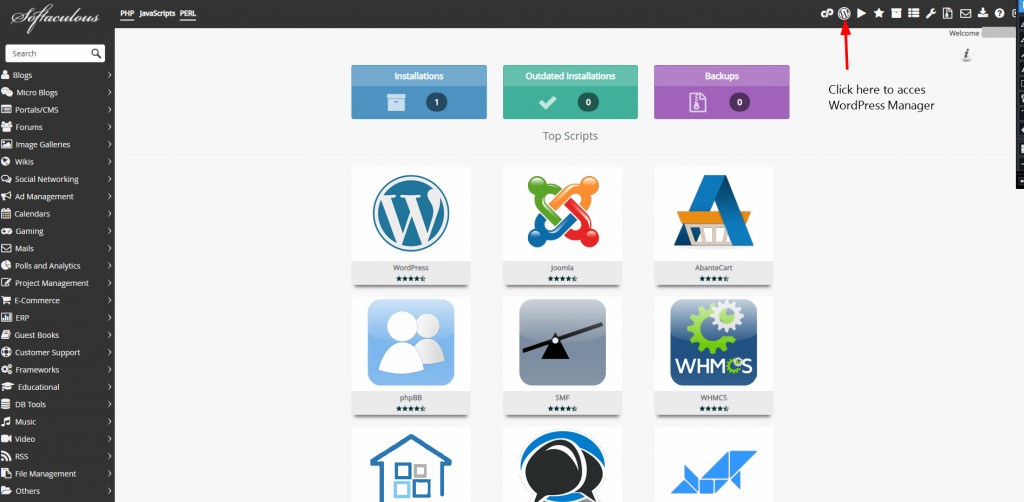
You can access the WordPress Manager by clicking the “WordPress” icon which is placed next to the manage from all installations.
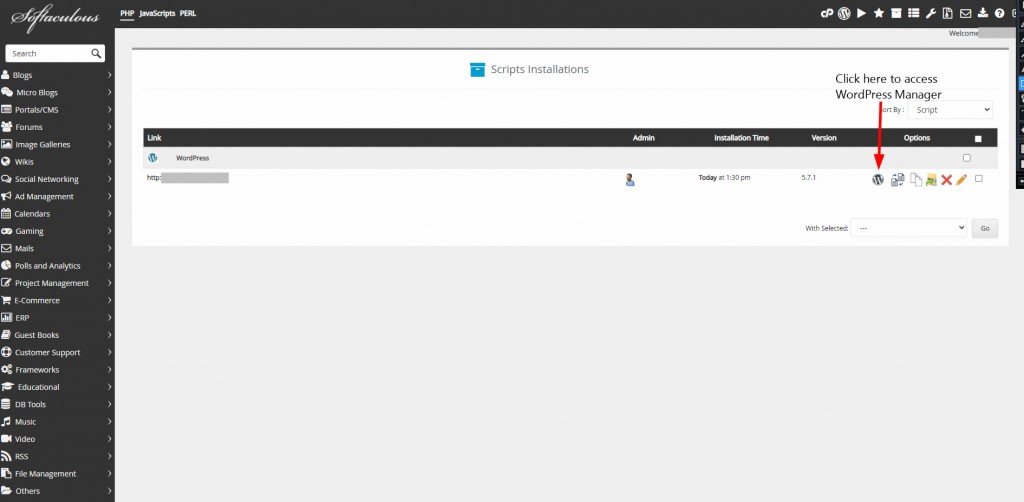
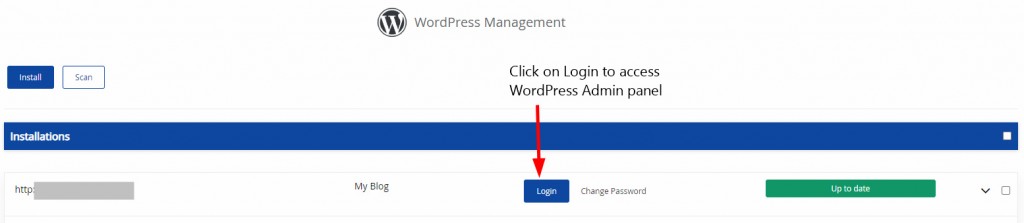
How to Auto-login to WordPress admin panel
Click on the Login button to access the WordPress admin panel as admin without having to enter the password.
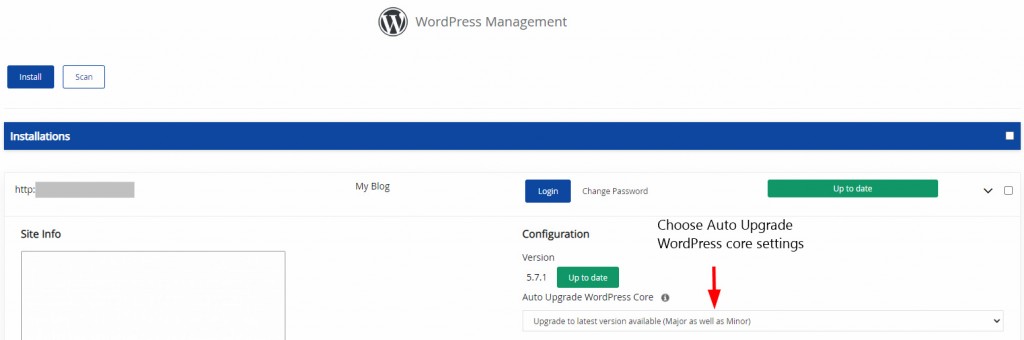
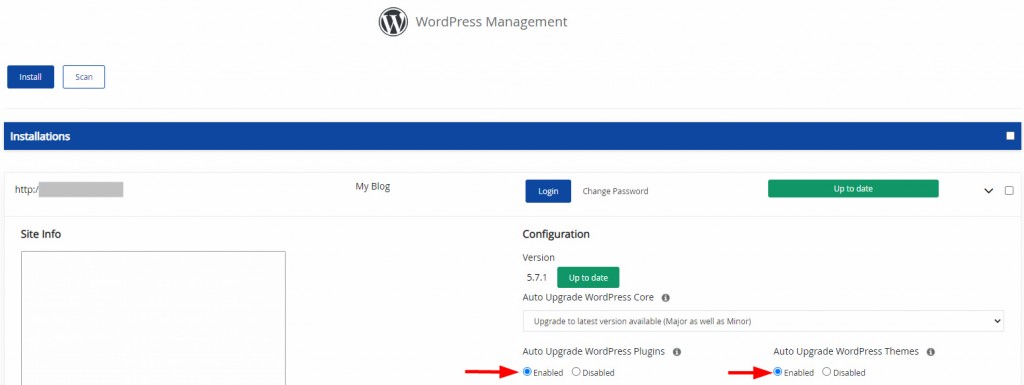
How to upgrade Installation & set it to auto-upgrade core settings
If there is an update available it will show as Upgrade Now. Once you click on Upgrade Now WordPress will get upgraded. As WordPress is up to date it is showing Up to date.
There are three options available under the WordPress core settings:
1. Do not Auto Upgrade
2. Upgrade to Minor versions only (i.e. 5.5.1 will be upgraded to 5.5.x and not 5.6.x)
3. Upgrade to the latest version available Major as well as Minor (i.e. 5.5.1 will be upgraded to 5.5.x until there is a new major version available and 5.6.x when available)
Upgrade to the latest version available Major as well as Minor is recommended.
Auto upgrade themes and plugin settings
Click on the radio button Enable for themes and plugins. Updates will be checked every 24 hours and will be upgraded.
Disable or Enable search engine visibility
Search Engine Visibility settings can be customized. You can enable the settings to index your site’s Search Engine. Once you tap on it will save the settings.

Disable or Enable cron
WordPress has cron Job enabled by default to perform different tasks. Click on enable and see the task performed by it. It is useful when you have a huge site and it consumes server resources.

Disable or Enable debug mode
It is not recommended to enable the debugging mode on your site. It is very useful when you run into any issues on your site and the reason will be known.

How to change the Website URL?
In case you have made any mistake from your WordPress admin panel you can fix it by changing the Website URL value and this change will reflect in the WordPress database as well. Same goes with the Site Name too.

Change Password
If you have forgotten the password or want to reset your password it can be done from WordPress Manager Page.

Enter the user name and the new password and click on Save.
