
GICT knowledge base
How to Create Product in Zen Cart?
Published
ZenCart is a powerful E-commerce store management system. It allows you to create an E-commerce store without technical knowledge. If you want to start an E-commerce store within 10 minutes, you can do it using the GICTServer web hosting plan. With Softaculous(provided with the plan for free), you can install ZenCart on your domain name within minutes.
ZenCart provides us an awesome interface to work on our store. It is very easy to add products in your Zencart store. You can add all the details along with the photos of the product. It also allows you to organise your products in categories and sub-categories. In this tutorial, I will show you How to create new products in ZenCart. So, Let’s get started with the first step.
Create Product in ZenCart
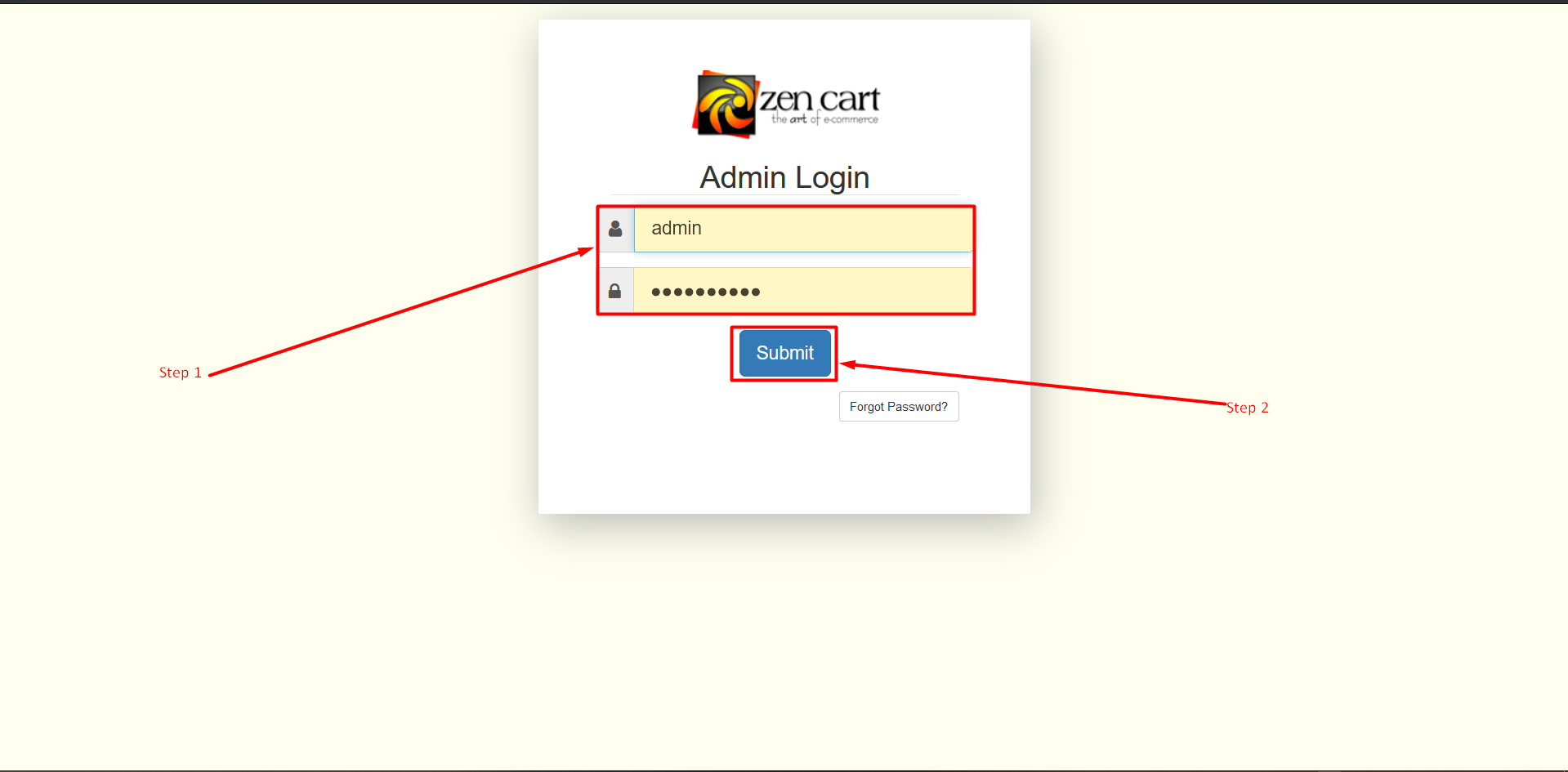
Step 1: Open the administrator login page of your ZenCart store. Type your Username and Password in the Textbox.
Step 2: Now click on the Submit button.
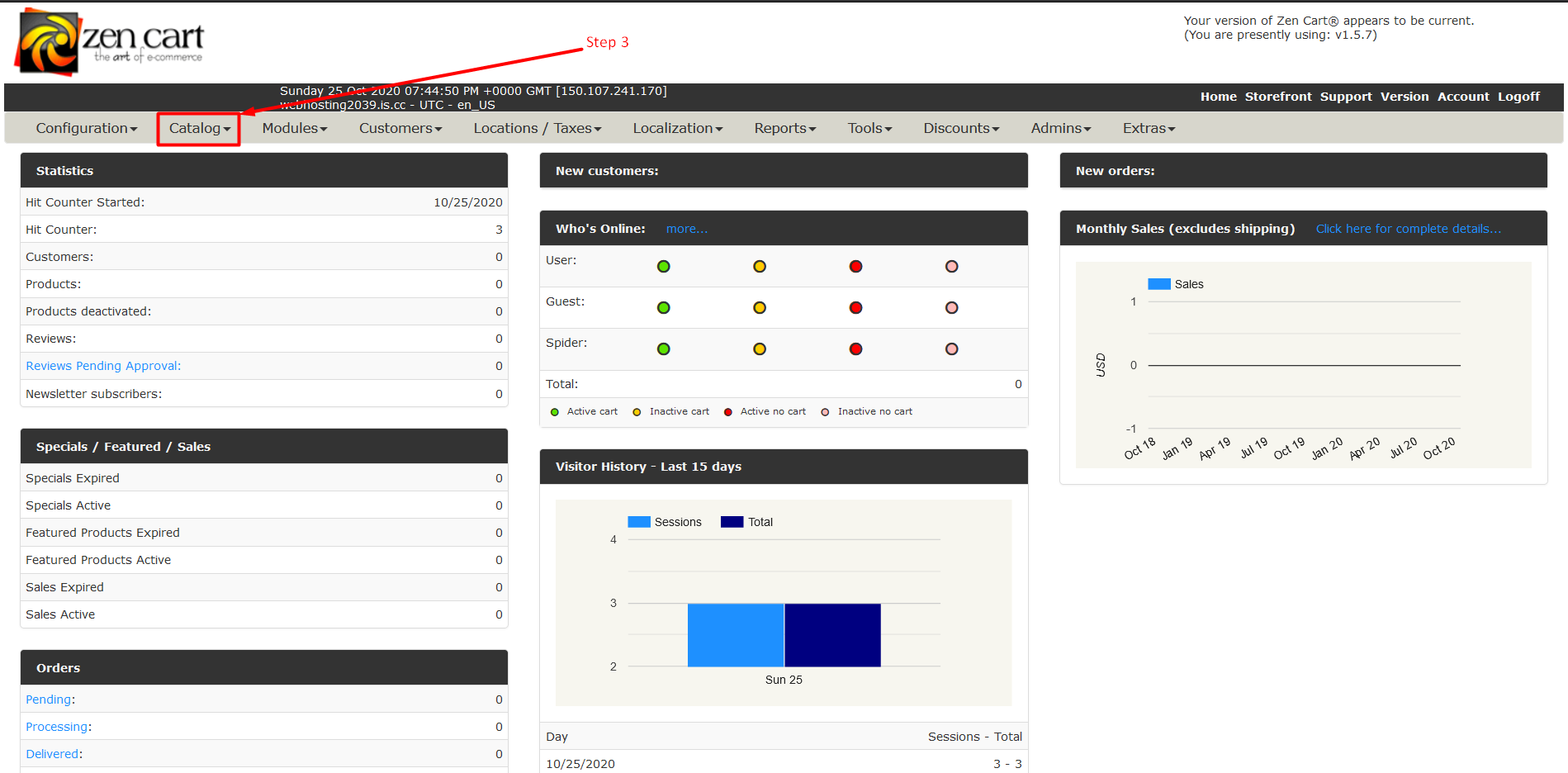
Step 3: Now Find a tab section and find the Catalog tab and click on the Triangle to expand that tab.
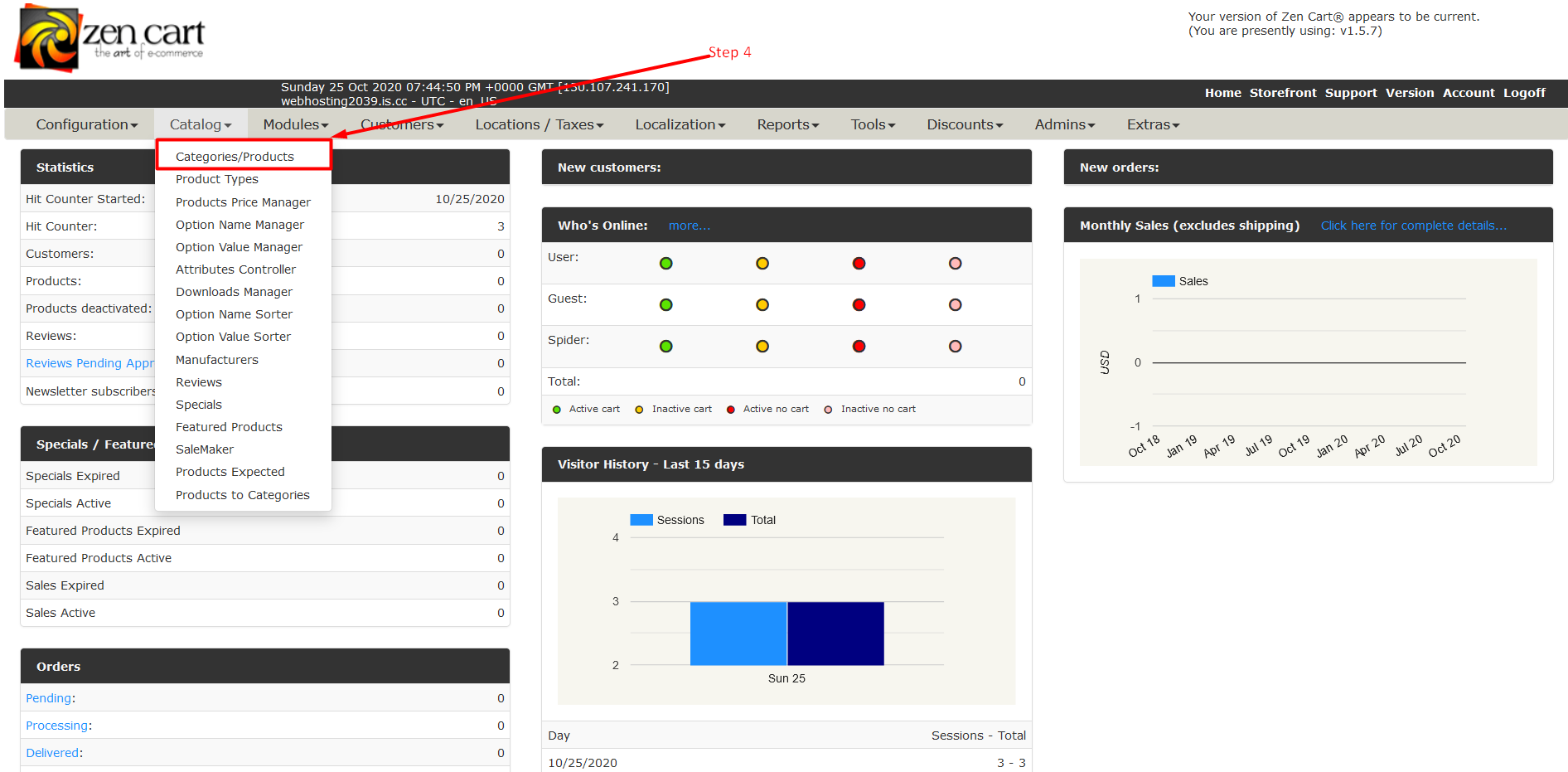
Step 4: Now Click on Categories/Products.
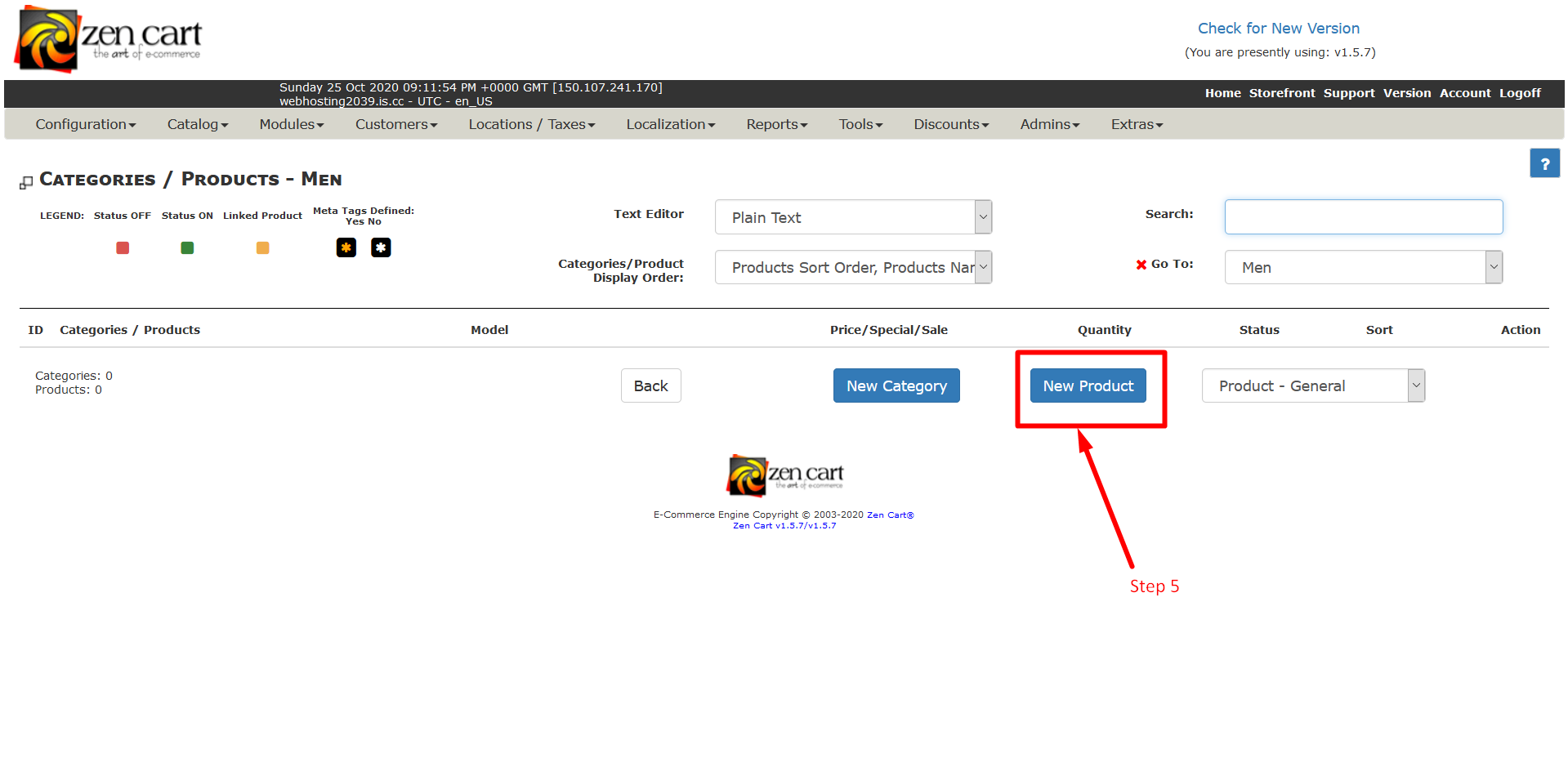
Step 5: Now Click on New Product Button To add new products.
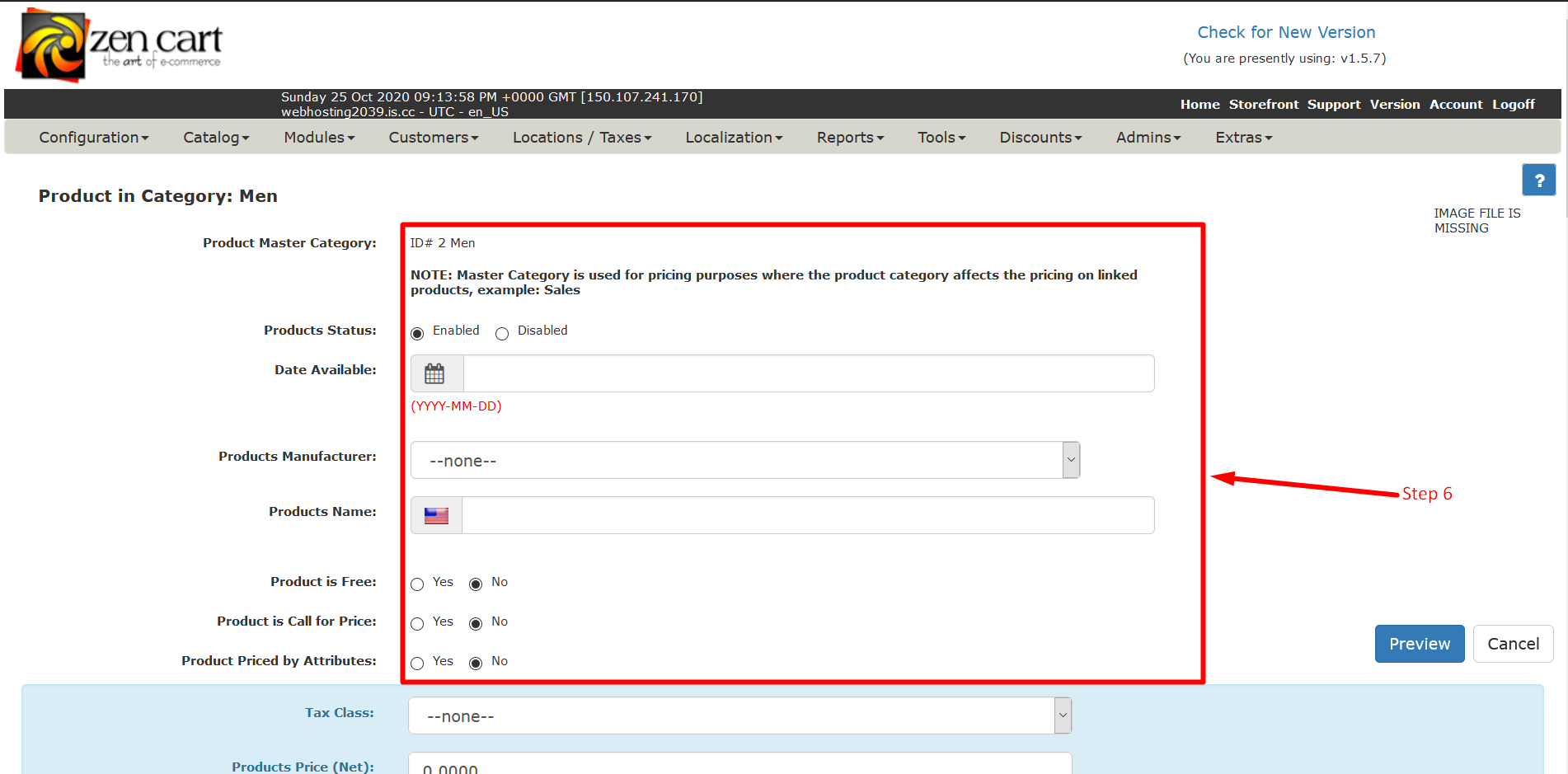
Step 6: Fill the details in appropriate manner. Fill the information about your products.
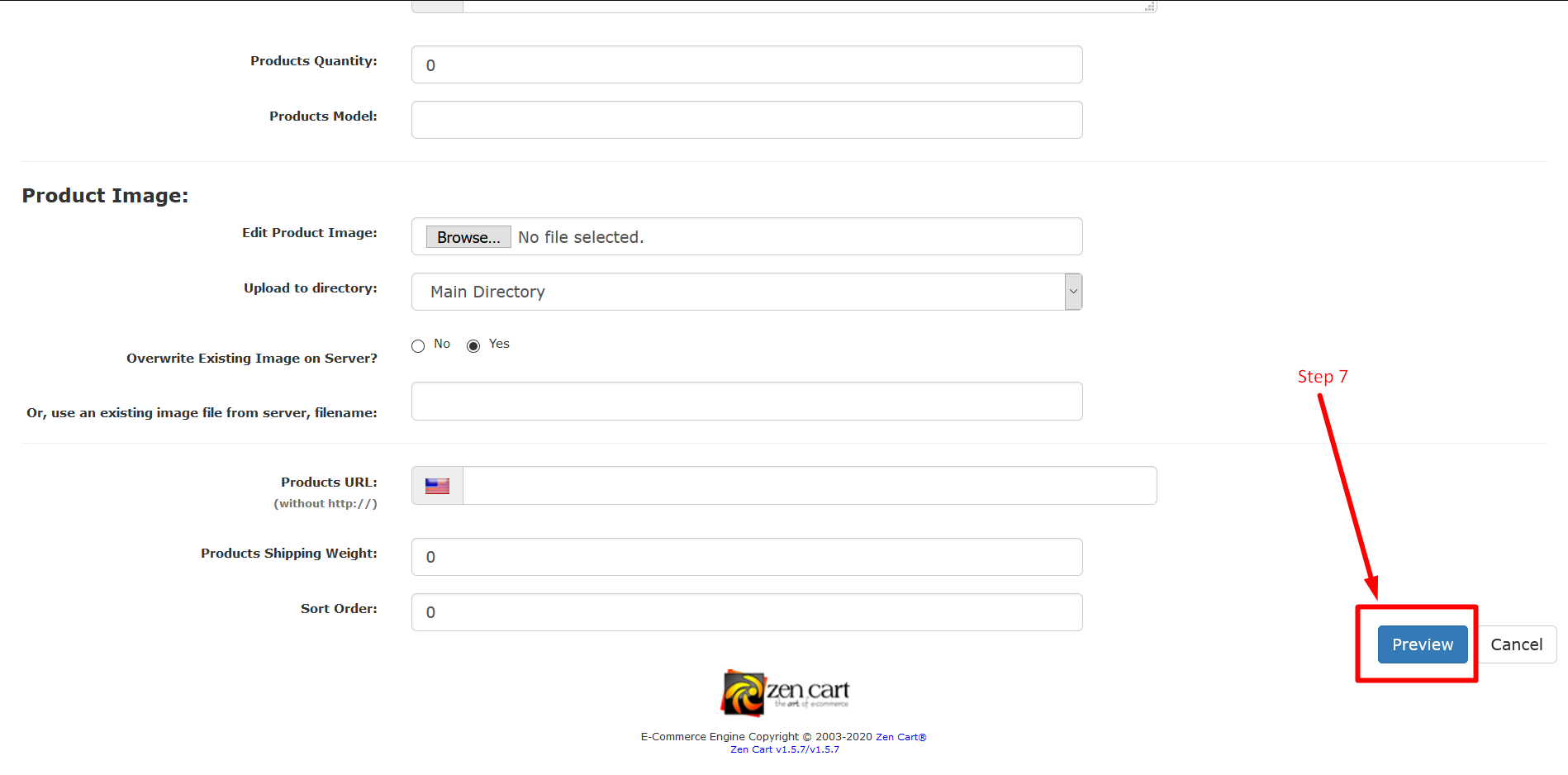
Step 7: After filling in the information click on the Preview button to see your product information how will look online.
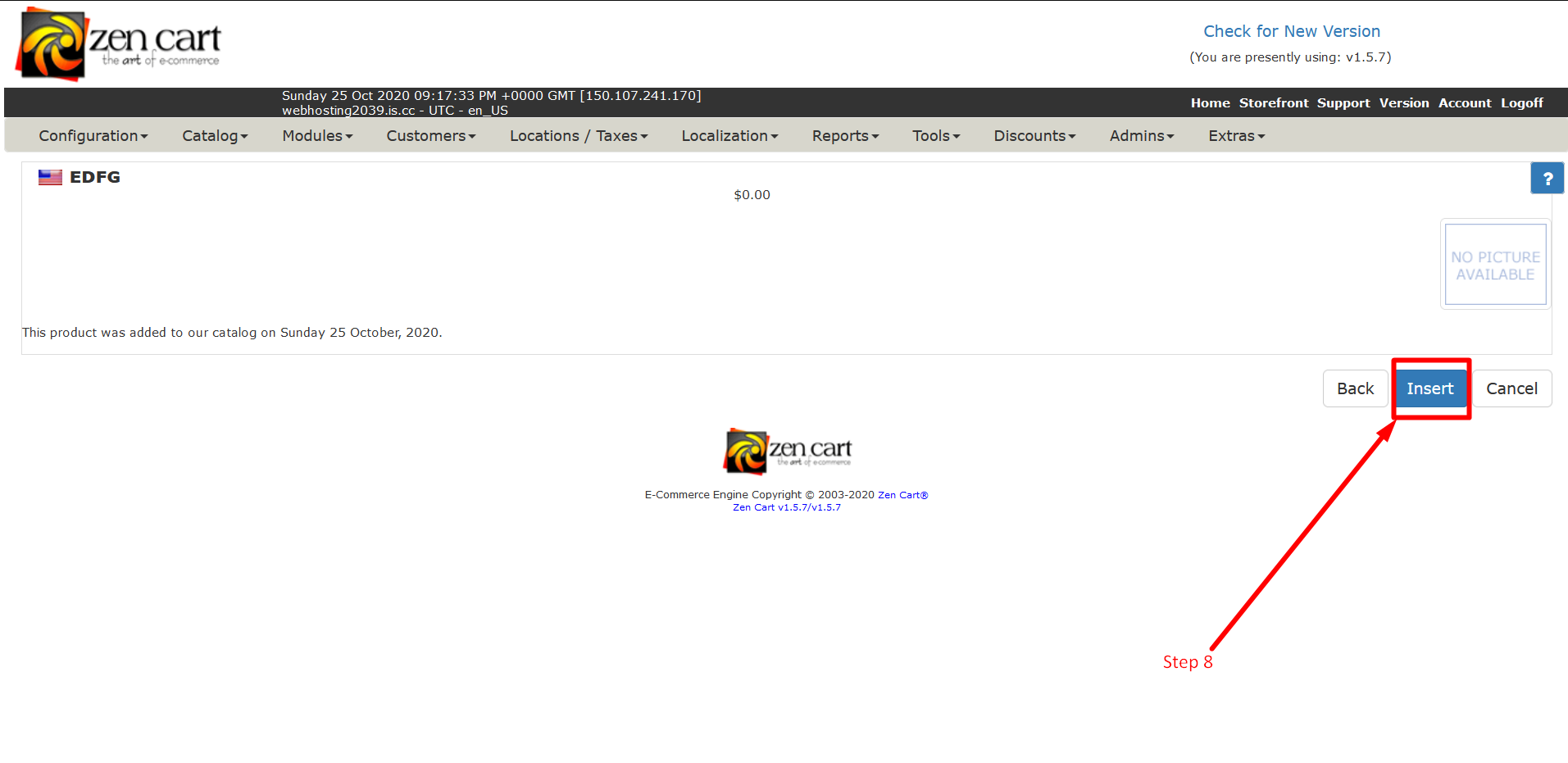
Step 8: If there’s any need for modification then you can click on Back Button to edit the information about the product. If you are satisfied with the preview then click on Insert Button to insert Product To be live on your website.
So, this is how you can create new products in ZenCart. It is a pretty straightforward process and does not require any special explanation. However, If you are facing any issue, please let us know in the comment section given below. We are happy to help!
Related guides
Top 10 Best Content Management Systems in 2021!
Follow this list to learn in detail about the 10 most popular content management systems available in the market.
E-CommerceWooCommerce vs Shopify : The best E-commerce platforms
WooCommerce and Shopify are the two most popular E-commerce platforms. Follow this tutorial to learn more about both of them.
E-CommerceBest Applications to Run E-commerce Websites
E-commerce Hosting:E-commerce is the process of selling and buying of goods or services over the world wide web. It is also known as electronic commerce or
E-CommerceEasy Digital Downloads Plugin for WordPress
Easy Digital Downloads (EDD) plugin is the second most well-known WordPress eCommerce plugin, after WooCommerce. EDD plugin is used to create an eCommerce