
GICT knowledge base
How to Create Manufacturers in Zen Cart?
Published
Let’s assume, I want to purchase Rebook Shoes from Internet. What would be my first step? I would log on to my favourite E-commerce store. Then, I will go to the “Shoes” category and find “Manufacturers” section. It is because I want shoes coming from a specific manufacturer. Now imagine that my favourite store does not allow me to filter products by manufacturer. Now it would be hard to find and decide which pair of shoes I should purchase.
If you are running an E-commerce store, You might already know that creating and managing manufacturers on the store is essential. It allows your customers to find the product they want, FAST! In this tutorial, I will show you How to create manufacturers in ZenCart. It is a simple process. ZenCart provides us an interface to manage manufacturers with ease. So, Let’s get started with the tutorial.
Create Manufacturers in ZenCart
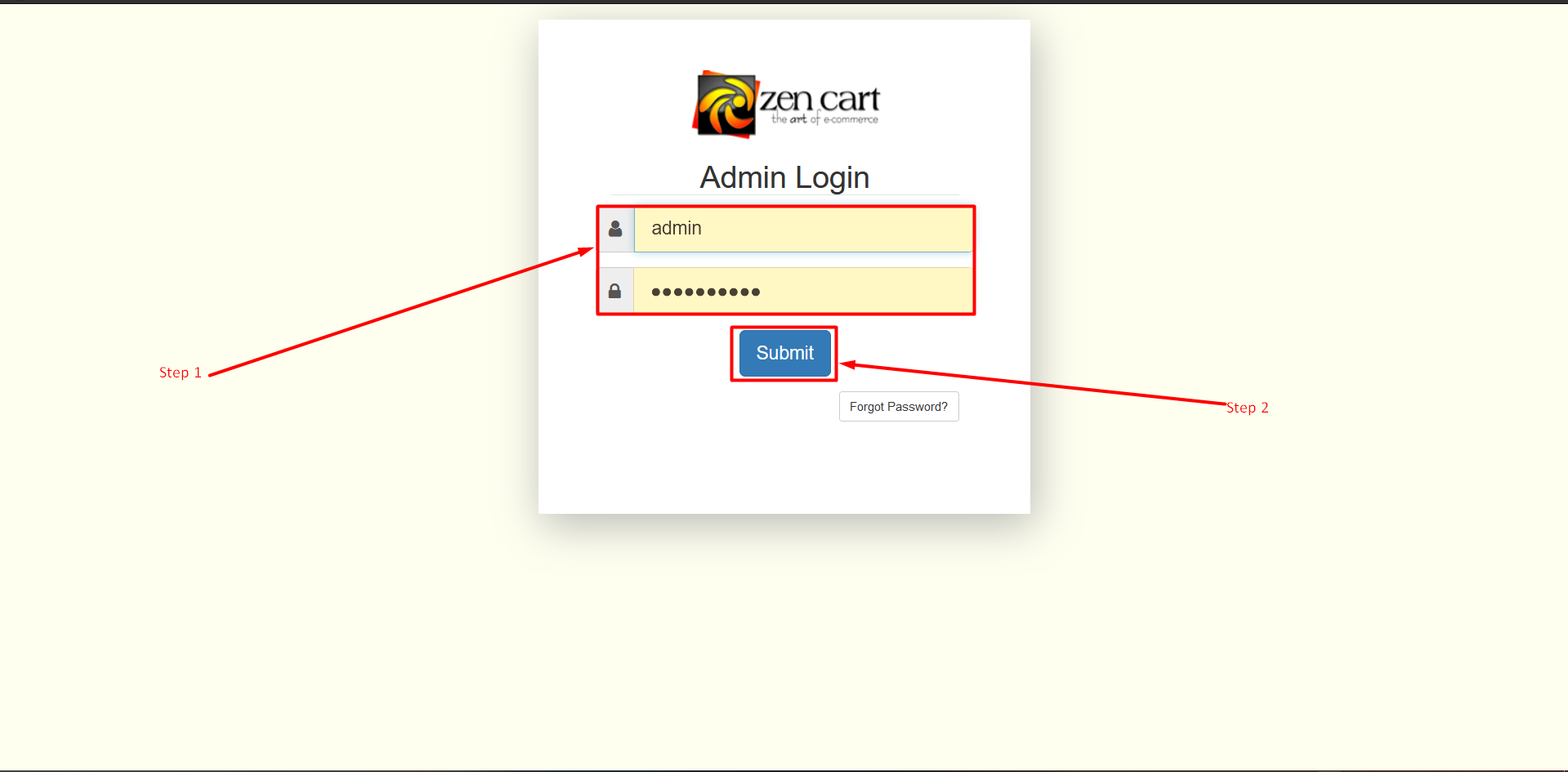
Step 1: Open the administrator login page. Type your Username and Password for administrator account.
Step 2: Now click on the Submit button.
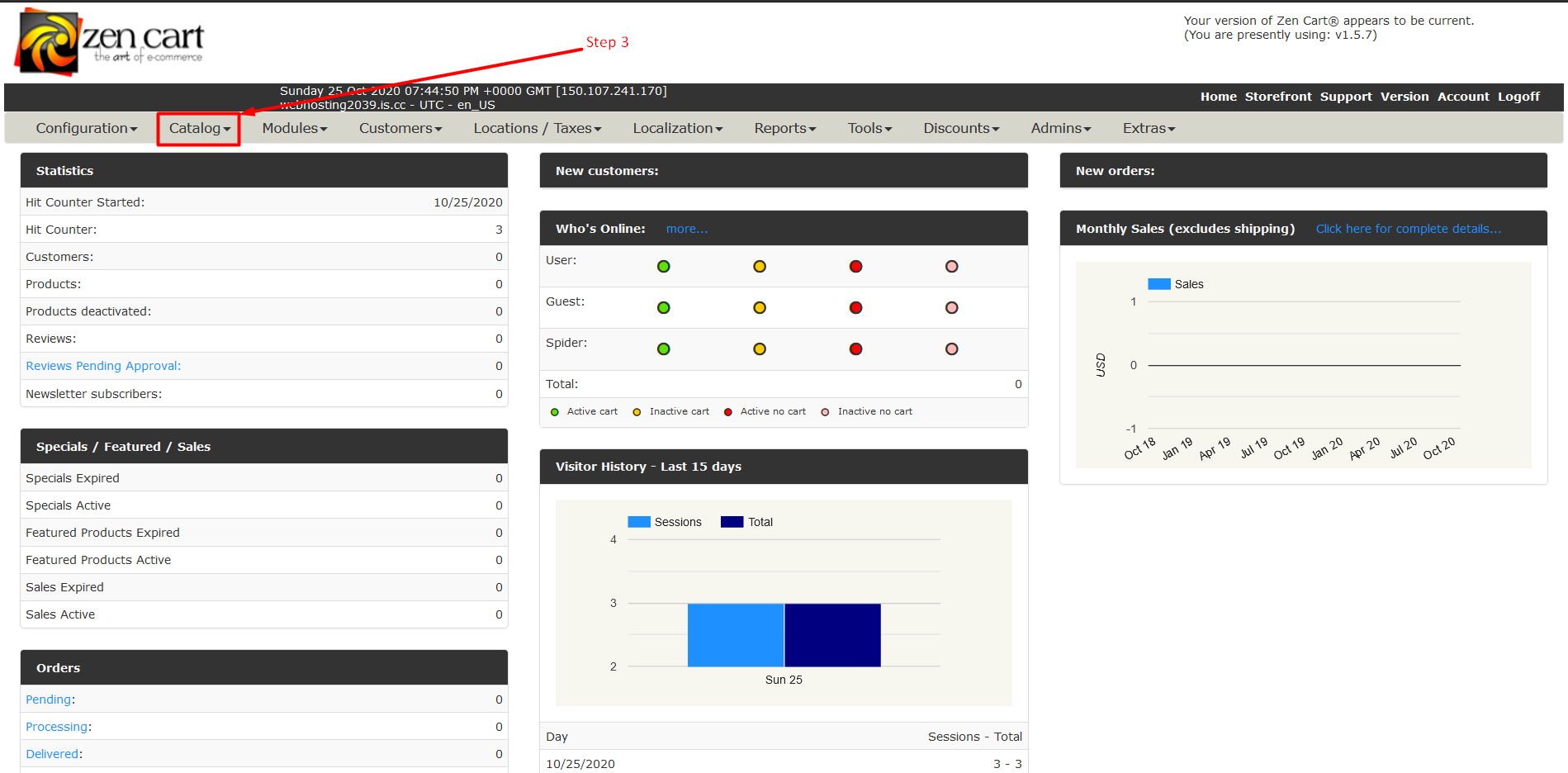
Step 3: Now Find a tab section and find the Catalog tab and click on the Triangle to expand that tab.
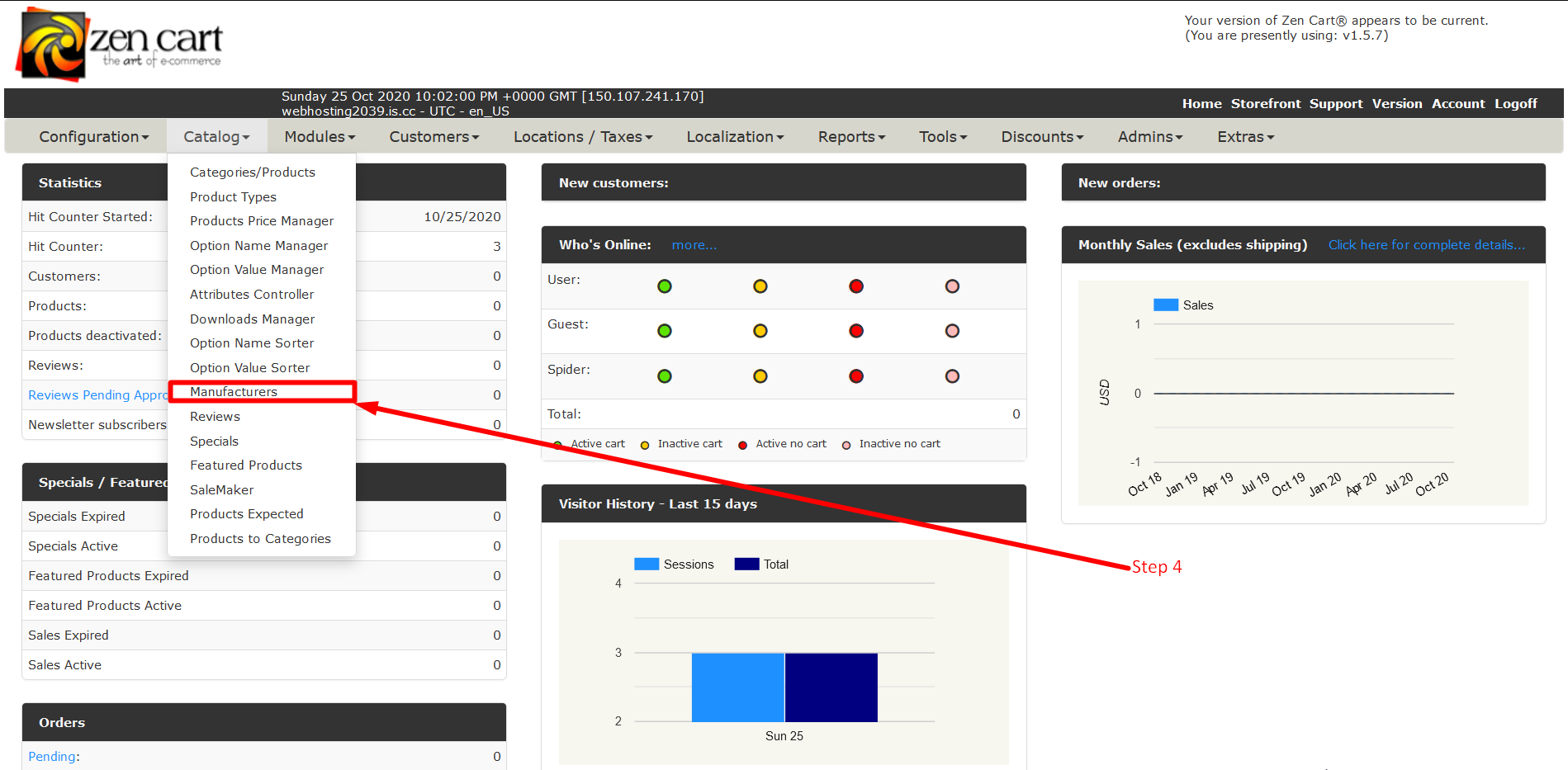
Step 4: Now Click on Manufactures.
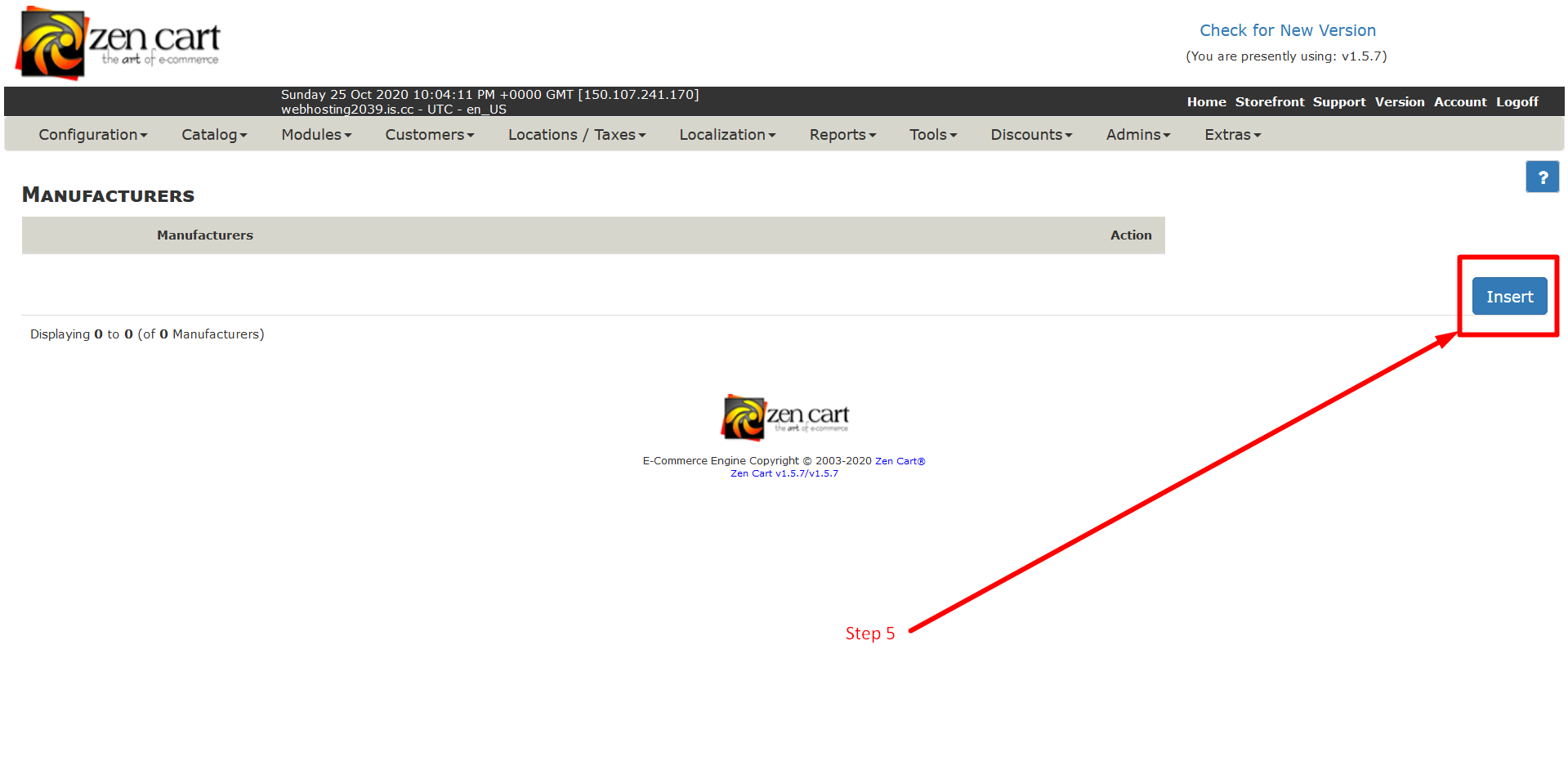
Step 5: Then click on Insert Button to insert new Manufacturer.
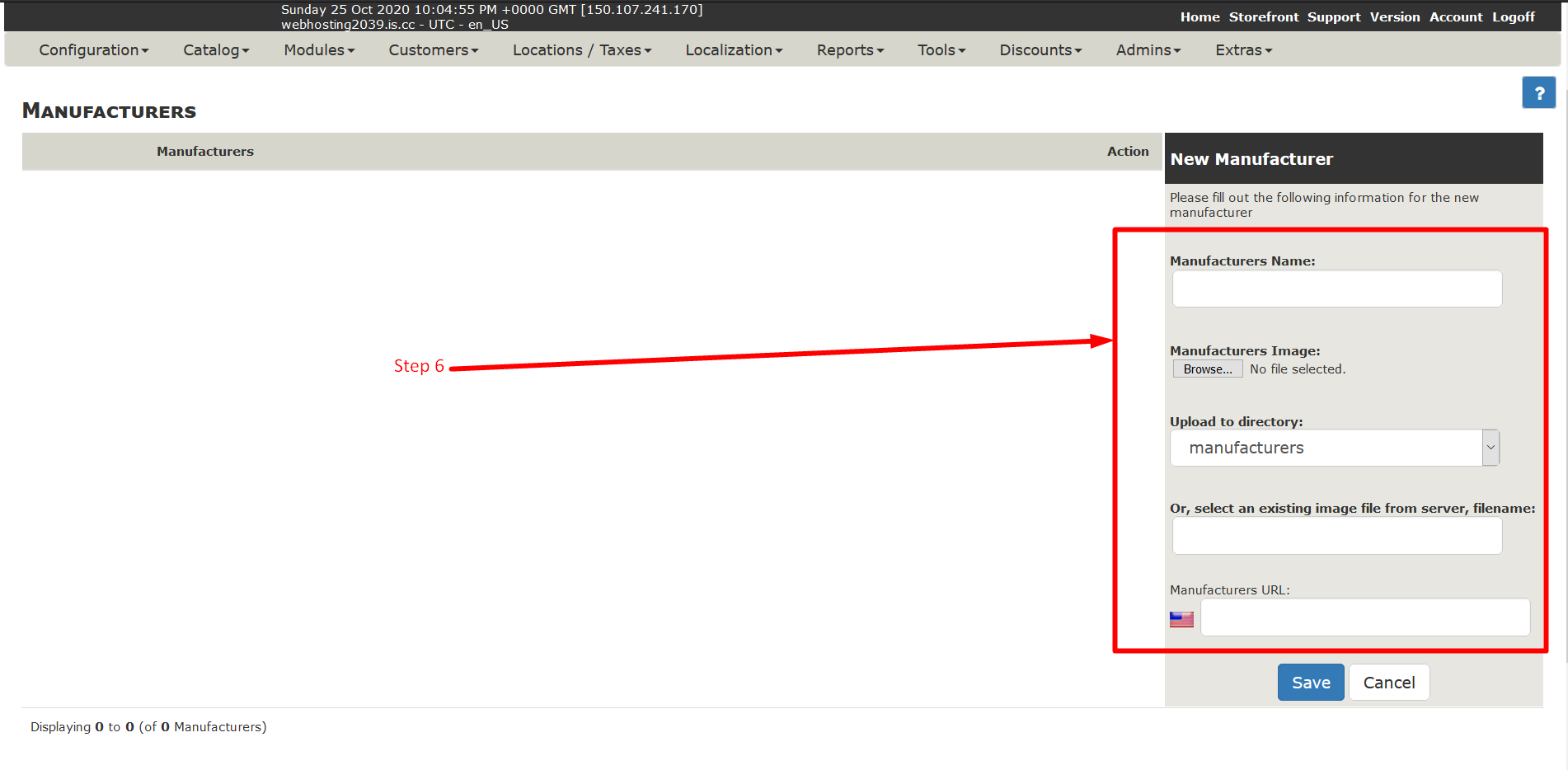
Step 6: Fill the appropriate details in the form like Manufacturer’s name, logo, etc.
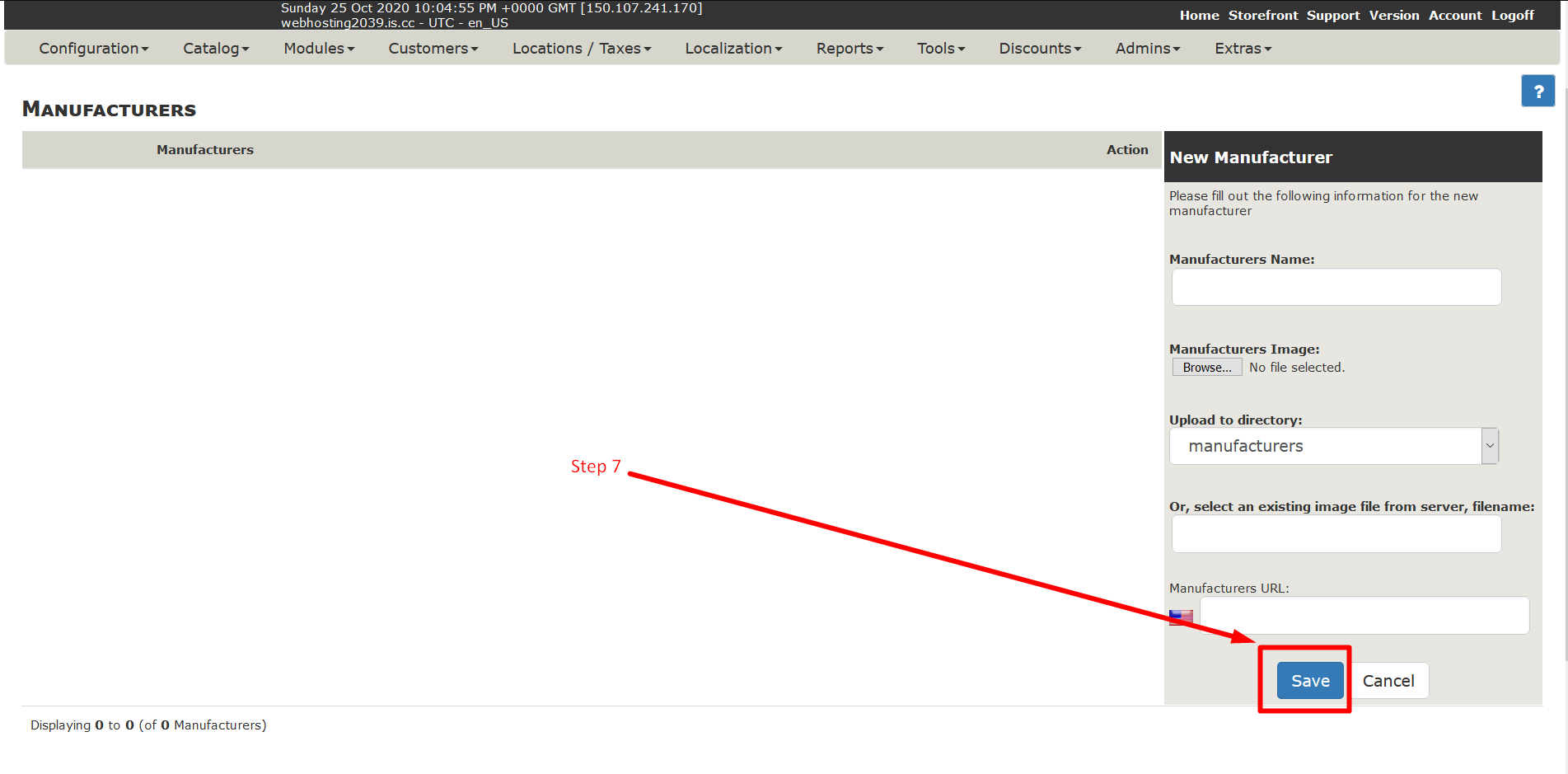
Step 7: And then click on Save Button to save the manufacturer.
After creating the Manufacturer, If you want to modify or delete a manufacturer, You can follow this guide till Step 4. In the list of manufacturers, you will find a column named “Action” containing links to modify or delete actions.
So, this is how you can create and manage manufacturers in ZenCart. We hope this tutorial was helpful for you. If you have any question regarding this topic, please let us know in the comment section given below.
Related guides
Top 10 Best Content Management Systems in 2021!
Follow this list to learn in detail about the 10 most popular content management systems available in the market.
E-CommerceWooCommerce vs Shopify : The best E-commerce platforms
WooCommerce and Shopify are the two most popular E-commerce platforms. Follow this tutorial to learn more about both of them.
E-CommerceBest Applications to Run E-commerce Websites
E-commerce Hosting:E-commerce is the process of selling and buying of goods or services over the world wide web. It is also known as electronic commerce or
E-CommerceEasy Digital Downloads Plugin for WordPress
Easy Digital Downloads (EDD) plugin is the second most well-known WordPress eCommerce plugin, after WooCommerce. EDD plugin is used to create an eCommerce