
GICT knowledge base
Create Manufacturer in OpenCart
Published
If you are running an eCommerce store, you have to manage many entities like Products, Categories, Manufacturers, Suppliers and much more. The reason behind managing Manufacturers is simple, It allows your visitor to filter products by Manufacturer. You might have some visitors who prefer a specific manufacturer for a specific product. Managing manufacturers in an eCommerce store can only improve the user experience on your site.
OpenCart is an awesome eCommerce platform with almost all the features you might need to run an eCommerce store. It allows us to manage all the entities we discussed above. If you are running an eCommerce store on OpenCart, you can easily manage manufacturers directly from the admin side of your store. In this tutorial, I am going to demonstrate the same.
Create Manufacturer in OpenCart
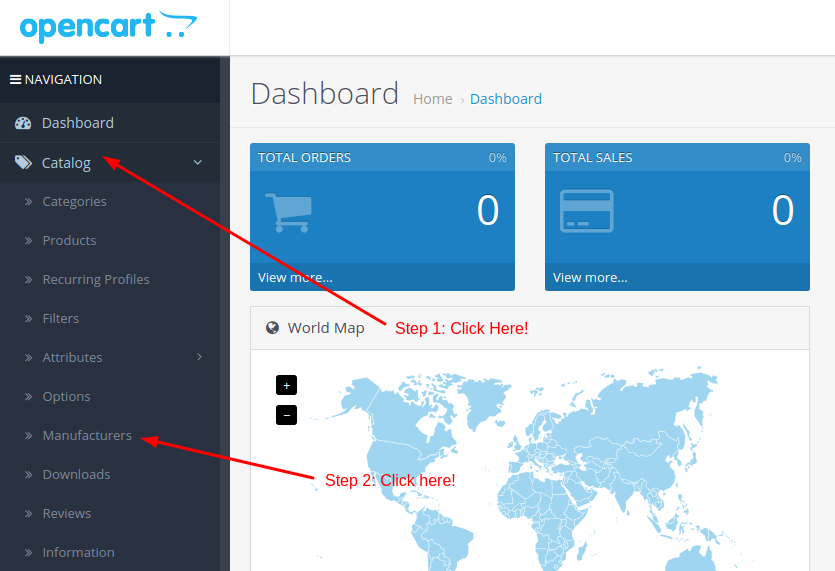
To create a manufacturer, log in to the admin panel of your store and click on the Catalog -> Manufacturers option from the left sidebar.
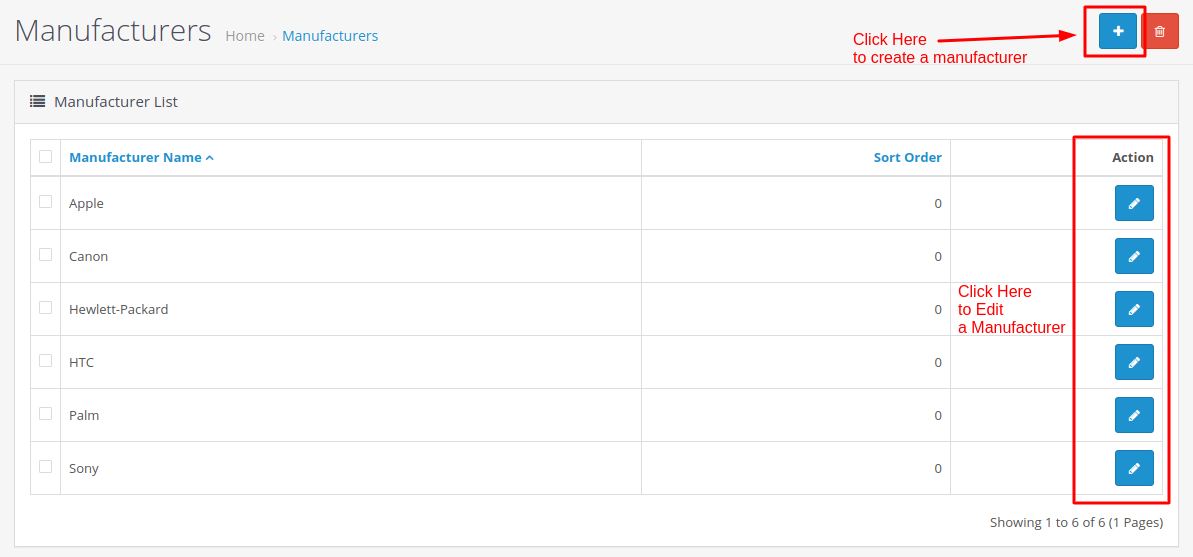
On this page, you will see a complete list of all the manufacturers available in your store. To edit a manufacturer, click on the Edit button corresponding to the manufacturer you want to edit. If you want to delete a manufacturer, select a manufacturer you want to delete using a checkbox and then click on the Trash button given at the top-right corner of the page.
To create a new manufacturer, click on the “+” button as highlighted in the following screenshot.
On this page, enter all the information about a new manufacturer you want to add to your store. You can also set the brand icon for that manufacturer. And, we always recommend you to enter the proper SEO information in the SEO tab of the manufacturer creation form.
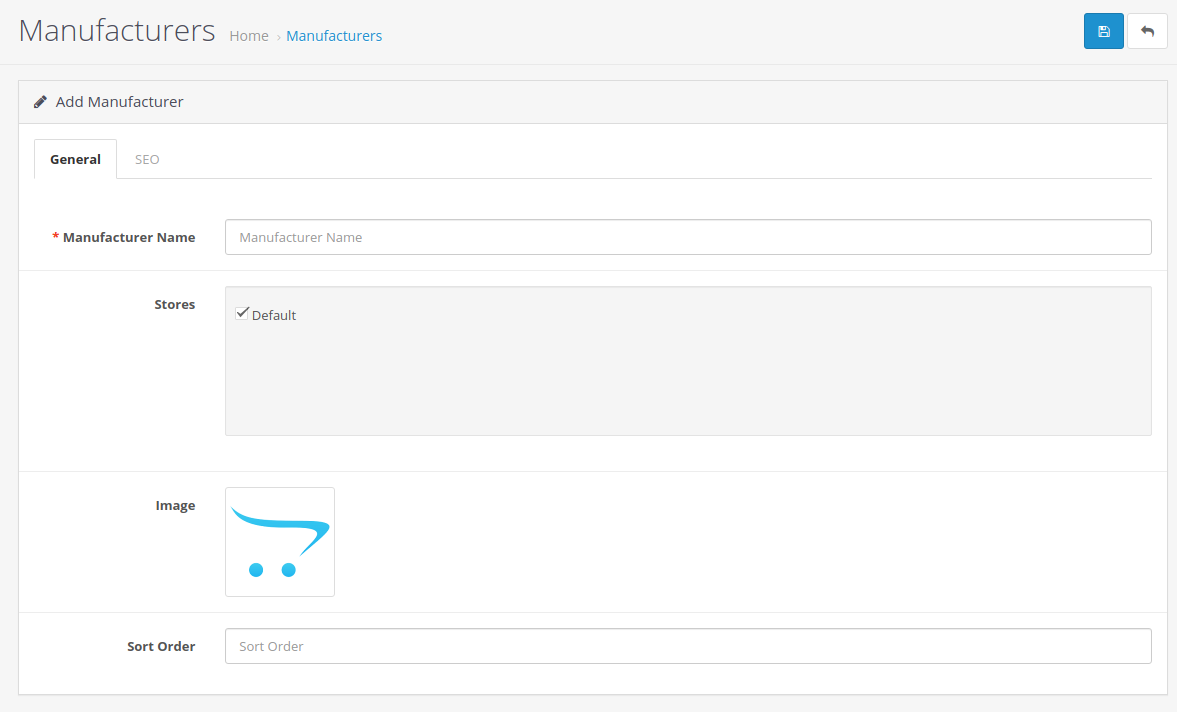
Finally, click on the Save button given at the top-right corner of the page to save a new manufacturer. So, this is how you can create and manage manufacturers in OpenCart. It is a very simple process and it will also improve the user experience.
If you have any questions regarding manufacturer management in OpenCart, please let us know in the comment section given below. We will get back to you with help as soon as possible.
Related guides
Top 10 Best Content Management Systems in 2021!
Follow this list to learn in detail about the 10 most popular content management systems available in the market.
E-CommerceWooCommerce vs Shopify : The best E-commerce platforms
WooCommerce and Shopify are the two most popular E-commerce platforms. Follow this tutorial to learn more about both of them.
E-CommerceBest Applications to Run E-commerce Websites
E-commerce Hosting:E-commerce is the process of selling and buying of goods or services over the world wide web. It is also known as electronic commerce or
E-CommerceEasy Digital Downloads Plugin for WordPress
Easy Digital Downloads (EDD) plugin is the second most well-known WordPress eCommerce plugin, after WooCommerce. EDD plugin is used to create an eCommerce