
GICT knowledge base
Convert Addon to Account tool
Published
Log into WHM as root.
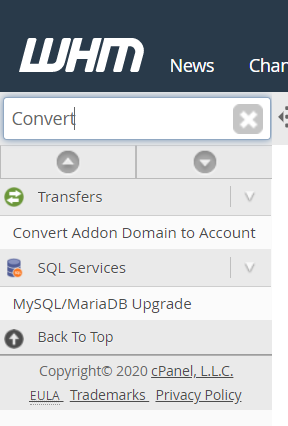
Now type convert in the search tab which is in the left side of the page, that will show you “Convert Addon Domain to Account” tool click on it from the sidebar.
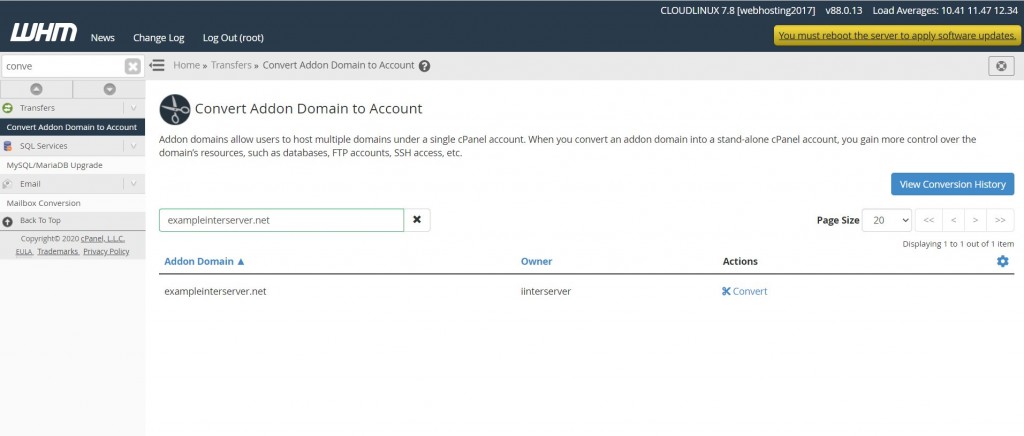
Use the search box and input cPanel user name or addon domain name. Once domain is seen click on “Convert”
You will then be taken to a second interface where you are allowed to choose the new username, define the new account’s package, and other options.
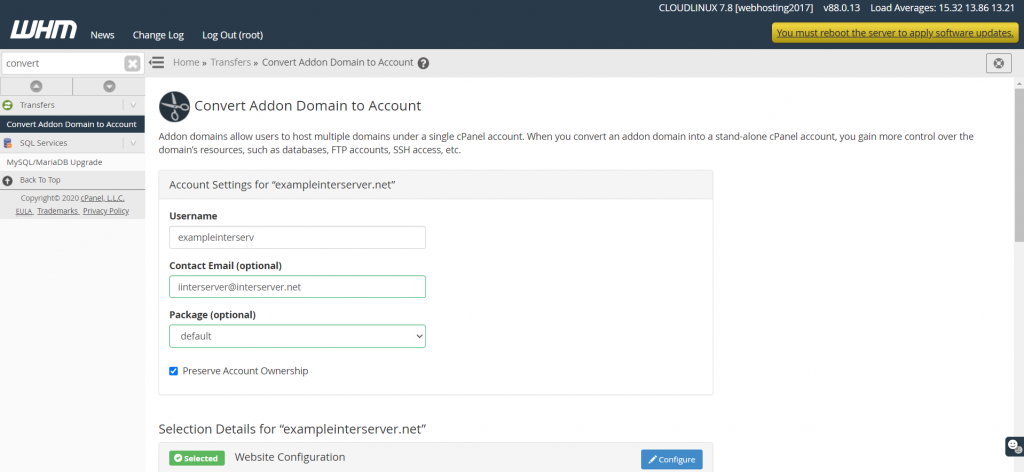
Username Enter a username to be used as the new cPanel account that will own the addon domain.
Contact Email (optional) Enter a valid email address to be used for cPanel notifications.
Package (optional) Select a package to assign to the new cPanel account that will own the addon domain.
Preserve Account Ownership (Checkbox) Select this checkbox to ensure that the owner of the old cPanel account is set as the owner of the new cPanel account.
Confirm that the addon domain’s details are selected and what need’s to be moved to new cPanel account.
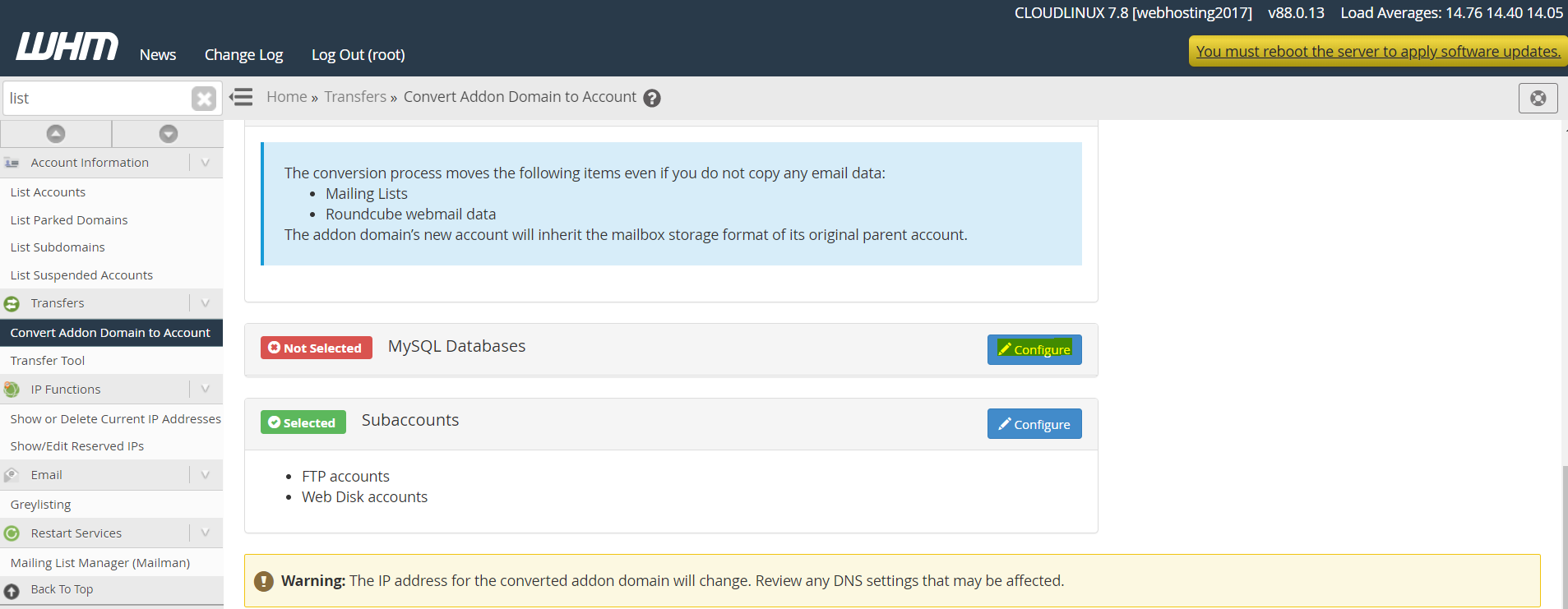
Converting Addon domains to their own accounts includes the ability to move MySQL databases and users.
In order to select the database for the addon domain, click on the Configure button next to the MySQL Databases option and select the radio button Move.Select the database list you wish to move.
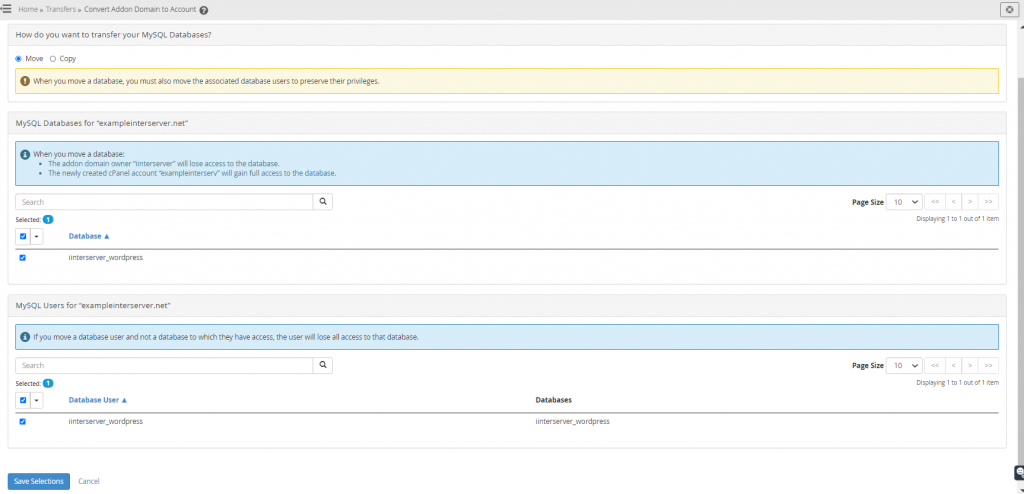
Click the Save Selections button.
And click on Start Conversion button.
Following these steps will create a new cPanel account for the addon domain.
If you need any further help please contact our support department.