
GICT knowledge base
5 Best Google Analytics Plugins for WordPress to Simplify Data Tracking
Published
Best Google Analytics Plugins
If you have a WordPress website, you want to know who is visiting it. You want to know where they come from and what pages they open. Google Analytics gives you all this data for free.
But adding Google Analytics to WordPress is not easy for everyone. You have to paste a tracking code inside your website files. If you are not comfortable with code, this can be a problem. And if you switch your theme, the code is gone and you have to start over.
This is why people use Google Analytics plugins. You install the plugin, connect it to your Google account, and it handles everything. Your website data shows up inside your WordPress dashboard without any extra steps.
Let’s look at the 5 best Google Analytics plugins for WordPress right now.
Why Use a Plugin for Google Analytics
Google Analytics has a lot of data. When you open it for the first time, it can feel overwhelming. Most people check it once and never go back because it is hard to find what they actually need.
A plugin makes this easier. It takes the most useful data from Google Analytics and shows it in a simple way inside WordPress. You can see your daily visitors, your best pages, and your traffic sources without opening Google Analytics at all.
It saves time and makes things much simpler.
5 Best Google Analytics Plugins for WordPress
1. MonsterInsights
Active Installs: 3 million+
Free Version: Yes
Paid Plans: Starting at $99.50/year
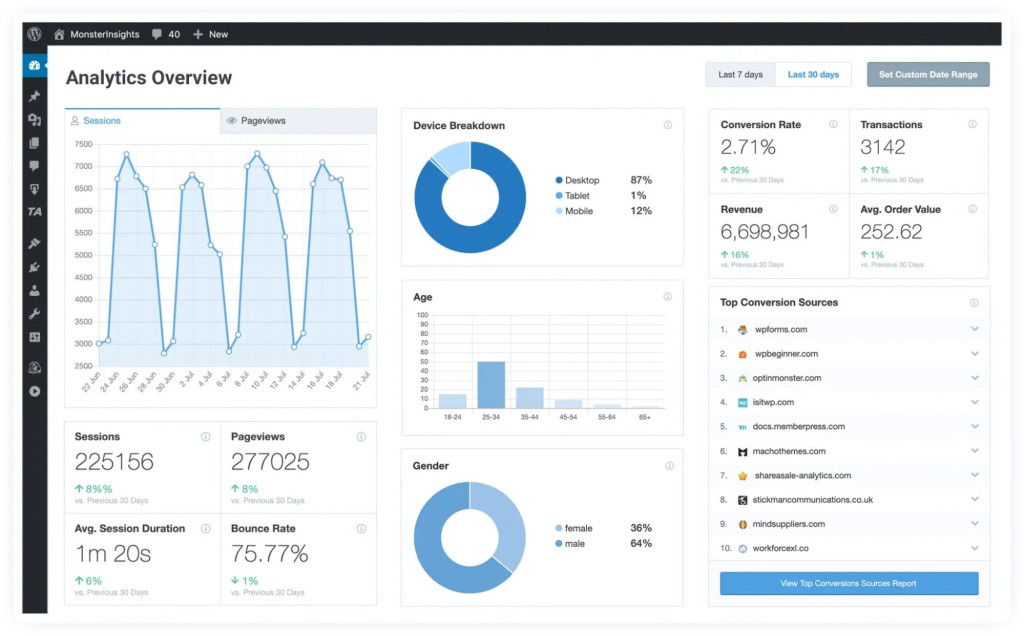
MonsterInsights is the most used Google Analytics plugin for WordPress. More than 3 million websites use it. The setup takes just a few minutes. You install it, connect your Google account, and it starts working.
After setup, you can see your reports inside WordPress. You can check how many people visited today, which pages got the most traffic, and where your visitors came from. If you have a WooCommerce store, it can also track your sales and revenue.
Key Features:
- Simple setup, no coding needed
- Full reports inside WordPress dashboard
- Real-time visitor stats
- WooCommerce sales tracking
- Form tracking
- GDPR tools included
The free version works well for blogs and small sites. The paid version is for those who need eCommerce tracking or deeper reports.
Best for: Anyone who wants a full analytics setup without touching a code.
2. ExactMetrics
Active Installs: 1 million+
Free Version: Yes
Paid Plans: Starting at $99.50/year
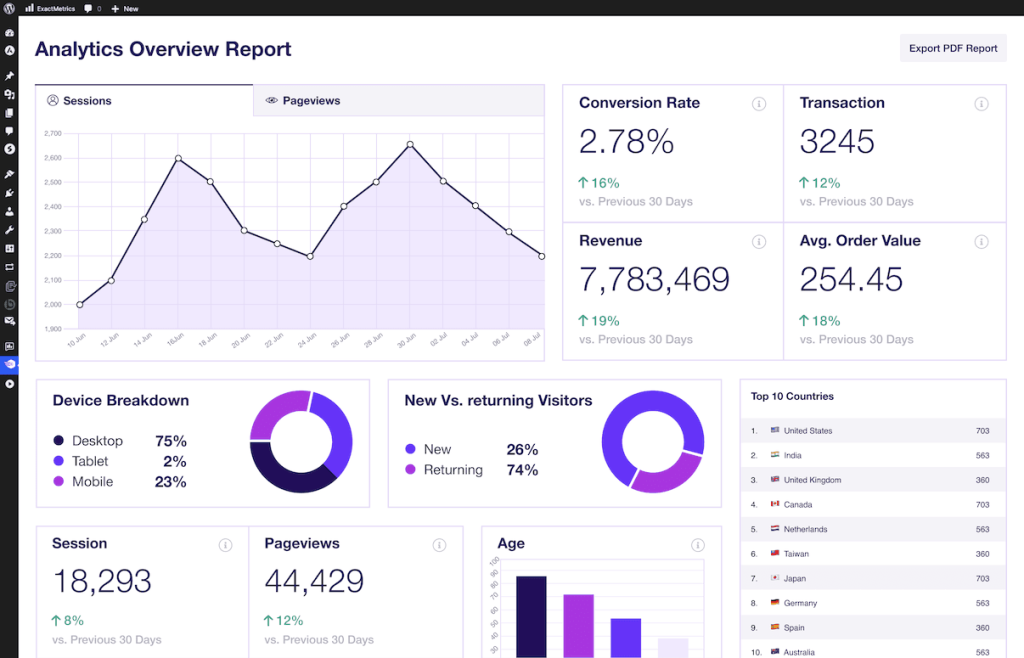
ExactMetrics connects WordPress to Google Analytics and shows your data inside the dashboard. Setup is quick and no technical skills are needed. It is very similar to MonsterInsights but many agencies and freelancers prefer it because it is easier to manage multiple websites from one place.
Key Features:
- One-click Google Analytics setup
- Simple reports inside WordPress
- Real-time stats
- eCommerce tracking in paid version
- Good for managing multiple sites
Best for: Freelancers and agencies handling analytics for several client websites.
3. Site Kit by Google
Active Installs: 3 million+
Free Version: Yes
Paid Plans: None
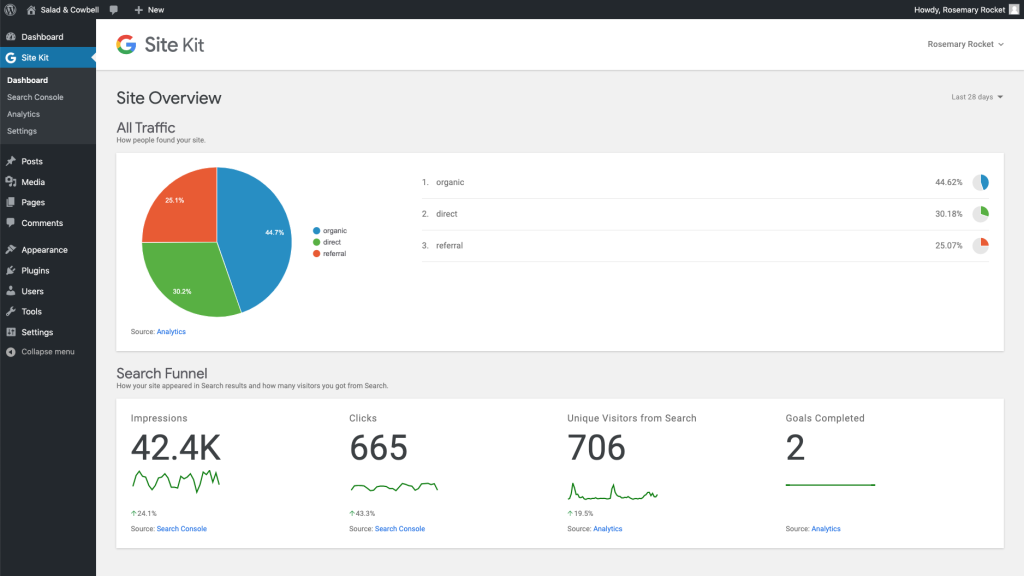
Site Kit is made by Google. It is free and connects your WordPress site to Google Analytics, Google Search Console, AdSense, and PageSpeed Insights all in one plugin. If you want to add Google Analytics without spending money, this is the easiest option.
It does not have as many features as MonsterInsights or ExactMetrics. You cannot do detailed eCommerce tracking with it. But for basic website monitoring, it works fine.
Key Features:
- Completely free
- Official Google plugin
- Connects Analytics, Search Console, AdSense, and PageSpeed together
- Simple dashboard
Best for: Beginners who want a free and easy way to add Google Analytics to WordPress.
4. Analytify
Active Installs: 900,000+
Free Version: Yes
Paid Plans: Starting at $99/year
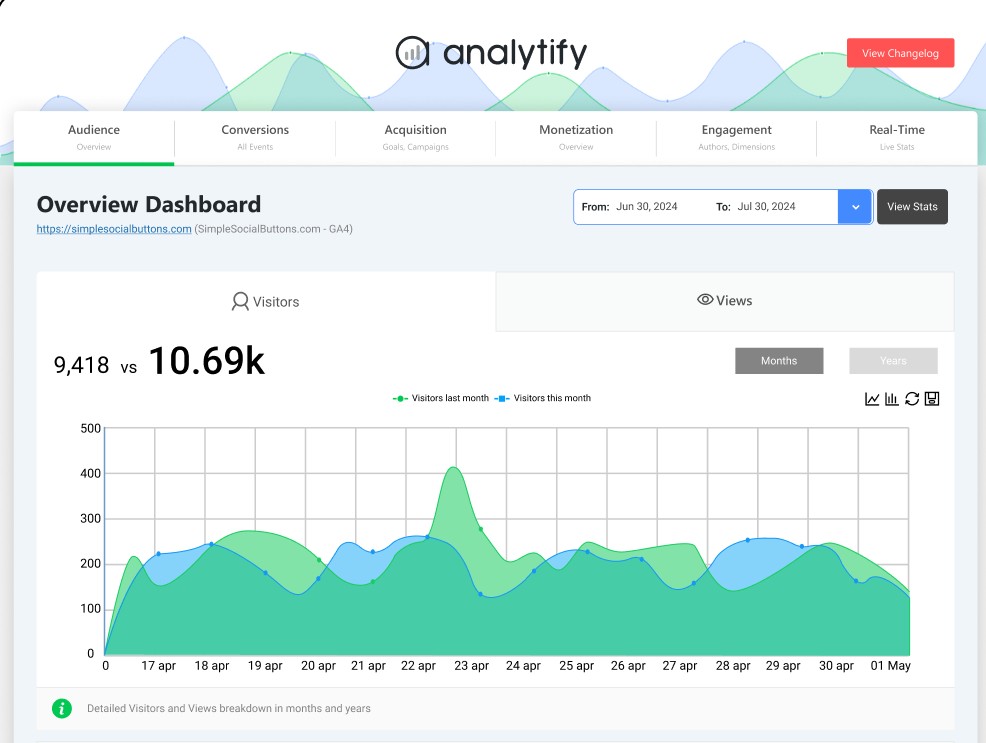
Analytify is a good choice for bloggers. It shows the stats for each post and page right inside the WordPress editor. You do not have to go to a separate page. You just open any post and see how it is doing.
The dashboard is clean and easy to read. Even if you are new to analytics, you will understand the data without any help. It also supports WooCommerce tracking if you run an online store.
Key Features:
- Per-post and per-page stats inside the editor
- Clean and simple dashboard
- WooCommerce tracking
- Automated email reports
- Campaign tracking
Best for: Bloggers who want to track how each post is performing.
5. WP Statistics
Active Installs: 600,000+
Free Version: Yes
Paid Plans: Starting at $119/year
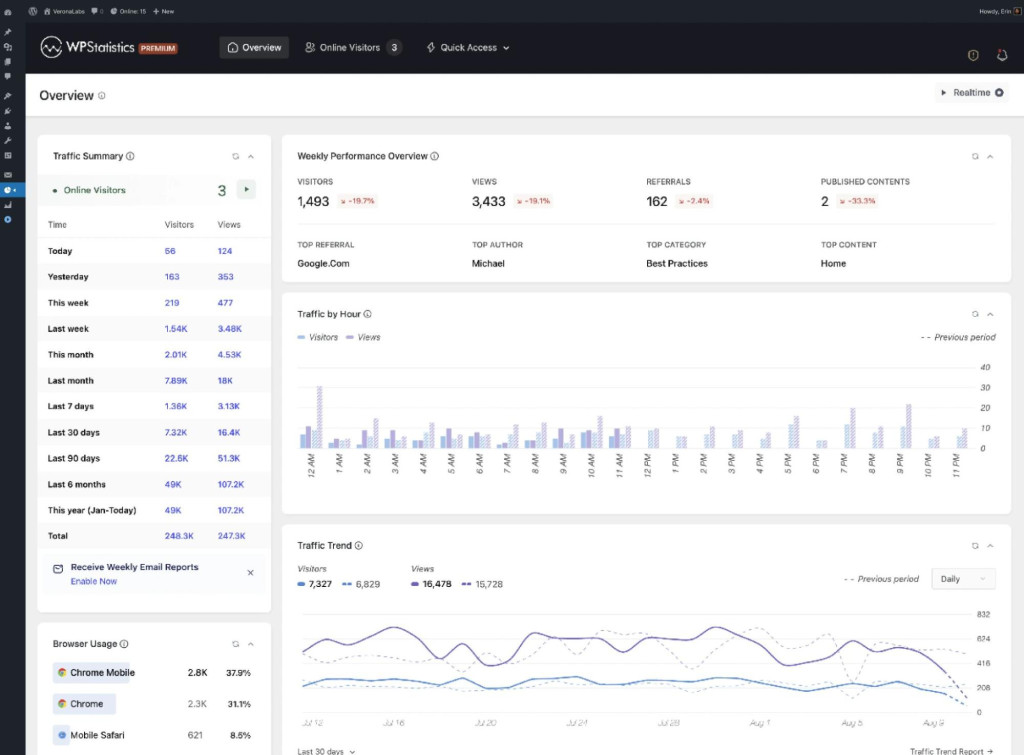
WP Statistics does not use Google Analytics. It tracks your visitors on its own and saves all data on your own server. Nothing is sent to Google or any other company.
This is a good option if you care about privacy. It is GDPR friendly and you do not need a cookie banner. You can still see all the basic stats like visitor count, page views, traffic sources, and visitor locations.
One thing to keep in mind is that all data is stored in your WordPress database. On high traffic sites, this can take up more space over time. But for small and medium sites, it works great.
Key Features:
- All data stored on your own server
- No Google account required
- GDPR compliant, no cookies needed
- Tracks visitors, page views, locations, and referrers
- Simple visual reports
Best for: Website owners who want full control over their data and do not want to share it with Google.
Quick Comparison
- MonsterInsights: Free version available, paid plans from $99.50/year, best overall plugin
- ExactMetrics: Free version available, paid plans from $99.50/year, best for agencies and multiple sites
- Site Kit by Google: Completely free, best for beginners
- Analytify: Free version available, paid plans from $59/year, best for bloggers
- WP Statistics: Free version available, paid plans from $19/year, best for privacy focused sites
Which One Should You Use
If you want the best plugin with the most features, go with MonsterInsights. It works for all types of websites and is very easy to use.
If you manage multiple sites for clients, ExactMetrics is a better choice because it handles multiple websites well.
Google Site Kit is the best choice if you’re looking for something free. It costs nothing and is made by Google.
If you are a blogger and want per-post stats, Analytify is made for you.
If privacy matters and you do not want data going to Google, use WP Statistics.
Conclusion
You do not need to be a developer to track your website data. All the plugins above have a free version, so you can try them before paying for anything. Pick the one that fits your situation, install it, and your website tracking will be ready in minutes.